


Building Web Apps and APIs in R with Ambiorix (Kennedy Mwavu & John Coene) | posit::conf(2025)
Building Web Apps and APIs in R with Ambiorix Speaker(s): Kennedy Mwavu & John Coene Abstract: Ambiorix reimagines web development in R, offering a flexible, autonomy-driven alternative. It gives developers full control over the request-response cycle, while providing essential web features like routing and middleware out of the box—ideal for developing large web applications and APIs. This talk will cover what sets Ambiorix apart, its key advantages for developers, and how it streamlines building web products & services in R. Whether you're an R developer looking to build web apps with more flexibility, or exploring new tools for APIs, this session will show you why Ambiorix is worth considering. GitHub - https://github.com/ambiorix-web/ambiorix Website - https://ambiorix.dev/ Talk Repo - https://github.com/ambiorix-web/positconf2025 posit::conf(2025) Subscribe to posit::conf updates: https://posit.co/about/subscription-management/
image: thumbnail.jpg
Transcript#
This transcript was generated automatically and may contain errors.
Ambiorix is a web framework for R. So at this point, you might be like, hmm, is this just a Shiny 2.0? The answer to that is a big no. Ambiorix is neither a replacement nor an upgrade to Shiny. In fact, it's a fundamentally different approach to how web development is done in R.
A little backstory on how I got into using Ambiorix. Back in 2022, I was working for an actuarial consulting firm and we were building this Shiny application for general valuation of actuarial claims. The application got so huge, and by huge I mean hidden tab panels upon hidden tab panels upon hidden tab panels. And we started getting into problems.
The first problem was I could not share a link to a specific page or section of the application. This meant clients would go through a lot of clicks before they got to a page or a section within the application. As a result of that, we got a second problem. Clients started requesting for API endpoints to our application so that they can build their own frontends. Now, Shiny doesn't support either multi pages or API endpoints. And this was a big problem.
Now the dilemma I was in though, was I really did not want to leave the R ecosystem. R was the first programming language I learned and I love it. I just wasn't ready to ditch it. Now, that was when I started looking for solutions and I stumbled upon Ambiorix. Then I realized it in fact handles both of my problems, multi pages and APIs. I have lived happily ever since.
I have lived happily ever since.
Why Ambiorix and how it compares to Shiny
At this point, you already know why you should care about Ambiorix. You get true multi page support, API capabilities, meaning you can create your JSON endpoints alongside the HTML pages using the same syntax. And a third one is that you get fine grained control over the HTTP request response cycle, which we'll talk about in a bit.
So does it mean that you should switch from Shiny to Ambiorix? Let's see a comparison. The main difference between Shiny and Ambiorix is that with Shiny, you get batteries plugged in, all you have to do just plug and play. On the other hand, for Ambiorix, you have to build everything from scratch, literally.
Shiny gives you prebuilt UI components. Think radio buttons, action buttons, text inputs. You also get bootstrap and jQuery out of the box. And in fact, the best thing about Shiny, you get a reactive framework built in to Shiny. On the other hand, for Ambiorix, you have no prebuilt UI components. This means if you want an action button, build it. You want a text input, build it. You want a radio button, you guessed right, build it.
But it also means you can use whichever frontend framework you want, whether JavaScript or CSS, go for whatever you want. We have no reactivity by default. What we do have though are HTTP requests.
Now from that comparison, this should be your takeaway. The best thing about Ambiorix is also the worst thing about it. You get unparalleled customization. Just take care that you're not caught up in the customization when you should be delivering business value.
The best thing about Ambiorix is also the worst thing about it. You get unparalleled customization. Just take care that you're not caught up in the customization when you should be delivering business value.
The request-response cycle
Now let's talk about the request response cycle. This is the core idea of how Ambiorix works. In fact, if you understand this, you'll be 50% there. And it's in fact the core idea of how every interaction on the web works, from loading a page to submitting a form.
This cycle is initiated by the client. The client sends a request to the server. The client in this case can basically be a web browser or another application sending a request to yourself. The request is basically a message detailing what the client wants. For example, give me the homepage. Now the server gets the request, processes it and gives back a response. The server in this case is your Ambiorix application. Ambiorix creates a web server. That is the server that we are talking about.
And the response that the server gives back could be the requested data, an HTML page or an action confirmation. And this cycle keeps going on and on and on. The client sends a request to the server and the server gives back a response.
Demo: data dashboard
Now we have a small data dashboard demo that we prepared where we'll be exploring the MTKs, IRIS and air quality datasets. And we'll basically see that we have an HTML interface for humans and a JSON API for programmatic access. So let me share the demo.
Now this is the homepage for our dashboard. It's a really small dashboard. And on the homepage what we see are the available datasets and we have the API endpoints down here. So for the available datasets we of course have MTKs, IRIS and air quality.
Now if you click on any of these buttons, the view dataset ones, this takes us to another page where we can see, you know, a bit of a summary about the datasets. So this is the summary for the numeric columns in the MTKs dataset. And then down here we get to see the first few rows of the dataset.
Now the thing about Ambiorix since it's multi-page, since you can build multi-page applications using it, it means you can use the browser's back and forward buttons and they would work as you expect. And if you click this one for iris, since it has categorical columns, we also get a summary of those and obviously the first few rows.
Now the thing is, this right here, this is the HTML representation. This is what you want your users, the ones who visit your website to see. On the other hand, if we click on this button for JSON summary, now this is the same thing as the HTML representation but in JSON format. Now this is the JSON format, like it's the JSON representation of the page that we were just viewing. So you can see here we have numeric columns, categorical columns and maybe the first few rows.
So if we can cross check the JSON summary again, if we can print this then zoom in, you can see that we have the numeric summary and then down here we will have the factor summary and finally sample data. And it's literally, well it's not exactly the same thing but it's the same representation in different formats. And that's it about the dashboard. It was a really small one so nothing huge.
Hello World and HTTP methods
Now going back to the presentation, before we can talk about how the demo works, let's see how we can create a Hello World program using Ambiorix. First things first, you of course load the library and then we create an app instance of an Ambiorix application using Ambiorix of capital A. And then this next section says for every get request slash the homepage, I want it to be handled by this function, this handler.
One thing to note is that all handlers in Ambiorix must take a request and a response object. The request object contains everything you need to know about the incoming HTTP request. Think cookies, content type, any headers that you have set. It will contain everything about that request. Then you will use the response object to well, send back responses to the client. In this case we send back a simple hello from Ambiorix. We finally start the application on port 3000.
So you've heard that this is a get request. Does it mean that there are other HTTP requests? Yes, and in fact, these are the most common ones. So we have a get request, post request, put request and delete request. You will mostly use get request to retrieve a resource from the server. For example, when you visit posit.co, you are getting the homepage for posit.
You will mostly use post request to create a new resource on the server. For example, when registering a new user in your application. Then you have put request which you will mostly use to update an existing resource in the server. A good example is for updating a user profile. And finally we have delete request which you will use to delete a resource from the server. And a good example, to delete a user account. It's most probably a delete request.
Core concepts: routing, parameters, and error handling
So next up are the core concepts and ideas used in building the demo application. And I will hand this over to John.
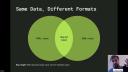
Thank you, Kennedy, for your presentation and the demo. As we said, I'll go into some of the core concepts in a bit more detail in the following slides. First, we'll go with this idea of a unified business logic and different response formats. The idea is you can centralize your business logic. Have one, in this case, one core R function. But then two interfaces with it. One for human consumers that want to consume a nice beautiful HTML page. But for your machines, you can return raw JSON.
And so this is very much how it looks. You can centralize your business logic fairly easily. And then the results, the data, in different ways. And I know this is something that you can do without Ambiorix. You can do it in R currently. You could have a central R package to hold your business logic. On the one end, a Shiny application. And on the other, a Plumber application. But I would argue that with Ambiorix, you can put everything in one place. It is much easier to manage, change, update, test, etc.
So how does that look in the code? Well, in Ambiorix, we're going to create two different routes. One for HTML and one for JSON. And you'll see that they both make use of that get dataset summary function. But the first creates a nice HTML page and returns that probably to a browser. Whereas the second, we just send it to the JSON method of Ambiorix. And we trust Ambiorix with serializing that correctly. So this is where you have one function, two different ways of presenting it.
And you might have spotted that in the code before. But one very simple yet important concept with Ambiorix is this idea of route parameters. In our example, we just support three datasets. But in a real-life example, you might have a lot more than that. And essentially, you cannot sensibly hard-code this path and these routes manually in your code. But also, in many instances, as you develop these applications, the routes that you are expected to serve are not known at the time you write the code. So we need a way to handle those dynamic URLs, which is what we have here.
You can go to slash datasets slash empty cars or iris or air quality. But we have one route in the code. And we use this funny notation, colon name, which is, again, taken from Express.js. And the idea is that, without going into too much detail, essentially, the Ambiorix server uses that to form a regular expression and correctly match your route to the request that comes in to the correct handler that we have internally. And it will parse this route to make the parameters available to you as a nice list on the request object, as is seen there on the second line.
So I can access the name because that's how we've called it, colon name. We can access the name as part of that parameters list and then use it downstream in our code for whatever purpose we see fit. So this is how you handle dynamic routes using route parameters.
Something that's very similar to route parameters are query parameters. I've seen people use it interchangeably. You shouldn't if you want to write proper RESTful APIs. I think the way they're done in the demo here is correct. And, again, these query parameters, you may not have implemented them, but I'm pretty certain you've consumed them if you've used any sort of API in the past.
You might have, for instance, for the pagination, it's ideal. You might have put question mark, page equals one, page equals two, et cetera. Some APIs might allow you to sort the results. You can put sort, ascending, descending. You can select certain fields, perhaps, or columns in a data set. This is the kind of things you use the query parameters for.
And they look a bit like this. So note that that means those are always, always optional. So if you just go to slash data, you get all the rows in the data. But then if you do the question mark followed by those query parameters, you can get different results. In the demo, we just implement limit. You are free to implement whatever query parameters you think applies to your application.
So if you pass limit equals one, you will get five rows. Limit equals ten, you get ten rows. And how it looks in the data set is in the data, in the apologies, in the code is very much like this. Very similar to what we saw before with the parameters. You can still see it online too. As part of the request object, this time we access the query, which is a list, a named list with all the query parameters that the user might have passed to that URL. And in that case, limit, which you can again use downstream in your code for whatever purpose. Here we just, I think we just call it on head. You do head the data and you pass the limit and then we return that as JSON.
Now this is somewhat fun. Common HTTP error responses. You need to understand a bit more about HTTP status codes if you work with Ambiorix. But one, they're very simple and two, it's kind of fun too. For once, return those error response codes rather than be on the receiving end of them. And as I said on the slide there, it's extremely important to do them properly. Oftentimes we can, we feel we can ignore them. And generally when you browse your application with a web browser, you won't notice it. But generally for programmatic use downstream, it's extremely important to use the right HTTP status code.
We'll just go over three of them. Two 400s and one 500. The 400 bad requests, you might have observed that if you try to integrate or consume a web API. I certainly have. If I try and make a request that is incorrect, then the server can return bad requests. For instance, in our demo, we could imagine returning that if someone in that query uses negative limit, for instance. That doesn't make sense. That's a bad request. We can return that.
404 not found. I think we've all seen that. You try and access a resource that doesn't exist on the server. And 500, that's an internal server error. And you might have observed that, but these HTTP error codes are classified. So everything that starts with a four 400 is a client error. Everything that starts with a five 500 is a server error. Two 200 is success. Three 300 is redirect, et cetera.
So how could we use that, for instance, in Ambiorix? Well, in our routes, we have dynamic routes. So people can pass the data set, empty cars, iris, or air quality. But what if someone thinks they can get the summary for penguins or cars or another data set that we do not support? Well, in that case, the appropriate response is a 404. And we can do that in the code. You see that we check that the data set name is valid. And if it is not, we create a response that essentially says the data set is not found. But before we send that response, importantly, we set the correct status to 404 or not.
And so that is it for us today. And we'd encourage you to try Ambiorix. We're on GitHub. We've got a brand-new GitHub organization, Ambiorix Web, where you will find the source code as well as dozens of middleware and plugins, if you like, for Ambiorix. We've got a nice website that's been redone recently by Kennedy at ambiorix.dev. And you've got these nice slides also done by Kennedy on GitHub. It's on CRAN, so you just have to go install.packages.ambiorix. We hope you give it a spin. And that is it from myself and Kennedy. We thank you very much and welcome your questions.