


Let's install your first Python library in 2 minutes
Here is how to get set up to install your Python library in Positron. Learn how to use the terminal to install your first Python library, in this case pydytuesday. Also, learn the basics for managing packages using "pip." We hope you join us in participating in PydyTuesday! Don't forget to use the hashtags #TidyTuesday and #PydyTuesday wherever you like to hangout online - Bluesky, Mastodon, LinkedIn, etc. - have fun out there! We can't wait to see the predictive models, visualizations, dashboards, and data apps that you create Resources and Repos to star: TidyTuesday GitHub Repo: https://github.com/rfordatascience/ti... Posit PydyTuesday GitHub Repo: https://github.com/posit-dev/python-t... TidyTuesday hashtag search on Bluesky: https://bsky.app/search?q=tidytuesday Other videos in this PydyTuesday playlist: • PydyTuesday | Python How-to Videos #pythoncontent
image: thumbnail.jpg
Transcript#
This transcript was generated automatically and may contain errors.
Once your Python project is set up, you're probably eager to start coding. But what do you write? Often, the first step will be to download some Python libraries.
Take the PyTuesday project, for example. They've created a handy library that makes grabbing those weekly datasets an absolute breeze. So let's show you how to install the PyTuesday library right now.
Installing with pip in Positron
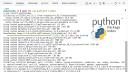
First, we'll head over to the terminal tab in Positron. We'll use Pip, Python's go-to package manager, to handle the installation. In the terminal, you'll simply type pip install PyTuesday. As soon as you hit enter, Pip gets to work, automatically downloading the library and any other dependencies it needs.
Think of it like this. Just as you download a book from an online store, we're downloading the PyTuesday library from a vast online collection of Python libraries called the Python Package Index, or PyPI.
Just as you download a book from an online store, we're downloading the PyTuesday library from a vast online collection of Python libraries called the Python Package Index, or PyPI.
Managing installed packages
If you ever want to see which packages are currently installed in your environment, just type pip freeze in the terminal. This command lists every library along with its version number. This output is incredibly useful for reproducing your project's environment, which is why you'll often see the output of this command saved to a file called requirements.txt.


