

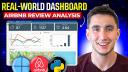

Real-World Python Dashboard Project w/ Quarto! (Airbnb Review Analysis)
In this video we use real-world Airbnb data to put together a dashboard with Quarto & Python. We start with the basics of layout and simple components and then progress to more advanced topics such as integrating Shiny within your Quarto doc. - Github Repo: https://github.com/KeithGalli/quarto-projects - Check out the recent Quarto Crash Course Video! https://youtu.be/_VKxTPWDhA4?si=sf7cbvSJGj6gnlCl - Check out Mine’s Quarto Dashboards with R Code Videos! https://youtu.be/HW7QbqI4fH0?si=oyJhLaJ0n3Vg4v7Y - Learn more about Shiny for Dashboards! https://youtu.be/I2W7i7QyJPI?si=Osqk5odwSOZ0ub01 - Bootstrap Icons: https://icons.getbootstrap.com/ Video Timeline! 0:00 - Video Overview 0:41 - About our Data & Get Started with the Code 1:38 - Basic Quarto Dashboard Layout Information 5:08 - Adding Value Boxes to our Dashboard 10:56 - Prepping our Airbnb Data for our Dashboard 17:00 - Adding Matplotlib Data Visualizations to our Dashboard (line graph, bar chart) 26:26 - Add a Map of Airbnb Listings using Latitude & Longitude (Folium Library) 33:18 - Adding Additional Dashboard Pages with Interactive Tables (itables library) 42:23 - When to use Quarto versus Shiny for Dashboards? 44:00 - Using Shiny within a Quarto Project 49:14 - Hosting your Quarto Documents with Posit Connect Cloud #python #quarto #dashboards #pythoncontent
image: thumbnail.jpg
Transcript#
This transcript was generated automatically and may contain errors.
Hey what's up everyone and welcome back to another video. In this video we're gonna see how we can build dashboards using Python and Quarto so that you can put together dashboards like the one you see on the screen with different types of components, different types of graphs, even different pages that have tables and some interactivity in them. We'll start with the basics and kind of work our way up to this.
There's no prereqs to watch this video but it might be helpful to check out the recent Quarto crash course we posted which I'll link in the description and if you work more in the R space I might also recommend checking out Mine's recent tutorials on Quarto dashboards which are also linked in the description.
To get started there's a github repo that has some data in it so it specifically has some Airbnb data both on all-time listings ratings and some specific reviews that the Airbnbs were given. This data came from a site called insideairbnb.com and basically downloaded some data from the Boston area there. I augmented it very slightly but I feel like it's a good data source to use to kind of build a real world-esque dashboard with Quarto and Python.
All of that's linked in the description. In addition the finished dashboard file that we'll have complete after this video will be found there and you can also see what libraries are needed via this requirements.txt but we'll start from scratch so I'm going to just delete all this stuff and the first thing we'll want to do is create a QMD file so I'll call this dashboard.qmd and when you're building a dashboard in Quarto we always want to start with specifying our parameters and specifically we'll specify the format dashboard.
Basic dashboard layout
And if some of this is not seeming familiar again there's a Quarto crash course linked in the description recommend checking that out but you don't need to watch that to see this video and we can go ahead and just render a basic dashboard so maybe I give this a title to rental dashboard.
So we'll see we have a very basic dashboard given this gives us the title over here in the top left. I can just name this something like overview and I can start filling in contents of our dashboard here.
So the first thing is probably worth knowing about with Quarto dashboards is the concept of adding rows and adding cells within the row so we can add two rows here and basically we can add different Python blocks so I'm going to add Python code like this, this is kind of standard Quarto stuff and you know maybe I'll just print hello world here.
So we have our overview page and we have two rows so this is a first row with four hello worlds and a second row with two hello worlds and I run this we see we get a layout like this. We can do some other stuff to this so imagine I wanted the height of this to be only like 10%, I wanted to be much tighter and I wanted the rest of this stuff to fill in much more space, I can start specifying different details of my rows like this.
Other things worthwhile knowing about right at the start here is you can add like titles to your cards by doing the pound pipe syntax and doing something like title. If you do that you'll see different parameters that you have access to so you know maybe if you wanted output to be false and not to show up that code you could do things like that.
If I just add title rental overview we'll see that it gives it a little label like that. It might not be the clearest for that cell specifically but I can go down here and rerun this and we see the card pops up like this. So we can start titling the different charts that we have in our dashboard.
Value boxes
Obviously though a bunch of hello worlds isn't the most useful thing so I recommend knowing what you have access to. So we have access to like showing all sorts of different plots in Python, so I could use plotly here, I could use matplotlib, I could use Altair etc, a bunch of different graphing libraries all could be embedded here. I also have access to some Quarto specific dashboard elements so one that I specifically like are these cards called value boxes.
So comments per day 45 and it's taking this primary color, there's some built-in options here we could do something like secondary to run that, it's going to take a secondary color based on a theme that we can specify in our yaml at the top. So looking into themes is another cool option here. You can also though pass in just like random hex colors or I think some English named colors work.
These icons are interesting, these come from the bootstrap icons so if we look at bootstrap icons, anything we see here and anything we search up so imagine I'm doing a dashboard on Airbnb listings, so maybe I want a house, if we copy the name house then we'll see that icon pop up. It's all built in nicely to Quarto.
So now we have three value boxes and how about we have one value box that's the number of listings, one value box is number of reviews, and then one's are maybe our average review rate.
Loading real data
All right now let's actually fill in the real values here for these parts of our dashboard. So let's load in some code, I often do this either you know maybe even above where I start my pages to kind of know this is like the setup code.
So listings dot CSV — one cool thing within VS code is you have the ability to preview CSVs. It has all sorts of information on different Airbnb listings, again this is you know pretty much real data, it's coming from this inside Airbnb site and this is for the Boston area. So we have some Boston Airbnbs here, all sorts of information about them.
We also have this reviews dot CSV table, if I zoom in on this we have specific you know comments that people have left, we actually have textual information about people's stays along with a rating that they gave the place. So in like a real-world context you might have these two different kind of data sources and you might kind of aggregate them and you know tie them together for your dashboard.
Right now we're dealing with static data, we're not like actually pulling from an API, but we can kind of write our code in such a way where we could easily replace it with API calls if we needed to.
So what I might do here is I might create like a helper file, I might call this like data helpers dot py, and I might create some functions here so I might import pandas as pd, I might do like a def load listings and that would just return pd dot read csv data slash listings. I might have a function called load reviews that just loads the reviews.
The reason that I'm creating these functions is imagine that you did want to have some sort of sophisticated logic here, you wanted to be able to specify like you know a start date or something for the reviews, an end date, or maybe you wanted some API logic in here. You could put that all in the dashboard QMD file but it sometimes makes sense to you know keep things clean by isolating it and putting it in its own functions in its own file.
You could put that all in the dashboard QMD file but it sometimes makes sense to you know keep things clean by isolating it and putting it in its own functions in its own file.
And then we go to our dashboard dot QMD, we can import our — from data helpers import load listings and load reviews, we can set our reviews and our listings like this and that should be good there for getting our data.
And then if we wanted to actually populate our data — so for this last value we could pass in some code here, reviews overall was the column and I think we can just take the mean and I do like this syntax with f-strings showing two decimal places as a float. Let's rerun our dashboard — cool and now we actually have some real data here in our dashboard.
Adding charts
Now let's maybe add some useful graphs to our data so what we might want to know about is how have our listings been trending over time. So maybe we add a row, our next row is like plots, and let's think what we might want to do here. We might want to aggregate by month so we have our reviews and we have that month column we just saw.
So if we wanted to plot the data the average review by like month or something like that, let's think how we could do that, we could probably do a matplotlib plot pretty easily.
And you know you're going to want to customize it and style it a bit more so maybe you add a title like average rating past six months. I think it's always a good idea to like add a thicker line, I think just when you're dealing with this everything should probably be a bit bigger.
I use github copilot in my VS code and I often will do something like make my matplotlib plot line thicker, make the axis labels larger. That's a good start, see if it generates me good code.
And you know really as someone that's running Airbnbs what I would want to know is like okay in the past six months are we trending upwards, are we trending downwards, that's gonna start helping me understand overall trends. So maybe we're implementing a bunch of solutions to help improve our work, you know based on this trend line I kind of have a sense of okay are the changes we're making actually working or not.
So maybe we also wanted to add a plot that's just a histogram of the counts of each different type of rating. So rating counts — that's going to be equal to reviews overall dot value counts dot sort index. That looks right, we can print that out real quick just to check.
And I think one thing that I would recommend is passing in a color that's similar to our secondary color. I could use this little inspector tool, I can inspect this color and then I could you know make my line colors match. I just like having uniformity in the colors that is in a dashboard that I'm working on.
Adding a map with Folium
All right let's maybe also add another row and we'll make an actual map of our listings. The best way to do this I find is using this folium library so I'm going to import folium here up at the top.
And our map center — so let's look at our listings again, we have columns called latitude and longitude here, so we want to grab those. The map center then is going to be listings dot latitude dot mean, same thing for our longitude.
And then we want to iterate basically over our listings and add markers like this. So I could do is for index row in listings dot iterrows — look at that autocompletes it pretty well.
I can add some custom HTML to each marker that we add so I might paste in something like this, we add this basically custom tooltip that has our name, the rating of the property, and the price per night. And then I can add a tooltip to our marker specified as tooltip.
Cool, instead of having color blue there's only limited colors here in the folium icon. It kind of blends in with the rest of our details and you can see information about each of these listings, you could zoom in, you know look a little bit more about them.
Adding pages with interactive tables
All right cool, let's add some different pages to our dashboard that has you know maybe some interactive tables. So I'll add another page, I'll call this like listing details, and then I'll do another page called recent reviews.
One library that I like a lot for showcasing tables inside of Quarto is this itables library. So I'm going to do import itables and then what we can do down here is we can just do something like Python itables dot show and we can do just like our listings to start.
See we got a table here, it's got a lot of stuff in it so we probably only want to have certain columns instead of having everything. But it is cool, we could search then by like you know just ones in the south and how about just Beacon Hill.
So now we have a table that looks like this which is pretty good. Obviously it's not super helpful though because we have these rating columns but we also would want like the name of the property or something.
And one thing that's cool is if I had this, if I was trying to share this with a team member to understand, help them understand our rentals, I would probably give them you know this table and tell them hey you know maybe look at like the reviews that I have the least amount of accuracy or you know the least cleanliness and we can kind of start targeting which homes to fix up based off of this.
I found sometimes you can customize this and tweak this in a way that makes more sense, like for example if you wanted to make sure it wrapped and fit into the space of your screen you can add some custom CSS.
And then in my dashboard QMD file I do style or I think CSS it will do style dot CSS. We run this and we see we get it wrapped basically in a different way. I mean basically we can just affect it, just formats it a bit differently. I'm not going to go into huge details here but just kind of know that you could add this style dot CSS and you can style different elements on the screen as needed.
Okay that's pretty good, if we wanted recent reviews table we could do something similar, we probably have to join our reviews with the listing. And we would want to display probably the name of the listing, the date, and the comments of our reviews.
I also might actually recommend adding an overall score and the reason for that is if you're doing an Airbnb listings review it's sometimes really helpful to sort by lowest rated comments and you can kind of use these reviews to help you identify specific things that you want to improve in your dashboard.
So you know if I only wanted the stylish downtown studio yeah I can start typing it in, filter by that. Cool, this all looks good.
Plotly charts and neighborhood breakdown
I mean honestly that's a lot of the basics. I think one thing that's worth showing is that we could also put like a plotly graph in here instead of using matplotlib. So to do that a similar plotly graph would be something like this. So we have let's say we wanted to show this based on the neighborhood of the listing.
So we now see some information about different neighborhoods as part of our dashboard.
Quarto vs Shiny and combining them
One thing that you might be wondering about as you start getting comfortable with building dashboards in Quarto versus let's say Shiny is like when do you use one over the other. I think that if you're you know sharing something kind of at static intervals, you don't always need the data to be the most up-to-date, it's totally fine to use Quarto.
One thing that I'd recommend is to do embed resources equals true. One cool thing about Quarto is that like this file, this dashboard dot HTML, you could share it with you know a team member or something and they have access to this whole little dashboard just via that HTML file, whereas if this was a Shiny app they would need to run a server or something to have this up and running.
So it's like kind of cool, you could generate you know a static dashboard basically and you know do that on you know every month basis, and then as long as someone can open up you know the HTML file in a web browser like this you can see all this information for the let's say last six months.
So yeah if it's a static intervals I think Quarto is good, if you need it to always be living and you want additional interactivity — so imagine you wanted additional interactivity where there was like a sidebar and you could toggle on or off different neighborhoods — then it might make sense to go to Shiny.
If it's a static intervals I think Quarto is good, if you need it to always be living and you want additional interactivity then it might make sense to go to Shiny.
And we've posted tutorials on Shiny, building dashboards in Shiny with Python, I'll put a link for that in the description as well. Check out that series if you want to really understand some you know more interactive dashboards.
One cool thing that you can do though is you can actually specify server Shiny and start combining Quarto with Shiny. So you can do stuff like add a sidebar.
I'm going to just kind of preview this, I'm not going to go into the details here, maybe in a future video we'll go into the details, but I could do like from Shiny import reactive and UI and then I could do UI dot input checkbox group.
So this basically takes our reviews joined but filters out the neighborhoods that are selected or only filters in the neighborhoods that are selected. And then you could imagine down here where we render the table instead of having this code I might do something like at render table return filter reviews.
As we can see here if I pop this open and we look at our dashboard now if I untoggle these we ultimately get no data. So there's cool interactivity you can add by combining Shiny with Quarto but I'm not going to go into huge details there right now.
Publishing to Posit Connect Cloud
And then a final step I would recommend is if you wanted to host this somewhere — like so I shared that you can you know do the embed resources and then just share the dashboard HTML file with someone — but if you wanted actual web URL that you could go to you could add this code to a github repo, commit it, and then push it.
And if you use a platform like Posit Connect Cloud and if the repo that you're working off of is public, I could publish a new Quarto project, Quarto projects master, and then dashboard dot QMD, I can go ahead and publish this.
As long as it's public and you specify the dashboard QMD file you can publish it and we see we get our dashboard. I can look at the different tables and look at recent reviews and I can even go ahead and share the URL with a teammate this way as well.
All right that's all we're going to cover about Python dashboards in this video, hopefully you found it useful. If you enjoyed this video make sure to throw it a thumbs up, subscribe to the channel if you haven't already. And I guess actually as I'm concluding one thing that I should mention is that I ran into some issues with certain versions of this itables library, so specifically for this tutorial I was using itables 2.0 as my version so if you're running into any itables issues maybe check that out. All right that's all we're going to cover in this video, if you enjoyed this video throw it a thumbs up, subscribe to the channel if you haven't already, more Quarto and Python videos coming soon, until next time everyone peace out.
