


Quickly get your Quarto HTML theme in order - posit::conf(2023)
Presented by Greg Swinehart A 5-minute talk to discuss how I've used Quarto and Bootstrap variables to quickly make Shiny's new website look as it should. The Quarto user I have in mind works at an organization with specific brand guidelines to follow. I‚ will discuss how to set up your theme, show some key Quarto settings, and how Bootstrap‚ Sass variables are your best friend. Presented at Posit Conference, between Sept 19-20 2023, Learn more at posit.co/conference. -------------------------- Talk Track: Lightning talks. Session Code: TALK-1170

image: thumbnail.jpg
Transcript#
This transcript was generated automatically and may contain errors.
Hi everybody, my name is Greg, and I'm one of the designers on staff at Posit, and I'm the person in the room that's typically keeping an eye on brand design guidelines, like how things look and how they feel. And here's some brands that I've worked with in the past, clients that I've had, or places that I've worked. So, as a graphic designer, in a room full of data scientists, which seems preposterous because I'm your biggest fan, I just want to say, what do I want? I want design for you to be an afterthought. People in this room are literally like curing cancer and ending world hunger. You don't need someone like me in the room saying, cool, cool, cool, cool, cool, cool, but is that the right blue?
I want design for you to be an afterthought. People in this room are literally like curing cancer and ending world hunger. You don't need someone like me in the room saying, cool, cool, cool, cool, cool, cool, but is that the right blue?
It's just not, it doesn't really fit. And the way to do that is to create a reusable custom Quarto HTML theme. Now, Quarto HTML themes are a way that you can customize a website, coming up manuscripts, books, you can do stuff very quickly, very powerfully using these themes. Here's one that I kind of put together real quick using Posit's brand.
How Quarto thinks about HTML themes
So let me give you a little bit of background here on how Quarto thinks about HTML themes. It has a base of Bootstrap 5, and Bootstrap 5 is a very helpful kind of default place to start, a good foundation. It's going to decide fonts and colors for you, so you don't have to, you can just get your data analyses out there. But maybe you work for a company that says, you know, we kind of want to use our fonts, we kind of want to use our colors, or I don't know, maybe you just want to do this for fun, I don't know how you live your life.
So, here's how you do it. It's very simple. Quarto makes this very simple. You wire up, you create and wire up a theme.scss file. You can call it whatever you want, you just put it here and make an SCSS file. So right here, I put it in the Quarto YAML, which is like the global settings for a Quarto project, but you could also put it in the front matter of any QMD, or there's a few other places you can put it. So here is a reveal.js presentation that I've made, that's what I'm showing you now, and I've declared that the theme is going to be theme.scss, and that's where all of the settings are.
If this project also was going to become a website, you'd do it this way. You'd go HTML, you'd declare the theme, and I wanted to show you this, you can actually set a light theme and a dark theme. And just by example under dark, I showed you how you can use many different layers of things if you want here. So I've started with default, which is bootstrap 5, and then I've added on the Cosmos boot swatch theme, but there were a couple things I kind of wanted to tweak there, so I've also added on my own dark theme.scss. And just with a comma in between Quarto, we'll understand what you're doing there.
Setting up the SCSS file
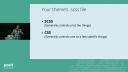
All right, so here, now that you've wired it up, here's the one file you need to make. It's an SCSS file. Now there are a lot of different things you can do in this file, I'm just going to talk about two. The first is SCSS, SAS, and in general, that's going to be one variable that controls a lot of things, like I want this font to be everywhere. And then also I want to talk a little bit about CSS, which in general tends to control just one or a few things, like when you hover on a red button, I'd like the hover color to be slightly different, that kind of thing.
All right, so here is the SCSS file. Here's how you set it up. In the top part, we put this comment, SCSS defaults, and then under that, I'm going to put my SAS variables, and I'll show you what those are in a second. And then down below here, I've got the SCSS rules, and that's where I'm going to put some CSS variables. So something I really want you to pay attention to here is before you put the SAS variables in or the CSS, you need to put that comment there for Quarto to pick up what you're putting down. Okay, so you need to have at least one of those comments in there for Quarto to understand what you're going for here.
Bootstrap Sass variables
All right, so what are the variables? Well, Quarto itself, and all these links will be in a repo at the end, Quarto itself has some very high level, really powerful SAS variables that are honestly going to get you pretty far. But maybe you have kind of like a persnickety brand that needs to get a little bit more detail. You can actually, there's a big bench behind that of bootstrap variables. There's actually like over 1,400 bootstrap variables that'll let you really fine tune what you're doing. And the hope is once you've got these changes to these variables in your SCSS theme, you'll never have to touch them again when you're making this stuff. It's reusable.
Now, this is a RevealJS presentation and that also has, oh wait, one thing I want to tell you. I often don't go to that GitHub repo. I go to Carson Sievert's BSlib package page because it lets you filter down and like, I want to see fonts, don't show me everything else. I just want to see fonts, please. I use this all the time. It's really helpful.
All right, so this is a RevealJS presentation and they also have some kind of presentation-y variables that you can use. And if you're not making a presentation, it's okay that those variables are in there. It'll ignore them. And if you are making a presentation, Quarto will grab them. So, it knows what to do with those.
All right, so that is my thing. If you grab those variables, you put them in a theme, the ones that you want to change, you'll be able to use them for websites, books, manuscripts are in the pre-release, and PowerPoint presentations. If you have any questions, you can email me, greg at posit.co. And links that I showed there and how to get started are at this bit.ly link. Thank you so much.
