
Magic with WebAssembly and webR - posit::conf(2023)
Presented by George Stagg Earlier this year the initial version of webR was released and users have begun building new interactive experiences with R on the web. In this talk, I'll discuss webR's TypeScript library and what it is able to do. The library allows users to interact with the R environment directly from JavaScript, which enables manipulation tricks that seem like magic. I'll begin by describing how to move objects from R to JS and back again, and discuss the technology that makes this possible. I'll continue with more advanced manipulation, such as invoking R functions from JS and talk about why you might want to do so. Finally, I'll describe how messages are sent over webR's communication channel and explain how this enables webR to work with Shinylive. Presented at Posit Conference, between Sept 19-20 2023, Learn more at posit.co/conference. -------------------------- Talk Track: I can't believe it's not magic: new tools for data science. Session Code: TALK-1152

image: thumbnail.jpg
Transcript#
This transcript was generated automatically and may contain errors.
Hello, my name is George Stagg, and I'm the lead developer of webR.
So today, I want to talk about what I think is particularly magical about some of the things that webR can do. Before I start, I do want to say the first piece of magic is this wonderful logo, which I didn't design. I gave Dawley the hex logo for webR and the description of this talk, and this is what it came up with. And if that's not magic, I don't know what is. That is just incredible.
So as hopefully you picked up from Joe's talk, webR is a system that allows you to execute R code directly in a web browser without a supporting R server. But webR can do more than this. It's not just about adding text R code into a box and then getting text output out of a box. WebR lets you interact with the running R session in a very particular way, and it allows you to manipulate the R environment and reach in there and tweak things. It's this kind of stuff I want to talk about today. This is the kind of thing that I find particularly magical.
When I showed this for the first time in a meeting, the response I got from the others in the meeting was just mind-blown. So I thought, well, there's no chance I can't share something that good with posit.conf. I have to.
How WebAssembly makes webR possible
So the way this all works is WebAssembly. The technical fancy way of saying what it is is a portable binary format, and it's designed so that it can run anywhere. In particular, this is in browsers, but it can also run server-side. And what I mean by that, for those who are interested, you can run webR in places like the cloud and server-side and edge nodes and anywhere where there's a WebAssembly engine. In the future, WebR will be able to run better in those than currently, but certainly the support is there through WebAssembly for those kind of computing environments.
So WebR is a version of the R interpreter built for WebAssembly, and that's what allows you to run that R code, as Joe explained. So why WebR? Why would you be interested in WebR? In addition to all the shinylive stuff, which is going to be a great boon to education, there are already other tools that can do similar things. This is a quota extension by James Balamuta that can actually inject runnable code blocks directly into a quota output. This is going to be amazing for educational material or even package documentation.
Imagine going to a website, a Pakistan website, and being able to play with a package without having to install it. In certain situations where the network is locked down and that package may not even be available to install. We saw interactive presentations, and as Joe mentioned, there are people currently looking into running portable R applications and reproducibility by using shinylive. This works because WebAssembly provides very strong security features and reproducibility features that aren't provided by a normal CPU architecture.
Magic trick: mind reading
So today I'm going to show off some WebR magic. I'll explain why I think it's useful. I'll explain a little bit about how it works, depending on the time, and I will be using JavaScript. Probably by the end of this, there will be quite a few people who say, gosh, I'm glad I don't have to use JavaScript. But don't worry, I'm not going to assume any particular knowledge, and I don't want you to think too much about the syntax of the code. I want you to think more about what the code is doing to an R environment.
So let's start. I call this magic trick mind reading. So on the left-hand side of the screen there is an R session, and on the right-hand side of the screen is a linked JavaScript session. And right at the top, in the top left-hand corner, I've set a value in R equal to 1729, and then in JavaScript, I've run a piece of code that's going to reach into that R environment that's currently running and pull out the value of that variable.
And you can see straightaway that it's returned the word promise, which is not great, but it's how it works. JavaScript's way of dealing with asynchronous programming is through this promises paradigm, but luckily there's a keyword so that if you put the word await before what you want to do, JavaScript will wait for the result to come back, wait for that promise to resolve, and just give you what the result is.
What you get back is a WebR object that looks kind of strange, it's got this sort of proxy word on it, but what you can think of that as is basically like a black box that's linked to a certain R object. So what's happened here is that little API call for WebR has reached into the environment and grabbed that foo object and returned a reference to it. And from that, you can do work on it. There's a whole set of WebR APIs that allows you to run methods on these R objects, and in this case, the method I've used is a method to JS, and that's taking that object and converting it into a JavaScript object. So you can see the value of that object shown on the screen there is 1729.
And when you think about it, this is actually quite special, because if you were just working with strings, you'd have to take that number back from the standard output of a normal R program. Well, it would be even worse if you had something like a vector, okay? If you had something like a vector, you'd then have to take your string, you'd have to split it on commas, you'd have to get rid of all the white space, you'd have to parse all the values. It's a whole micro to get those values out of R if you're working with putting strings in and getting strings out. But here, you just get the numbers directly from WebAssembly's memory in a format that JavaScript understands and in a format that JavaScript can use.
But here, you just get the numbers directly from WebAssembly's memory in a format that JavaScript understands and in a format that JavaScript can use.
Magic trick: conjuring variables
The next example I'm going to call conjuring variables. So here, there's an example where in the R session, there's an object foo, but it doesn't exist. It's not there. The environment is empty. Here you can see that we run a piece of code that puts a vector of JavaScript values into R's memory, and then associates that with an object in that environment. So what I've done is I've created a new object and given it a name. And then, when you type the name in, the object appears. It appears out of nowhere, like I've pulled it out of a hat.
I think this is awesome, because there's only a few situations I can think of where that kind of thing can happen, where you can have an object that's not there, and then all of a sudden it's there. So I think that's great. But it's not the best trick. The best trick's coming up. This is my favorite thing.
You can also do a complex JavaScript object. So you can see here on the right-hand side of the screen, this is a nested JavaScript object, which is recursively, automatically converted into a nested R list.
Magic trick: invoking R functions from JavaScript
OK, here. I got excited for this. So imagine you've got an R function. Here I'm just creating some random normal numbers. It's scaled. It doesn't really matter what the function is. The point is that you can put some arguments in, and you get some numbers back. We're going to do the same trick we did before. We're going to get a reference to that function object. We're not running the function. We're grabbing a reference to that actual function that lives in R's memory. And you can see you've got another one of these strange proxy objects that you can work with.
But this is really cool. You can invoke it, just like a normal JavaScript function. Those arguments are automatically converted into R objects, and the result is automatically converted back into JavaScript. This to me is really magical, because you don't even have to know that that's an R function. As far as you're concerned, it's just a JavaScript function that returns a promise. That means you can use it with native JavaScript frameworks that are just assuming that you're going to give it a JavaScript function for something like a callback. It doesn't need to know how to work with WebR. You just give it a function, and it invokes it.
This to me is really magical, because you don't even have to know that that's an R function. As far as you're concerned, it's just a JavaScript function that returns a promise.
So these examples, they're relatively simple, right? But they do demonstrate something which I think could be a new and useful workflow when using WebR. The three examples are about moving data into the R environment, getting data out of the R environment, and, of course, running R functions.
Now moving data into the R environment, that could be something more complicated. You could be doing a database connection. You could be doing a user data upload of something like a CSV. You could be getting data from a REST API. These are things that the browser can do inside JavaScript. One-side WASM, but you can do it in JavaScript. Running R functions, I just ran a small function there that generated some random numbers. But imagine, this could be some kind of complex data manipulation using dplyr. It could be a really sophisticated modeling pipeline with something like tidy models. And getting that data back into JavaScript, that means you don't have to live in the R world if you don't want to. You could take that data from WebR, create a dashboard in JavaScript. You could offer it as a file download. You could even use interactive visualizations in completely different frameworks, such as D3 or Observable.
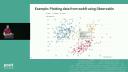
And this isn't even that complicated. That amount of code is enough to take WebR and integrate it with Observable.js. And this visualization here is a web-native observable plot, but the data has been taken and computed from WebR. And I think that is one of the best things about WebR, the fact that it can integrate so well into pre-existing frameworks that already exist for data visualization and data science on the web.
How it works under the hood
So how does this work? So the RWASM process runs inside something called a JavaScript web worker. This is important because if it didn't do that, it meant that every time you asked R to do something, your entire browser would freeze. And it's not a good user experience, to say the least. That allows the main thread to remain responsive. And so to make this work, communication between that main browser thread, where your website is and where you're interacting with things and pressing buttons, and the R process is handled by message passing. So input messages go to R, output messages come back to you on the main thread.
So if you're working with code, you could imagine you give WebR the command Rnome, and the worker thread thinks for a bit, the main thread remains responsive, and then after a while, you get some output back. And you can see here's an example of what I meant before about this kind of thing being difficult to work with. You can see the output there. It has an index at the front of it. The numbers are space-separated. There's no guarantee how long these could be. They could be integers, for example. So working with text is not great. And that's why WebR lets you work directly with R objects.
So R objects are returned to the user as references and handled by something called a JavaScript proxy. Now, JavaScript proxies are really cool, because what they let you do is work with a certain object but then intercept fundamental operations. So if you wanted to read a property of that object, or if you wanted to, say, invoke the object as if it was a function, if you were doing that and you just had a number, that would fail, because a number has no methods, a number cannot be invoked as a function. But proxies let you step in and say, OK, I'll do something else instead, whenever you try and do these things.
So by storing a reference to an R object and then using the proxy to handle these things, it means that you don't need to pass around giant pieces of memory full of numbers. So here, for example, if you evaluate some R code to generate a vector, that R code is evaluated and then the result is returned back to the user, not as a vector, but as a number. And that number there, the SS number, which is short for S expression, it's a lispy thing, it's old R stuff. That pointer, that number, uniquely identifies that object in R memory.
So when you're working with that R object in JavaScript, JavaScript doesn't really need to know what that is, it just needs to know this is an R object, and this is where it lives. It lives here in memory. And then when you do need the numbers, say you actually want to convert that number into JavaScript or you want to invoke that function, only then does WebR actually go and use RcApi to do the hard work to actually get those numbers. So here you can see only after I actually ask WebR to convert to JavaScript, only then that big long list of numbers is returned. Now here there's only five numbers, but you can imagine if this was a million lines long or it had something like 10 million points, that would make a real difference because otherwise you'd be passing this object around between JavaScript and R all of the time.
Service workers and shinylive
One more thing I want to talk about with WebR is service workers. So service workers is, again, a JavaScript feature that are very similar to web workers. But rather than acting as a proxy on a certain object, it acts as a network proxy. And what that means is that when you ask for a website in your browser, if you have a service worker loaded, that can step in and say, no, I don't want you to talk to Google.com, instead you will connect to Bing or something like that. It doesn't even have to be another website. This could step in, stop the network traffic, compute something itself, and then return that as the result.
And that's how shinylive for Python already works. Whenever you have a shinylive session in your page, and a network connection is made to what would normally be a Shiny server, a service worker steps in and redirects that traffic to a running PyEdit process inside a web worker. And the same thing works for R. But here, WebR is acting as the bridge. So the service worker intercepts the network traffic, and then all those tricks with WebR, all of that magic of interacting with the environment, that can be used by the service worker to send that traffic, instead of a Shiny server, into a web worker process. And because the web worker process is running an R WebAssembly, loading packages like Shiny, it can do that computation and return the result without hitting the network at all. And this is exactly how shinylive for R works.
That's all I have to speak about today. So thank you very much for listening. If you do want to try out this stuff for yourself, there's some links up on the screen there now.
Q&A
George, we have time for a few quick questions. The first one is about... Let me make sure I can understand. It's already so magical for me. How do you navigate through browser security context restricted network connections in WebR?
One thing I need to make clear is you cannot really work around browser security restrictions. Browsers are written to be very secure by default, and they're constantly updated. So even if we came up with some tricks to be able to load content across domain or something like that, these tricks, they wouldn't be stable, and you'd be constantly fighting with the browser. I think that is the bad thing to do. There are tricks you can use, but generally, the way to think about this is that when you interact with the network in a browser from inside a website, there is a way for the server at the other end to tell the browser whether you're allowed to do that. This is called HTTP cause headers. So really, we should be following those rules. And if a web server decides, yes, you're allowed to talk to us, they will let you know by setting these headers. And I think that is the correct way to think about this, is how do we make these HTTP headers more common throughout the internet so that when it makes sense to do such connections, we are allowed to do so.
Someone else had a question about are there protections put in place to prevent users from running computationally expensive R code in WebR?
Not by WebR, but browsers are very clever, and in particular, Safari is very good at stopping things when they get a little out of hand. I have on a few occasions slipped up when programming, like all of us, and caused a browser thread to crash. What Safari will do is it will just show a little bar at the top of the screen that says this process has crashed, I've restarted it for you. Which sounds great until you realize you've lost an entire shinylive app, but anyway. So browsers will normally take care of themselves. One thing that WebR does not do, that I would like to do, is add limits such as computational time, so that after, say, ten seconds of computation, the process is interrupted. That would be really nice and useful, particularly for people running WebR inside Node, but that's not there yet. It's on the road map.
Someone wants to know, is it possible to invoke R functions that have, in scare quotes, side effects? I mean, try it! I think so. It depends what you mean by side effects, I think. I think that person should come and talk to me. It's not something I've really tried heavily, but I will say that the way that shinylive for R is set up, this process of invoking functions, that happens directly in shinylive. We actually invoke the HTTP UV app directly to be able to return what that app would have returned if it was running inside a web server. So we do use it, but it's hard to say.
Last question. Do you have a good idea of how performance compared between native R and WebR compares and how it varies between certain types of calculations? I don't. I think it's something I've tested heavily. I will say that the literature, from what I've read, the basic idea that people talk about when they talk about Wasm is about 80 per cent of native speed. I don't know how true that is. It's just what I've heard. Even the fact that you can get to something like that is incredible to me, considering the security benefits that you're getting by sandboxing your code and making sure it can't destroy your file system, or the fact that you can get such reproducible guarantees about the order of operations of numerical and floating point issues, for example. All of that good stuff that you get and you're still at over 50 per cent of native speed to me is incredible. But I don't have exact numbers, no.
Even the fact that you can get to something like that is incredible to me, considering the security benefits that you're getting by sandboxing your code and making sure it can't destroy your file system, or the fact that you can get such reproducible guarantees about the order of operations of numerical and floating point issues, for example.