


In-Process Analytical Data Management with DuckDB - posit::conf(2023)
Presented by Hannes Mühleisen This talks introduces DuckDB, an in-process analytical data management system that is deeply integrated into the R ecosystem. DuckDB is an in-process analytical data management system. DuckDB supports complex SQL queries, has no external dependencies, and is deeply integrated into the R ecosystem. For example, DuckDB can run SQL queries directly on R data frames without any data transfer. DuckDB uses state-of-the-art query processing techniques like vectorised execution and automatic parallelism. DuckDB is out-of-core capable, meaning that it is possible to process datasets far bigger than main memory. DuckDB is free and open source software under the MIT license. In this talk, we will describe the user values of DuckDB, and how it can be used to improve their day-to-day lives through automatic parallelisation, efficient operators, and out-of-core operations. Materials: - https://duckdb.org - https://duckdb.org/docs/api/r.html - https://github.com/duckdb/duckdb-r Presented at Posit Conference, between Sept 19-20 2023, Learn more at posit.co/conference. -------------------------- Talk Track: Databases for data science with duckdb and dbt. Session Code: TALK-1099
image: thumbnail.jpg
Transcript#
This transcript was generated automatically and may contain errors.
Hello, good afternoon, I think. Thanks so much for coming. It's exciting for me as I've never been to posit.conf before, so it's a really new experience for me.
My name is indeed Hannes Mühleisen. Once my clicker works, then I will be happier. There we go. And I'm here to talk about In-Process Analytical Data Management with DuckDB.
Just a quick poll. Who here has heard of DuckDB? Oh, wow. And who has not heard of DuckDB? Okay. So I'm really happy about that because, you know, it's good to see that people have heard of us.
Why DuckDB exists
I want to start with a bit of motivation why DuckDB exists, and it actually is interesting how that is very deeply connected to the R community. So in the tradition of putting Hadley on a slide, I was working in a database architectures research group back in Amsterdam a couple of years ago, and we realized that data scientists and specifically our users really hated data management systems, and it hurt our feelings a little bit.
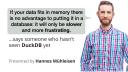
So here's a quote from Hadley, if your data fits in memory, there is no advantage of putting into a database, it will only be slower and more frustrating.
And we thought very much about that, and we realized that he was right. Databases can be very frustrating. So here we have sort of the good and the bad bandits here, and they can be very bad. Setting up databases is very difficult. Even for somebody who has a PhD in data management systems, setting up Postgres is a daunting task sometimes.
And I have seriously, I've set up so many systems over the years because, you know, you need to run experiments and so on and so forth, and my favorite one, I think, like a little anecdote, you cannot literally install IBM DB2 and Oracle on the same machine. It's just not possible. But of course, you know, it took me a week to realize this. Installation. Maintenance. Yeah. So then once you have installed this thing, you need to somehow make sure it runs, you know, we have to deal with user accounts, all that stuff, you have to update, all not very pretty.
And something that really came out when we worked with data people is the data transfer. In fact, we wrote a paper about how slow transfer back and forth from databases is. You would actually not believe that if you're not starting to run experiments in it, even for something like Spark, you know, that uses just ancient protocols, it's not a great user experience. So that's bad.
There is also good things in databases. For example, you know, the, I don't know, 40 or so years, no, actually at this point it's 50 years since relational databases have existed. We have spent a lot of time on optimizing queries so that the user doesn't have to actually become a database engine in their head and start, you know, reshuffling things in order to make them faster. It should be automatic.
Persistence, right? The original motivation of making data management systems was to get rid of these file zoos that people write like, you know, custom programs to operate on to make some changes to set files and instead have sort of a defined transactional persistence model with updates and consistency. That's quite useful.
And of course, most notably, especially in my community of analytical data management systems, we have spent a lot of time working on efficiency and parallelism. But the problem was that the frustrating bits were kind of hiding the good stuff. And the good way of looking at this was that people have been sort of ignoring the sandwich principle as I like to call it.
People have spent a lot of time optimizing like the patty, whether it's vegetarian or not is up to you. Optimizing that till the end of the world, like there is hundreds of papers on how to optimize a join, but we've literally wrote the first paper on optimizing client protocols, right? Nobody has ever looked at the user end-to-end user experience. And I think that's why people perceive these things as to be frustrating and would actually rather invent their own than to touch that stuff.
Introducing DuckDB
So in comes DuckDB. So we wrote a new data management system from scratch together with my former PhD student Mark Rasfeld that has basically tried to fix this end-to-end user experience. So it's in process. I will explain to you in a bit what that means just so that you can have a better user experience. It is still, despite focusing on the end-to-end, a state-of-the-art data execution engine that can, you know, really go through data in a very, very quick way. And the best part, it's free and open source. So you can just use it. It's not MIT-licensed. I always say, you know, go build a company on it. I'm going to be happy about it.
First question, why is it called DuckDB? It's because I used to have a duck. Okay. It's true.
Design philosophy
So let me go a bit about sort of the design philosophy of DuckDB. The first is it should be simple, right? Like we shouldn't have to have a PhD in databases not to set this thing up. And it also shouldn't be, you know, like hard to use. So one thing we noticed is that a database that a lot of people are quite comfortable with is SQLite. And why is SQLite so easy to use? Well, because it's in process, which means that the database system actually runs directly to whichever process you link to. So in R, you have Kirill's rsqlite package that you can just like load and then you can just run SQLite without any external setup. Isn't that great? So we copied that idea for DuckDB.
DuckDB runs fully in process, which also has some really great benefits for data transfer, one of the other frustrations that I will talk to you in a bit about. DuckDB doesn't have dependencies. So we just have a giant blob of C++ code that, well, yeah, that you can just install with install.packages, right? It doesn't have external dependencies besides DBI and R. In Python, it works, I said the P word, it works the same way. You can just install DuckDB as a package and it will just run.
But again, you shouldn't be fooled by it being simple by taking it as simplistic or sort of, you know, limited in terms of what the engine can do. So as I mentioned, we have transactions, we have persistence, we have extensive relational features like, you know, complex joins, aggregates, window functions. DuckDB can read and write parquet files out of the box, CSV files, JSON file, all in parallel. It's really quite fully featured.
DuckDB is very fast, too, and, you know, I know everybody says this, but this is not just like, oh, we've run a benchmark and it was fast. But the people always ask me, why is it fast? What do you do? And then it's sometimes very difficult to explain. So I asked the team what I should say and I said, just say it's magic. Of course, any sufficiently advanced technology is indistinguishable from magic, as you know.
So what is the magic here? The magic is that it's the culmination of decades of research in analytical data management systems. Literally, tens of PhDs went into the basic concepts that we basically implemented at DuckDB. Some of it in our own group in the database research group in Amsterdam, some from other groups. But it really is this culmination.
Well, one of the advantages of DuckDB, and that makes it really fast, is that it can automatically paralyze very complex SQL queries over all the available CPU cores. But the problem is that this also, Spark can also do this. But the problem is, in order to get good utilization, it's not enough to just blindly paralyze. You also have to get a good efficiency on a per-core level, and DuckDB is also really good at that with highly efficient C++ code.
For example, it can also use the disk if there's not enough RAM available to complete a query, so we can go out of core on all the operators. And this all happens completely sort of automatically, transparently to the user. So you just type your query and go off. One thing that you can sort of notice when you're on DuckDB that your laptop might get a bit warm, right? That's just, it's a bit of a downside sometimes if it's hot outside, I don't know.
DuckDB and R
A bit about R, since everybody here loves R, DuckDB loves R as well. In fact, the whole idea of creating a new database management system came out of the interactions with the R community, and I want to mention Thomas Loomley and Anthony D'Amico, maybe some of you know them, who really pushed us because we were working with them as a sort of, why do you hate us so much? And then, you know, we came up with solutions and they said, yeah, it is better, but still not good enough. And, you know, we went back to our little, you know, love and continued and continued. And this was really productive. It went on for many years.
And in the end, it was really clear what needed to happen and also how to deeply integrate that into R. We also worked a lot with R core on, for example, the entire Altrep framework so we could do more clever things with DuckDB in connections with R.
So one thing that's really clever that came out of this is that DuckDB runs in process. In R, it runs in the same process as, like, the R interpreter itself, okay? That sounds a bit technical, I realize that. But one big advantage of that is that because we run in the same process, we can actually look at the data frames that exist in the R process itself. So if you want to just run a query on a data frame, we don't have to sort of go through, like, some serialization, write a 2-part GIF file, read it again, I don't know. We can just look directly at the memory and say, hey, this looks like some bits from a data frame. Maybe we can just make that look like a table and then you can run queries on it.
And similarly, the query results in DuckDB can directly become R data frames in the same process without having to go through IPC or anything like that, right? So we can basically say, you run a query, it has a million rows, results, which normally would be the end of the world in sort of traditional setup with client server. But with DuckDB, it's just like, whoop, okay, there you go. We even have some sort of tricks where sometimes we don't even have to transform the data, we can directly use the R structures.
And similarly, the query results in DuckDB can directly become R data frames in the same process without having to go through IPC or anything like that, right? So we can basically say, you run a query, it has a million rows, results, which normally would be the end of the world in sort of traditional setup with client server. But with DuckDB, it's just like, whoop, okay, there you go.
Live demo
Again, saying the P word, of course, the same trick also works in Pandas. So if you have a Pandas data frame sitting there, that works as well.
But now I'm going to sort of do the unimaginable and try a live demo. Wish me luck. How am I on time? Eight minutes, that's perfect.
So for our people in the back, I'm going to switch to mirroring here because otherwise I cannot see what on earth is going on. Okay. Can you read this in the back? Okay.
So R. So I'm just going to copy paste some code because nobody wants to see me typing while I'm a bit nervous. What? No, not install packages. See, I already made a mistake. I don't want to install packages because the Wi-Fi is wonky.
So in order to start up DuckDB, you just basically, you load up DBI, okay? And then you can do a DB connect like the really traditional DBI thing. And for this demo, I have two connections. I have a con underscore PG and have a con underscore DD. The PG one obviously talks to a Postgres server that I have just here running locally on my laptop as a comparison point for some of the things I've been talking about.
And let's generate some data. So I'm going to generate some data here. So this is just data. Oh, yeah, it's a wonderful name, I know. This is just a three-column double data set, nothing really too dramatic for DuckDB works with arbitrary columns, you know, data frames, it's just for the demo. And this data frame has 10 million rows, like not crazy. But of course, that's carefully chosen so some of my comparisons will actually finish in the time I have left in this talk.
So now, I'm going to just import that into Postgres. And I might maybe take some questions in the meantime. So the client server protocol really kills you there because all the data, well, all the 10 million rows have to now go through a socket even though it's on the same machine. And yeah, okay, here we go, 10 seconds. So that is something that will just take a long time to go to the external database server.
And if I do the same thing in DuckDB, I would not be able to take questions because as it is in process, it will just directly go to the engine running in R. One thing I should mention here, this is not an in-memory kind of game. So DuckDB is running in an on-disk mode, which means that we have actually written this data to the disk, flushed, called Fsync the whole, you know, the whole thing, like the transactionality, everything happened, the same sort of thing that you would expect from a database server.
Okay. Now, we can try the same thing in reverse. We'll just call db.retable on the thing we've just written. Oh, yeah, five seconds, okay. So that's now the inverse. We've tried to, we have to go through the same sort of socket problem again. So let's do the same in DuckDB again. And now this is where this really shines because we have created this entire dataset from the table data that was stored on disk back into an R data frame in like 0.1 seconds. I'm happy about that.
And why this is kind of funny is I have this like really basic model fitting, and please don't laugh at my, you know, linear model code here because I have no idea what I'm doing. But I think like transferring the data out of Postgres takes five seconds, fitting, thank you, a linear model to it takes 1.6 seconds. You would say that one is a bit more difficult than the other, right? One is just like copy, the other is like, okay, we have to do the dumb thing with the residuals and so on. So this is just a, I think 0.1 seconds though is the right sort of relationship to that number.
But I mentioned that we can directly look at data frames that are in the R memory space. So here, let me show you something that is not in DBI. Maybe I should, you know, arm-wrestle Kirill to edit. We can just basically say in DuckDB, we can say DuckDB register and give it a connection and a table name, in this case it's the wonderful MT cars, and then give it a data frame and say, look, I want you to treat this data frame as a table, but no actual copying is going on, right? We're not doing the import, we're not doing anything.
We just say, look, DuckDB, here's a pointer to a data frame, please try to treat it as a table. And then, once we have done that, we can just run a query. So I can say, hey, select star from MT cars, blah, blah, blah, and it will just, you know, lo and behold, run this query for you. Or I can also, like, do some bit more complicated things.
So here I'm running a distinct, I'm sorry, on this particular column in MT cars, and I'm doing a filter here with the where column, and I'm asking DuckDB to show me what the query plan is going to be. Remember, I told you about the whole, you know, automatic end-to-end optimization, so we have these, like, operators that we string together, the highly efficient operators, like a group by a filter. And down here, we have the data frame scan, which is the thing that basically just looks at the data frame and runs it, and it treats it as a table.
And this can also, then, this can also, this also works with a bit more complicated use examples. So here I'm taking some taxi data. This table is a bit bigger, it's 2.5 gigabytes of parquet, it has eight. It has a lot of rows, let me actually, actually, you know, why don't I just find out how many rows there are here. Okay, so this is 84 million rows, it's a bit more sizable.
And now I can basically take a fairly heavy query here that computes the day and hour and the tip amount as a median group by day and hour, and the status is a fairly complex query. It will be one of these queries that will actually make your, you know, your computer warmer, and even that quite heavy, hang on, I want to do the query completes in a very, very short time. Okay, so now I'm going back to my slides. That concludes the demo. It went well, I think.
Conclusion
To conclude, so DuckDB, I was talking DuckDB, DuckDB is an in a process analytical data management system. I tried to explain what that means. It's very simple, it's feature rich, fast free, and you just choose all four. And it is really deeply integrated with R. In fact, I'm quite happy on how, you know, our core has been responsive to our requests of changing things in R itself so we can make database integration to R quicker. It's kind of an, I don't think that happens with Oracle, let's just say. And now I'm really happy to take some questions.
So I have a quick question before the next speaker. You showed an example of DuckDB processing a data frame very, very quickly. Can other structures such as nested list data be used in the same way? That's a great question. So we actually be working on doing nested structures and data frames. We also support scanning arrow objects in R. But like raw lists, I think you have to add a class data frame to them before you can scan it.