


AI and Shiny for Python: Unlocking New Possibilities - posit::conf
Presented by Winston Chang In the past year, people have come to realize that AI can revolutionize the way we work. This talk focuses on using AI tools with Shiny for Python, demonstrating how AI can accelerate Shiny application development and enhance its capabilities. We'll also explore Shiny's unique ability to interface with AI models, offering possibilities beyond Python web frameworks like Streamlit and Dash. Learn how Shiny and AI together can empower you to do more, and do it faster. Presented at Posit Conference, between Sept 19-20 2023, Learn more at posit.co/conference. -------------------------- Talk Track: I can't believe it's not magic: new tools for data science. Session Code: TALK-1153
image: thumbnail.jpg
Transcript#
This transcript was generated automatically and may contain errors.
I'm here to talk about AI and Shiny for Python. Now as I was working on my talk, I actually realized that it would be better to talk about AI, and specifically large language models, and how they fit in with systems, you know, larger systems with humans and other computer programs, and sort of put Shiny in a supporting role for that.
So and when I talk about, again, when I talk about AI, I'm referring to large language models, and when I talk about large language models, I'm mostly referring to the ones by Open API, or Open AI, I'm sorry, which is, you know, those are the best known by far and probably the most commonly used.
What is a large language model?
All right, so what is a large language model? Well there's a lot of different levels that you can look at this question. So at one level, it's a neural network, and a neural network involves a lot of matrix math.
So there's a quote by Simon Willison, who's somebody who thinks about this stuff a lot on his website. These things are giant binary blobs of numbers, anything you can do with them, anything you do with them involves vast amounts of matrix multiplication, that's it. It's an opaque blob that can do weird and interesting things.
These things are giant binary blobs of numbers, anything you can do with them, anything you do with them involves vast amounts of matrix multiplication, that's it. It's an opaque blob that can do weird and interesting things.
So that's one level. Another level is that they are statistical models, they make predictions, and the things they predict are text. You give it text, and it'll predict what the next word should be in that text. So in a way, it's similar to the, you know, the keyboard on your mobile phone. You write in some stuff there, so if I've written, I would like a, then it gives me some possible next words, and in this case, it's glass, coffee, and cheeseburger.
Now, the model that's used on your phone is gonna be way simpler than these large language models that do the really interesting stuff. One other thing to know about them is that we don't really understand how they think. This was actually really kind of confusing for me at first, it took me a while to really internalize this, but we understand how they work at a low level, but at a higher level, we don't know how they conceptualize a chair, or anything like that. It's still sort of a mystery.
How conversations work with LLMs
All right, now, I showed you text prediction, and we're all familiar with ChatGPT, so one question you might have is, how do you create a conversation with word prediction? How do you, you know, if I'm just predicting the next word in the string, like, how does it work when there's a back and forth between two people?
So it's actually pretty simple. There's the input, and it looks something like this, so there's a string here, and I say, user colon, why is the sky blue? And then I continue the string, and the next line I say, assistant colon, and then I close the string. And so you give that to the model, and it will return an output that looks like this. The sky appears blue because dot dot dot. So really, what I've done is I've prompted it to, you know, to take part in a dialogue, and it knows how to fill in the rest of it. So that's how it does it with this word prediction.
So this sort of chat interface has been really enormously successful. I mean, we all know about ChatGPT. And I did some work earlier this year on a Python package called ChatString, which you can use to make AI chat apps with Shiny. So I'm going to show you a really basic app made with this.
All right, so this is basically like ChatGPT. You know, you can type in your question. So why is the sky blue? And it gives you an answer. And why not red? And it gives you another answer. And it does that by talking to the OpenAI API. That's how it gets those answers.
And to create an application like this, this particular application, it's really simple. So we've got the normal Shiny stuff there. There's a UI and server parts of the app. And then we say ChatStream.chatUI, and you give it an ID, in this case, my chat. And then in the server part, we say ChatStream.chatServer, my chat. And then that's all you need to do. Well, and you need to get an API key. But those are things you need to do to make that simple application.
How the OpenAI API works
OK, now, before we do more interesting things with this, it will be useful to sort of understand how it talks to the OpenAI API. So when you ask it a question, it makes a request to the API. And that request is just some JSON text, or JSON that contains some text. So it has this part of the message that says, roll system, content, you are a helpful system. That is the system prompt. And that's not something that most users interact with. That's just sort of usually hidden.
And then there is the actual question. Roll user. Why is the sky blue? All right, so it sends that message over to the API. And then it gets a response. And the response comes back, roll assistant, content, and there's an answer that the LLM has generated.
Now, to turn this into a conversation, we make another request. So just so you know, on their servers, they don't record, well, they don't keep track of the state of this conversation. It's stateless. They actually do record this stuff. So for reasons, I guess. Anyway, so we make another request. And we include the previous information that we had. And then we also tack onto it the reply that it gave us to us earlier. And then we can ask our next question. All right, so roll user, content, why not red? And then it sends another response. All right, so this is how a conversation works. So every time I add something to the conversation, I'm actually, I have to send it the whole previous conversation.
All right, now, one other interesting thing about this was that system prompt. So you hear a lot about prompt engineering. I put it in quotes because it seems like kind of, that seems a little bit like an exaggeration calling engineering. But you can change that to change the behavior of the responses that it gives you. So we can give it this prompt, like, role system content, you are a sarcastic teenager. And if you're using chat stream, you can just pass it in as an argument to the chat server function. And so now when you ask it, why is the sky blue, it'll say, oh, I don't know, maybe because it's too cool to be another color.
LLMs in larger systems
All right, all right, so I'm going to go to show you some more examples of this, of using chat stream. First, I want to talk a little bit about how LLMs fit into systems that you might build. So in these systems, you know, with humans and computers, well, there's obviously humans. So humans can do many different things. But we have unpredictable behavior, and we easily get tired and bored. And I know that's especially true for me.
Then we have computer programs, which are really good at doing the things that they're specifically designed to do. They have very predictable behavior, and they never get tired or bored. And then we also have LLMs, which obviously are computer programs, but I'm going to categorize them differently here. They can do many things, and it's often surprising what they can do. The behavior is trained. It's not designed. And the behavior is not completely predictable. And like regular computer programs, though, they also never get tired or bored.
Practical use case: recipe extraction
So with all that in mind, let's look at a practical use case. So I sometimes look for recipes on the internet, and I Google them, and I end up at websites like this. So this is real deal sesame noodles. And so you go to a web page like this. There's some text at the beginning, some beautiful pictures, some text, sesame noodles, a symphony of flavor, advertisements, pictures, a lot of ingredients, very easy to make. Pop-up advertisement. The sesame noodle sauce isn't just for noodles. More pictures. Make your own chili oil if you can. How to serve sesame noodles. Better too much sauce than too little.
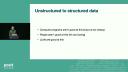
All right. So it's a lot of this stuff. More pictures. And then finally, we get down to here, where the recipe is. Now, suppose you want to take this information and put it in a database. Like I want to keep track of some recipes that I like. Well, that's converting, that would be converting unstructured data to structured data. So taking that website and turning it into a format that you can put into a database.
Now computer programs aren't very good at this, because the input is too messy. Maybe I could write something that could extract the recipe out of that particular website. But if I just sent it to some arbitrary other website, it would completely fail and I'd have to write a new program to do that. People aren't good at that, because it's too boring. But it turns out that LLMs are very good at this. And it's almost magic how good they are at doing these sorts of things.
So if we build an application to do this for us, we have a few components. So first, there's the web interface to make it easy for the human to interact. Then we have Python to do the computery stuff like fetching the web page and scraping text, and also running the web server for the Shiny app and all that. And we also have an LLM, which takes the unstructured text and will synthesize the structured data out of it.
So let's take a look at how a program like this would work in practice. So we could enter in the recipe URL. And this is the LLM returning to us the recipe in JSON format, which then we can do something with, like put it in a database.
Now there is one more thing in here that I sort of glossed over, which is the prompt. So it's not like I just gave it a URL and it magically did this. I did have to give it a little bit of a hint of what it should be doing with the URL. So sorry, with the text that I got from the URL. So this is the system prompt that I used for this application. Your goal is to extract recipe content from text and return a JSON representation of the useful information. The JSON should be structured like this. And then I give it an example. All right. And that example is very helpful. It's very important so that it'll give me the right thing.
So I gave it that example. And then this is the output that it returned, which is structured in just exactly the same way. And it's actually cool. It adds some extra things in there, like it's at the very bottom of the slide, added tags. It's a side. And I can't remember what else. So that if you want to search for it in the database, you could do that, even though those things weren't present in the original web page. It just figured that out because it knows something about sesame noodles.
Validating LLM output with Shiny
So that's really useful, having this structured data. But you might find that you need to validate the output from the LLM. So as I said earlier, the LLM output is not completely predictable. Like if I sent it to... I mean, it worked for that particular recipe. But if I sent it to another website or got another recipe, it might mess it up somehow. You can't be completely sure that it's going to do the right thing. That's one of the annoying things about them.
But we can use a human to validate the output. The problem with that is that reading the JSON is hard and it's boring. But fortunately, we can use the computer to do computery things to make the structured data easier for human consumption. All right. So let me show you what this application would look like. We'll enter in that recipe URL again. But this time, when we render it, we have Shiny taking that JSON and rendering it into HTML so that it's easier for us to look at. So we can look at that and inspect it and say, hey, this looks like a proper recipe. It looks correct. And then after the human inspects it, then we can continue and say, click on Add Recipe and add that to our database.
Augmenting LLM knowledge with documentation
Another thing that you might want to do is augment the knowledge of your large language model. So for OpenAI, I believe their knowledge cutoff dates are in the beginning of 2022 now. So for example, they don't know anything about Shiny for Python. If you ask it about Shiny for Python and ask it to generate an app, it'll just hallucinate something or it'll give you a Streamlet app or a Dash app. But we do have a lot of Shiny for Python documentation, which you can actually give it to the large language model.
So in order to do that, I'll sort of go over the procedure here. So you can have a computer break up the document into text pieces and store them in a vector database. And unfortunately, I don't have time to go into how the vector database works. But you'll store them in the vector database. So then when a human asks a question about the document or our documents, the computer can use the vector database and extract possibly relevant pieces of text. It's a probabilistic thing. It'll extract pieces of text that it thinks are probably relevant and just sort of sticks those all together, all those pieces of text together, and send them to the LLM along with the question.
So then the LLM ingests that text and synthesizes something useful for the human. So if my question is, show me how to build a basic Shiny for Python application, from the vector database, it might extract all these pieces of text. You don't have to read them. But these are just chunks of text. And some of them are relevant and some of them might not be. And they all get sent to the large language model.
So let's see this in action. So show me how to create a basic Shiny for Python application. And there it is. It's returned the code for a basic Shiny for Python app, which, again, the GPT models don't actually know about them. They're only informed about them from this information that we just sent it. I can ask, how do I deploy this application to PositConnect? And then it provides that information as well.
So one thing I want to point out is that, in this particular app, you can see that there's a model dropdown selector. It's using GPT 3.5 Turbo 16k. The 16k means that's the amount of tokens it can take for the context. That means the default is 4k. The 16k means you can provide it with a lot more information, which is really useful when you're doing this. Because those pieces of text that are sent over are, again, they're not necessarily relevant. They're probably relevant. So throwing more of them in there is helpful.
Takeaways
All right. So some takeaways. This is the last slide. So humans, normal computer programs, and LLMs are good at different things. And we can combine them together to play to their strengths. And when it comes to Shiny, Shiny is a useful bridge between human and computer programs. And chat stream can help you build AI chat apps with Shiny. So thanks.
Shiny is a useful bridge between human and computer programs.
Thank you so much. We have time for a few questions. The first one is, can you run this app on Shiny Live? Yes. Well, so there is a version of chat stream where I sort of had to hack it to get it to talk to the OpenAI API. But then you also have to have your API key sent along with the Shiny Live application. So whoever's running that Shiny Live application will have your OpenAI API key, which is probably not a good idea. But, I mean, if you trust them, if it's for something internal, maybe that could work. But again, that was also a special, like, weird version of chat stream that I'm not sure I have on a branch yet. But I have code for it somewhere.
Next, can we leverage different LLMs available, such as Llama2, instead of the OpenAI API in chat stream? Currently no. Getting that to work would be pretty straightforward, because the API communication is pretty simple. You just, you know, you send it a JSON message, and it sends you something back. And there is a streaming aspect of it. So I think it probably would not be too hard to modularize the Llama2 protocol. But I have not tried it before, so I can't say that for sure.
And last question. Can chat stream output be other content, such as plots? Well, no, it can't, because OpenAI will just give you text. So it doesn't do plots. Although, well, you could run some code from them to generate plots and then render those using Shiny. I know George has experimented with that a little bit. But I can't say too much about that now, because it's just an experimental thing. Thank you so much. This was Winston.