
Richard Iannone - Improvements made to {gt} in 2023
Improvements made to {gt} in 2023 - Richard Iannone Presentation slides available at https://github.com/rich-iannone/presentations/tree/main/2023-10-23-rpharma_gt_2023 Bio: My background is in programming, data analysis, and data visualization. Much of my current software engineering work on R packages is intended to make working with data easier. I truly believe that with the right approach, tools like these can be both powerful and easy to use. Presented at the 2023 R/Pharma Conference (October 24, 2023)
image: thumbnail.jpg
Transcript#
This transcript was generated automatically and may contain errors.
Hi, thanks for having me. So I just want to talk about, it's been a good year, 2023 for gt, two big releases. I just want to take 10 minutes to talk about the new features.
So this talk is called improvements made to gt in 2023. So if you don't know the gt package, it just lets you create tables for publication with a kind of like a declarative interface. It allows you to fine-tune the appearance of the final table. We can integrate these tables in publishing workflows like R Markdown, Quarto, and you can even use these tables in shiny apps.
How gt works
Let me just show you a bit about how it works with a small overview. So if you don't know gt, what you do is you have a data frame, introduce it to gt in pretty much the right form you wanted, close to the final form of the actual table that you want to see, and then use functions to iteratively modify that table. So you introduce a data frame or table to the gt function, and then use any number of like statements using the functions available in the package.
And usually what it can do is you can express these statements in pretty much any order, more or less. And what these functions do is they're a bit lazy. They act as instructions, and gt will then take all those instructions and then figure out what to render.
So in this little bit of code here, it doesn't have to change depending on the output of the table you want. So gt supports HTML, LaTeX, RTF, and that's all for you, and Word. And you don't have to change this. You don't have to specify the type of output. Just based on the context, you know, it knows that it's in a Word environment or it wants to publish as RTF. Although you can force it to emit like the text of that if you need that.
So yeah, it should always work. Use it in Quarto or R Markdown, and you have LaTeX or PDF defined, it will use the LaTeX output format.
Okay, one thing we really focused on a lot in gt, and this is part of the updates as well, is lots of useful formatting functions for cell values. So any numbers you have in a gt table, in cells in a column, you can format them with tons of these formatting functions. Even things like dates and times can be formatted, durations. You can create images just from addresses to images, local or remote. You can create flags just with some codes that you put in cells. There's really a lot you can do.
We also made sure that gt allows for some methods for restructuring the table data. So initially, you do get a table coming in, and it has a fixed form. But within gt, you can change it up a little bit. You could, for instance, add spanners, and if columns are gathered under the same spanner, columns will move towards that spanner and be gathered together.
Also, you can just move columns around. There's actually functions just for that. In case you just change your mind, you don't want to go back up to the dplyr or whatever code, you can just do within gt. Another big thing that gt does that's pretty great is footnotes. It's pretty straightforward to define footnotes. You just use a function tab footnote. gt takes care of the ordering and the lettering or numbering of that. And you can modify the spine details in terms of letters or numbers or whatever symbols you want to use. And the cool thing is it does things that you expect from publishing. It will reuse the same footnote multiple times and apply the same mark. Or if there's multiple footnotes at the same location, it will intelligently create the footnote marks in the right way and the right order.
2023 releases: 0.9 and 0.10
Okay. As I said, 2023 has been pretty big for gt. There's two releases this year, 0.9 and 0.10. I'll give you the main features of each because we only have a little bit of time. In 0.9, which came out late March of this year, we added interactive HTML tables. We added some functionality for splitting gt tables across pages, for instance, in a Word document, LaTeX, or RTF. And we also enhanced one function called calls merge to better handle any values and columns. And I'll go through this in a bit.
Also, in 0.10, we introduced something called nanoplots, which are little tiny interactive plots, for now, just for HTML output tables. We have something called units notation. It allows you to express measurement units easily and they work across all output formats with one type of notation. And we also included more dynamic formatting with the from column helper function.
Interactive tables
Okay. This will all be explained in the next few slides. So, we'll start interactive tables. So, we have a table here. I just want to draw your attention to this function we use, opt interactive. What that does is it takes this table, makes it HTML, and then makes it interactive. So, we have things like controls for sorting, pagination, and we still have the other features of gt, like the title and the source notes and footnotes, and we can do styling as well and all sorts of formatting. So, we have a little bit of interactivity and a lot of formatting and styling.
Splitting tables across pages
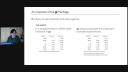
The next thing is splitting tables across pages. So, we have a new function called gt split, and you can control splits at rows and or columns. So, you can say every five rows, let's make a split, or you can do it at different indices, if you want to take a more manual approach to it. So, obviously, this is useful for paginated docs, like Word docs and RTFs, and it looks like this. So, now we have two tables. We split across the fifth row, and the top one will be on page one. The bottom will be on page two. Obviously, you probably want more rows than that, but you kind of see where this is going. You could sort of, like, split at even intervals.
Cells merge and nanoplots
Okay. And we have a calls merge function that's more powerful. You can handle any values now. So, it's a little hard to sort of parse, but we have these double angled brackets, and that just means, like, any values in the second column mentioned in columns, if there's any NAs in here, this whole thing disappears. So, we can gracefully remove parts of the merging process. So, let's take a look at that in sort of, like, this little example here. We see here this row Tesla. It doesn't have any value here. So, very gracefully, it doesn't show any in here with parentheses. It just shows 243. And this one doesn't have any, has NAs for both of these values. So, it doesn't show anything, because the entire expression is handled with double angled brackets.
So, nanoplots are a new thing as well. Again, this is just for HTML, because we don't have a static version of this yet, but they're interactive. They use SVG to draw the little graphics, and I'll show you that. They're not going to be interactive here in this slide presentation, but I do invite you to take one of these examples, give it a spin, throw it in a browser like this table, and hover over different points. And if you do, you'll see the little data points will show up, little markers and things like that.
And they're pretty fun to use, and you can very much customize these. You can include the bottom area. You can remove the line, change the type of the line, remove the dots, all sorts of things you can do.
Units notation
Okay. And we've got one more thing, well, two more things. One is unit sortation, and the idea is it makes inserting measurement units easy. So, we have an example right here. There's actually a few functions that use this. We kind of integrate this everywhere. But if you use this type of formatting, where you use things like exponents, like with this caret, and then minus one, or we use a little bit of markdown, and there's many other sort of niceties in here, you can create units that just affix to column labels. You can just attach them to the column labels with another syntax. You can have them in a column, for instance, and use format units. And it's really quite nice. It does a lot of sort of things which are kind of a pain to do, and you have to resort to pretty bad methods to make this work. But I'm hoping this, it handles a lot of units cases.
From column helper
Okay. And one more thing I want to get to is this new from column helper function. So, this is a bit like ggplot, where you can take values from a column and they affect the formatting or the aesthetics. So, in this case, we have certain functions that handle or allow from column in certain parameters. In this case, we have format scientific, and you might imagine a case where you don't want the significant digits to be the same across all cells. You want them to vary. So, you may have another column which has those values. And then typically what we do is we hide those columns that contain those work values. So, we can sort of see here that this Mulder-Planck constant has a lot of significant digits, whereas these other ones, like Planck-Moss, have less. And that's all because of from column. This allows you to sort of like fine-tune and, you know, make these correct, in other words.
So, this is a bit like ggplot, where you can take values from a column and they affect the formatting or the aesthetics.
And this is all I have about gt this year. There's a lot of features. I just want to cover a few in this 10-minute talk. If you want to find out more, go to GitHub slash RStudio slash gt. You can even take a test drive on Paws of Cloud. There's a whole bunch of examples in there. And otherwise, you can go to the reference section, just explore. There's lots of examples in there and format output. You can copy and paste when you have gt installed. It's really quite nice. And this presentation is available on my personal GitHub, github.com, rich-enin slash presentations. Thank you.