


Edgar Ruiz - GitHub Copilot in RStudio
GitHub Copilot in RStudio - Edgar Ruiz Presentation slides available at https://colorado.posit.co/rsc/rstudio-copilot/#/TitleSlide Speaker Bio: Edgar Ruiz is a solutions engineer at Posit with a background in deploying enterprise reporting and business intelligence solutions. He is the author of multiple articles and blog posts sharing analytics insights and server infrastructure for data science. Edgar is the author and administrator of the https://db.rstudio.com web site, and current administrator of the sparklyr web site: https://spark.rstudio.com. Co-author of the dbplyr package, and creator of the dbplot, tidypredict and modeldb package. Presented at the 2023 R/Pharma Conference (October 26, 2023)

image: thumbnail.jpg
Transcript#
This transcript was generated automatically and may contain errors.
So anyway, Tom created this wonderful deck and I was just gonna copy it because it's a Quarto deck, but I figured that that wasn't right. So I'm just presenting his great slides that he built.
So I'm very happy to announce that we have recently closed like the most liked issue in the RStudio IDE repo, 519 votes for it, which is the request to have Copilot integrated in the IDE. We know that other IDEs have it and RStudio didn't have it, and we'll talk about a little why. So yeah, we have that now.
So what I wanna do, I wanna talk about this and how you can use it and also other alternatives to be able to use LLX, right?
What is generative AI?
So one of the things that I just wanna talk about real quick is the famous generative AI, right? We hear that term a lot now. It feels like a big buzzword, right? Just like big data was at one point. But essentially what it boils down to is using models to be able to create new content, right? Such as text or we can do images or videos or things like that.
It's something that becomes very useful, especially in the development process, right? So typically we think of models as something that we use for as a product of our jobs. In this case, we're consuming the model, right?
So when it comes to the actual text for generative AI, what we're talking about is that we're using it to complete something, right? So we're training the model in a way that it's able to not only predict like your next word, it's able to predict like the next sentence or thought or paragraph, right? And so if you have used ChatGPT, you basically are familiar with how it does it.
But unlike the autocomplete in your phone that is usually wrong, something such as ChatGPT is trained with billions and billions of words and how they're stringed together. So it's very well-educated when it comes to that.
How Copilot works
So what Copilot does is that it takes those ideas, right? But instead of trying to predict your next word or next paragraph that you wanna write in prose, it predicts the code that you're trying to generate, right? And that's why it becomes very useful because with it, then you can actually use it to write your code real fast, right?
So we will all be in the same situation where we have to write code. And we know that we're always gonna be like using the same, there's the same code that we usually copy or we have to come up with the same mechanism to do something and maybe in varied ways. Well, that's where Copilot comes in where it makes it easier for us, right?
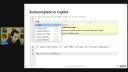
Now, in RStudio, you are used to using the autocomplete, right? So this is a lot of words here. I'm just gonna go into this part so to kind of for you to see as I'm talking about it. So the RStudio one, we're used to that it's gonna predict the next word. In other words, like the next function, maybe the variable that you're gonna select and that's it, right?
And in order for you to select the autocompleted thing, you use the dropdown and then select the one that you write it with your mouse or with your keyboard. The way that Copilot works is that it actually provides a sort of suggested completion, right? Very similar again to how it works with like Google Docs or your phone. It actually gives you like a preview of the code that could be, and that's the part that we didn't have before.
That's called the shadow code, right? So it's code that's being suggested, but it's not code that's official in your script, right? So that's where it becomes really useful because now with the change that in RStudio that we have, that now it allows for the shadow code, now we can use Copilot, right? So that was the biggest thing.
That's called the shadow code, right? So it's code that's being suggested, but it's not code that's official in your script, right?
And then here's a preview of that right now. So what's really neat is that Ghost Text can go beyond just a dropdown, right? Ghost Text can do multiple lines. And what we do is that we provide some context, right? As a comment in your code that says, like example here, calculate the average field efficiency of cars and then group them by the cylinder. And then the Copilot generates that. You start typing library dplyr and all of a sudden Copilot says, oh, I know exactly what you're gonna write here. And then you have it, right? Then you can use it.
Also notice that the code itself, the shadow code, doesn't generate line six and seven in this case. And that's because it's not official code, like I mentioned, right? This is just Ghost code that you can actually accept or not accept if you don't want to be part of your code.
Setting up Copilot in RStudio
So here's a demo of how it looks. Notice that it says Copilot completion response received. So as you're writing, it's gonna be going over and hitting the API, which is the other big difference, is that with the regular dropdown autocomplete that we're used to, that's all inside the RStudio IDE installation files, right? But with Copilot, this is something that is actually going out, right? To the Copilot API and sending the code that you have and the comments and all that, and then sending back the request, excuse me, the responses, right?
So this is something that, of course, being in pharma, that's something I'm sure that there's gonna be some things that you're gonna have to talk through within your organization to be able to use. But even in your personal life, if you're recording from home and stuff, this may be something that you can use immediately.
What you do today, once you upgrade your RStudio IDE, you'll see on the global settings, a new option at the bottom called Copilot, and that's where you're gonna turn it on, right? You start the process, and then it'll walk you through getting the token from GitHub, and then you'll be able to use it, right? So that's what you will have to use in order to get it to work.
Demo: using Copilot to write a game solver
So here, what Tom was wanting to show is how we can use it to create a quick game-solving code, and that you can be using very specific and simple comments can get you there. So what we want is to be able to, for it to create a few functions that would solve a game, and that's whenever there's multiple little words like this, like what is the word that is supposed to be across all these words, right?
So he takes the example here of the actual answers, but what we want is for it to actually give me the, for it to solve it for me. So you'll notice here, I start by getting the latest for today of whatever date I want to put in. He puts all these comments in order to get it right, right? So it's gonna download, excuse me, yeah, it's gonna download the proper date for that day's puzzle, and it's gonna replace it with dashes instead of forward slashes, and create the URL that I need in order to download the latest file, right?
I think I'm running out of time here. So then we can see how Tom used it here to create the actual functions that will find and replace through dredgex the underscores based on the words that are like your hint words, right? But notice that all he's doing is just adding the comments, right? And those comments serve as a prompt for Copilot to use.
And of course, we're gonna share the link to this so you can see we also have the entire document that you can recreate if you want to. And then he used it to create all of it all the way down to where you can start with just guess word and you put in the date and that will pick up the clues and come up with responses. In this case, you notice that the program that was 99.99% created by Copilot is working with no problems.
that was 99.99% created by Copilot is working with no problems.
Alternative: the chatter package
The other way that we can talk to LLMs is through chatter. It's a new package, and this one, you don't need to upgrade RStudio. You just install it from GitHub. And this will be more like you're used to today where you can actually chat with JGPT via the RStudio ID. It's a shiny app that you can copy the code that it comes back and or just transfer it directly. So thank you. I appreciate y'all's time.



