


Posit Connect | Provide Authenticated Access to Your Data Products
Posit Connect is all about getting your data products into the hands of stakeholders and collaborators. Here, we demonstrate how to provide authenticated access to a Dash application. For more information about Posit Connect, go to: https://posit.co/products/enterprise/connect/
image: thumbnail.jpg
Transcript#
This transcript was generated automatically and may contain errors.
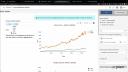
Now again, as a publisher, I have some additional controls. And the most important thing is I'm a publisher, how do I then share it with the people that need to see it? And that's going to be right here under access controls. Now we have it set by default to specific users or groups. And if you look right underneath, you can define those users and groups right here. I'm currently the only one that can view this content. But let's say for example, I want to give Rachel access. Now we would be the only two that can view this content.
So really tight control over who you want to share this application with, which is great, especially if you have any sensitive data. But we can be a little less strict. So if you look at the middle option right here, all users login required. If I select this, basically, as long as you can log into the Connect instance, you can view this content.
So really tight control over who you want to share this application with, which is great, especially if you have any sensitive data.
So here are Posit is our demo environment, that's pretty much all Posit employees, they can log into the Connect instance, they can view it. But we can be even less strict and select anyone, no login required. And if I do that, basically this application, this dashboard we created when hosted on Connect is opened up to the world. So if anyone has this URL on the top of the screen, you see right here, they can view this content.
Customizing the content URL
Now, if you look at this URL, you can see it's not the prettiest URL to some random letters and numbers up here. We can change that we can give this a more customized URL. So I can come down here to content URL. And I can just say dash app and hit save. And now we have this customized URL at the bottom of my screen, which we can then share with the world and anyone can view this content.