
Deploying a Shiny for Python application with Posit Connect
Last week’s blog post announced that Shiny for Python is now generally available and Python programmers can feel confident deploying Shiny for Python apps in production. This video will serve as a guide to deploying your applications so that users can interact with your apps and leverage their robust functionality using Posit Team. Follow along blog post: https://posit.co/blog/deploying-a-shiny-for-python-application-with-posit-connect/ 0:25 - Step 1: Load packages (in VS Code on Posit Workbench) Step 2: Create the app (example app here: https://shinylive.io/py/examples/#app-with-plot) 1:02 - Step 3: Run the app locally in VS Code 1:36 - Step 4: Deploy to Posit Connect Learn more We’d love to have you join us at one of our monthly Posit Team Demos where we walk through a different end-to-end data science workflow each month. They are on the last Wednesday of every month at 11 am ET on YouTube. You can add the event to your calendar here: pos.it/team-demo What is Posit Team? Posit Team is the bundle of our most popular products including Workbench (for development work), Connect (for hosting and sharing your data products), and Package Manager (for managing your R and Python packages). Together, this bundle delivers an end-to-end toolchain for data science teams committed to R and Python, improving every step of a data scientist’s workflow, from developing insights to deploying data products, to managing environments. If you have any questions and would like to talk with our team, you can schedule a time to chat: https://posit.co/schedule-a-call/
image: thumbnail.jpg
Transcript#
This transcript was generated automatically and may contain errors.
In this short video, we'll go through the process of deploying a Shiny for Python application from Posit Workbench, here I am in VS Code, to Posit Connect. So just to give you a lay of the land, so what you're seeing right here is a Shiny for Python application called app.py, and that resides in a directory I've created called Shiny for Python.
Installing packages
So to get started, let's go ahead and install some packages we'll need for this workflow. So I'm going to use pip to install the Shiny package. Also rsconnect Python, which is used to deploy applications to connect. And then you can see this application depends on two popular data science packages, matplotlib and numpy. So let's make sure we install those as well.
I believe I already have these in my environment. So it should say requirement already satisfied. So that's great, we are in a good spot. Now before we deploy to Posit Connect, let's just make sure this application runs correctly locally here within VS Code running on Posit Workbench.
Running the app locally
So I'll run shiny run and the name of the file app.py, hit enter.
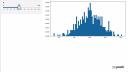
And we'll get a URL that I can then click on. And here is our Shiny for Python application. It's a simple slider bar that changes the number of bins in the histogram as I move it left and right. Alright, so it appears to be working well.
Deploying to Posit Connect
And then the last thing we'll do is go ahead and deploy it to Posit Connect. And we'll use the rsconnect package to help with this. So rsconnect deploy shiny, you have to give it the name of the connect server you want to deploy to. So I'll use the dash n argument. And I have the server saved my environment as PCT prod. And then just give it the name of the directory that houses the app.py file. I'm currently within this directory. So I'll just use the period as a shorthand and hit enter.
It'll run through a few checks, make sure my environment is being captured and recorded and sent to connect to replicate that environment. And once that is done, it'll deploy to Posit Connect and we'll get two URLs here at the bottom, I can click on this bottom one and it will actually bring me straight to Posit Connect. And here we have that same application running on the connect instance. And that is how you can deploy a Shiny for Python application to Posit Connect.