


BioC 2022 - Hello, Quarto!
Mine Çetinkaya-Rundel, PhD., Professor of the Practice at Duke University, Data Scientist and Professional Educator at RStudio, Inc., gives her keynote presentation at the Bioconductor Conference 2022. Dr. Cetinkaya presents Quarto, an open-source scientific and technical publishing system built on Pandoc. Dr. Mine began her presentation by introducing Quarto and her personal experience using and teaching it to others. She then continued by giving an overview of the R Markdown ecosystem which includes packages like xaringa, Distill, Blogdown, Rmarkdown, and more. She explained the use of Quarto with these packages along with some other Quarto highlights. Afterward, Dr. Mine gave her first demo of Quarto which included setting up and sharing some handy features. Dr. Mine also gives another demonstration on publishing with Quarto and an overview of the features of collaboration. Dr. Mine then gives a second demonstration of collaborating and teaching with Quarto. To wrap up the presentation, Dr. Mine shared about reimagining open source and the work done by Openscapes and their mission for open practices accelerating data-driven solutions, and increasing diversity, equity, inclusion, and belonging in science. The presentation ended with a questions and answers session from the audience. Main Sections 0:00 Introduction 4:29 Quarto! 6:12 Share 10:57 The R Markdown ecosystem 11:59 Quarto highlights 13:40 Demo of Quarto 21:40 Demo Quarto Publishing 22:58 Quarto rundown 25:23 Collaborate 28:43 Demo 2 34:07 Teaching with Quarto 40:39 Reimagine 44:03 Q&A and Resources More Resources Bioconductor Conference Site: https://bioc2022.bioconductor.org/ BioC2022 Github: https://github.com/Bioconductor/BioC2022 Main Site: https://www.r-consortium.org/ News: https://www.r-consortium.org/news Twitter: https://twitter.com/Rconsortium LinkedIn: https://www.linkedin.com/company/r-consortium
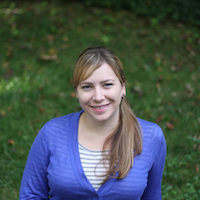
image: thumbnail.jpg
Transcript#
This transcript was generated automatically and may contain errors.
All right. Well, thank you, everyone. It is my pleasure to welcome you to the final day of BioC 2022 and to introduce Professor Minna Chetinkaya-Rundell, who is professor at Duke and affiliated at University of Edinburgh and also working with POSIT, and she'll be telling us about the new product called Quarto. Thank you, Minna. Take it away.
All right. Thank you very much. Are you able to see and hear me okay? Yeah? Are you able to see and hear me okay? Yes. Okay, great. I'm seeing yeses. All right. Well, thank you for joining today, and I am very excited to talk to you about Quarto.
So, I have been sort of working with Quarto over the last year, testing it out and teaching it to my students, and today, hopefully, I'll be able to give you a nice overview for it. Before I get started, I want to acknowledge two people who have been kind of critical in preparing this presentation. One of them is Julia Stewart-Lounds, who is with Openscapes, who I'll talk about a bit more in my talk, but I've given a version of this talk with her, and this is sort of my part of the talk, bringing in some of her ideas as well, but she's been critical in kind of planning this talk out, and also the cute artwork that you're going to see throughout the presentation is by Alison Horst, who has made these illustrations for our talk and also open-sourced them, so you also can use these illustrations if you would like, and they're available on her GitHub repository.
What is Quarto?
All right. So, let's say hello to Quarto. You might be wondering, you know, what is Quarto? Why is Quarto? So, I'm going to try to answer that question for you and give you a few demos. So, Quarto unifies and extends the R Markdown ecosystem. It unifies it for people who love R Markdown, and it extends it for people who don't know R Markdown. So, what I mean by this is that if you are an R Markdown user, you are probably familiar with, you know, all the packages associated with that system, and we want to just start thinking about Quarto as what if we were able to bring the functionality from all of them together and extending it. So, if you're not an R Markdown user or even not an R user and you might be coming into this idea of creating reproducible documents that are publication ready and that are web ready, you'll be able to see some features of Quarto that might be useful for your workflows.
So, Quarto is a new and open scientific and technical publishing system. And the goal of kind of creating Quarto and bringing it to you is to make the process of creating and collaborating dramatically better. Quarto natively works with many computing languages. So, beyond R, you could be writing code chunks in Python or Observable or Julia, and it's actually designed to accommodate computing languages that don't yet exist as well.
And so, all of this goes through the Quarto machinery and you can get a variety of outputs. We could be talking about HTML, that is a single HTML page, or it could be a website or a web book. We could be talking about PDF, anything from a simple formatted PDF document to something like a journal article, which I'll give an example of as well. Or you could be outputting to Word or PowerPoint as well.
So, I am going to organize this talk in four acts, share, collaborate, teach, and reimagine. And we're going to try to give you an overview of Quarto and hopefully entice you to look into it more, because there's no way I can demo all of the features in the time we have, but the goal is to provide an overview.
Share: the R Markdown background
All right, so let's start with share. So, I am an educator, I'm a researcher, and I'm a developer as well. And when I say educator, you might be thinking, well, maybe she's giving a lot of lectures, that she's 24-7 in front of audiences' lectures. But actually, a lot of what I do is in front of my computer, in front of my computing, creating materials to share with the world, either that is with my students or with my colleagues. Sometimes I'm writing a slide deck for a lesson, sometimes something like this that you're seeing. And sometimes I'm writing documentation or I'm writing, creating a course website. Oftentimes, I am thinking web first. I like to share all of the materials that I create openly and with an open license, so others can use them, reuse them, adapt them, and learn from them.
But I also live in the confines of academia and kind of traditional journal publishing, which means I need to get things to render to PDF quite often and need them to be formatted according to a very specific format. And so, I need a system that will allow me to take the same source code and output to these different formats as much as possible. And also, the system needs to enable that I put my code and my prose in the same document so that I could be developing these computational documents that are reproducible and that, you know, kind of remove the paradigm of copying and pasting computer output from one thing to another.
And for the last decade, that thing has been R Markdown for me. I vividly remember USARC 2012, where JJ Allaire and Yiwei Shi at their keynote introduced the Knitter package, which kind of provides the backbone of R Markdown as it processes the executable code chunks in an R Markdown document. And when I started hearing about the Knitter package, I realized that this was a year into my teaching at Duke. So, my first year as a faculty member, a lot of what I do was to create, you know, teaching materials. And I was sort of struggling with how to create materials for teaching R, where I can bring in my code and have it be syntax highlighted in a particular way, have my code and my output live in one place, so that if I made, say, one change in my lesson notes and had to recompile them, I didn't have to copy and paste a bunch of stuff again. And Knitter seemed like a great solution for this.
So, as their keynote was going on at USARC 2012, I basically started converting my teaching notes to it. I started converting my kind of the lab assignments that I was writing for my students, and then started making slides with it as well. And by the end of their keynote, now that I had, you know, half listened to them and half also, half also, like, create, started converting my own materials, I realized this is actually pretty straightforward to use, that I don't think I should just be using this to create my materials, but is there a way for me to be teaching R to my students, my intro stat students, while also teaching them this reproducible paradigm and writing these computational documents as well. And in fact, the following year, that's what I started doing.
And that's been a great kind of trajectory for my career, frankly, in terms of getting the work I do out there and sharing with the world, as well as changing the way that I teach R.
Quarto unifies the R Markdown ecosystem
So, I'm hoping that with that story, you might be thinking, okay, what do we do with Quarto? Well, if you stop kind of listening to me right now and just go to quarto.org and do exactly what I was saying I did at that keynote and start playing with Quarto, I will not be offended. I will call this keynote a success. So, I started by saying Quarto unifies the R Markdown ecosystem. Let's talk about that a little bit. Here are a bunch of packages, package hex logos that you might be familiar with, and you might be relying on for creating and sharing your work. You might be making your slide decks in Shurangen, using blogdown or Distil for making websites or writing blogs, or the articles package for writing scientific articles.
Quarto basically unifies the functionality from all of these packages into one command line interface. So, instead of being an R package, it is a command line interface that kind of unifies the functionality. So, when working with Quarto, you sort of don't need to think about, I need to do task X, and for that I need this particular R package. Rendering documents with Quarto, as long as you have defined the desired output format, will basically get you there.
So, some highlights of kind of this effort of unifying these packages, and also not just unifying them, but in the process of working on unifying them, just discovering gaps in functionality and perhaps inefficiencies in user experience and trying to better these. There is a consistent implementation of attractive and handy features across outputs. So, when I say outputs, I'm thinking a slide deck to a simple document to a book or a website. Things like tab sets, code folding, syntax highlighting, all work in all formats. And not only do they all work, you request them with the same syntax. So, going between formats, you don't need to change any of your kind of code chunk options to get that desired output.
Quarto features more accessible defaults, as well as a better support for accessibility. And it comes with guardrails that are particularly helpful for new learners. So, for example, there is YAML completion to help with defining the YAML for your document or your code chunks. It has informative syntax errors that will kind of guide you in the right direction when you're making errors. And for those of you who may not be coming to this from an R or R Markdown background, it also has support for other languages like Python, Julia, Observable, and more. And the way it does this is that in addition to Knitter, it allows for using the Jupyter engine for executable code chunks.
Demo: from R Markdown to Quarto
So, you might already be playing with Quarto or you might be thinking, let's go ahead and actually show me what Quarto looks like. So, that's what I'm going to do next. And in order to do that, I am going to open up my demo. And let's give it a go. So, what I have here is an R Markdown document. And in that R Markdown document, it should look familiar to you. I have a YAML and some code chunks. And let's knit that document to see what the output looks like. This should be familiar to those of you who have used R Markdown before. In addition to my code, I can see my output.
I'm going to turn things to the visual editor. So, I did that by kind of changing from my source editor to the visual editor on the top. And the visual editor gives you a slightly different authoring experience that I find much preferable. It allows you to do things like bolding and highlighting without writing R Markdown syntax. But if I was to knit this document, you'll see that the output stays the same. So, the visual editor is just a preference in terms of authoring experience, not changing the output.
But now let's go ahead and change. I'm going to rename this to say Hello QMD. So, this is going to become a Quarto document. And let's go ahead and render. The content should be exactly the same. The button has changed from knit to render. And we can see that the content of the output is the same, but it has a slightly different style. I'm going to change my YAML to say format instead of output. And that's basically how we change between different output types with Quarto.
And so, going forward, we're going to change between those. I might want to make a PDF, for example. And if I want to make a PDF, I am going to just change my format. And something I really like is if you're using RStudio, you can basically see that PDF in the viewer as opposed to in a pop-up window. So, let's go back to HTML. And let's start playing around with some chunk options. So, we've defined them using the hash pipe as opposed to a character string up at top.
And let's say that I want to hide this chunk, but I want to do YAML. I can't remember the exact chunk option. The YAML completion helps me by giving me suggestions. And if I render this document now, I will see that that particular chunk is not printed out in my document anymore. If I want to hide all of my chunk options, I can set basically what we used to know as global chunk options up in my YAML through the execute field. And what's neat about that is, I don't know, it's a syntax I've always found difficult to remember setting chunk options. And this is something that will work with the Knitter engine as well as the Jupyter engine.
So, let's also think about these new chunk options, which allow us to write each chunk option in a new line. I think they make things like writing alt text, for example. So, alternative text for the visualizations we create a lot easier because, you know, placing all of that text, alternative text, into the older style chunk option would have been quite kind of tedious. And so, an alternative text won't appear in the output, but we can see that it's in the HTML source code, which will be accessible to screen readers.
Now, let's change things up a bit. And let's make a slide deck. I am only going to change my format, nothing in my content. And if I sort of reload my editor and render, you'll see that each of those second level headers are going to be a new slide in my deck. So, I'm able to move between formats really easily, really nimbly. By simply adding another header into my file, we'll call that plot or something like that, I'm able to move the rest of the content to the next slide. I don't need to add other syntax to indicate slide breaks that may then not work in a different format, something like a horizontal line.
I am only going to change my format, nothing in my content. And if I sort of reload my editor and render, you'll see that each of those second level headers are going to be a new slide in my deck. So, I'm able to move between formats really easily, really nimbly.
Demo: building a website in under 10 minutes
Okay. So, I've demoed one document to a slide deck. Let's bring this back to a single document and let's see if we can make a website in less than 10 minutes. If I want to do something like a website, chances are I have more than one document. So, I'm going to create one more document. I am specifically going to remove any computation from this document so we can feature two types. And I'd recorded the demo earlier for another talk, so it says here's a demo site.
Now, I'm creating another text file, a YAML file that will allow me to bring these two things in a Quarto project. So, a quarto.yaml and we're going to write some YAML on the fly. I'm going to define that I'm creating a Quarto project. The type of it is a website. And let's lay out our website. I want a title for it. Maybe let's call it Quarto. And let's say I want a navigation bar. And in that navigation bar, I want the left on the left, I want my index.qmd and I also want that hello.qmd, which we've been working with so far. I now have a Quarto project that defines it as a website. I'm going to restart my RStudio session to get that build tab to appear.
And I can render or preview my website. So, a render or a live preview of my website. Let's go ahead and render it. So, we've brought these two documents together in this very simple minimal YAML. And we basically have a website with multiple pages in it, which I think is a really neat way of putting things together. And this would be exactly the same way if you were making a book, for example.
So, we have created a website. Let's think about the computation in the website. One of my documents has some compute in it. And what I might want to do is say, please don't rerun the compute in that file every time I want to re-create, re-render my website. You know, maybe I'm writing some text. So, what I'm going to add here is a YAML option called freeze. And what it does is it will basically freeze the results of my computation if I set it to true and won't rerun them until I perhaps do something like re-render that particular document again. And you can see that I now have a freeze folder in my files pane where those computations are saved. It will also, a little bit later, allow me to re-render this website in an environment that doesn't have R installed.
So, we have prepared our website and now let's publish it. I'm going to go to the terminal now and I'm going to run my quarto publish command. And I'm going to publish it on a, let's go ahead and see if this will work, on quartopub from my account. And I'm going to maybe call this hello-quartodemo. So, quartopub is a new publishing kind of domain that you can, just like rpubs, if you've used it before. And basically, I can publish directly from the terminal. If you are hearing of quartopub for the first time, it is quite new and you might want to go claim a username for yourself.
I basically have published my website as well. I think all of this is, you know, I didn't have to worry about other places. I could also directly publish to things like GitHub pages or Netlify or something, but obviously that would have required additional authentication. And I think this is a really neat way of just, you know, publishing your documents as quickly as possible.
How Quarto rendering works
All right. So, let's go to kind of recap this. So, what we've seen here is that the quarto-cli, so the quarto command line interface, is the one that's doing the orchestration of each step of rendering. With rmarkdown, the rmarkdown package would do that. So, you would need to have R installed on your system and R, the rmarkdown package would be doing the orchestration. With Quarto, we have a QMD file that, depending on the code you have in that file, or in the execution or in the execution kind of style you have chosen, uses either Knitter or Jupyter under the hood to kind of run the code in the executable code chunks and create a plain text markdown document. And then we rely on Pandoc to do the last bit of kind of putting everything together and give you the outputs that you want.
Quarto also makes moving between formats straightforward. So, I've shown you a single document, like the type of thing I regularly write. It's something like a lesson one in kind of a lecture notes format, maybe in HTML. Next, I might say take that and let's create some lecture slides from that. So, all I have to do is change the format in the YAML. And next, I might say I have maybe one of these and a couple more that I'm going to add on to it, create a YAML file that will call all of these and put them together as a website.
It also facilitates open sharing, because even when it might be so easy to create documents locally, and even if you are going to openly license them, if sharing them and publishing them openly is a hassle, chances are many folks are going to choose not to go there. And I think that tooling that makes it easy to share what you do with the world on the web is incredibly useful. And it's not just useful for you, but to the world, because it facilitates open sharing of knowledge and learning for reuse.
Collaborate: working across languages and tools
In the next act, we're going to talk a little bit about collaboration. I've talked a lot about myself so far. I write slide decks. I write documents. But I obviously don't operate in a silo disconnected from others. I collaborate with a lot of people, and you probably do as well. Well, I collaborate with a lot of people, and some of those people don't use R. Many scientists actually use Python, too.
What is really neat about Quarto is that it enables collaborating across coding languages. So, here you can see a Quarto YAML, just like the one we have created. But this is from my colleague, Julia Lowndes' website that she has kind of put together for kind of a group that she's running. And we can see that there's a lot more pages than the two that we created. Some of those are QMD files, some of them are Python notebooks, and some of them are RMD files, and some of them are plain Markdown files. So, the fact that we don't need everyone to kind of change their tooling, but actually can come together and bring whatever they have created in an environment that they feel comfortable with, I think is a really neat feature of Quarto.
Quarto enables contributing from our current tools. So, you could be working in the RStudio IDE, which is personally my preferred place to be writing code. But you could also edit Quarto documents in Jupyter. You could edit them in VS code, or you could edit them directly on GitHub, for example. And what is really neat about this is that, you know, folks choose where they want to be writing code or where they want to be writing prose and get comfortable with it, right? And when they basically get comfortable with that, asking them to change where they're doing their work, just to collaborate with you, is often faced with resistance. People want to kind of stay at their own home and wish that their collaborator would come to them. So, an alternative is to say you can stay at your own home and you can collaborate with me on the same project from wherever you are.
Demo: editing from Jupyter
Let's look at one other demo here, where we're going to be editing that same site from Jupyter. Okay, so I am in JupyterHub right now, and you can see that on the side, the same files that we created earlier with the website that we have. We're going to do a live preview of this. So, I've run Quarto preview in the terminal, and that gives me a URL where I can go and see the results of my website. And generally, you know, keeping these side by side is a nice way of sort of editing your document live and then seeing the changes. So, we're able to, and note that this Jupyter environment does not have R installed right now. So, it's the freeze feature from earlier that's allowing us to re-render or preview the website without running the R code again.
And here, we have a Jupyter notebook that basically has very similar content to that first hello.qmd file that we had created. We have some text in Markdown, and we also have some code to recreate a similar analysis. And the code chunks have Python code in them. So, we're going to run one of these code chunks, and we can see the results of it directly in the notebook.
And now, we're going to go back to that YAML file where we had said put these two documents together and add this third document into it. So, that is hello in Python. And this time, it's not a QMD file, but it is an IPython notebook. And let's go ahead and watch to see if things are rendered again. And if we go back to our website, we can see that we have added that third file. And so, this could be a collaborator adding to your project basically without leaving their home. They're able to use their preferred computing language, and they're able to use their own preferred computing environment.
So, we've talked about these code chunk options that we can add using the hash pipe. The same syntax works in Jupyter as well. So, we might add a caption to this figure. So, let's go ahead and run it. And you'll see that the caption is going to be visible on the output. So, if we kind of refresh this, you can see that the caption is visible above our plot, but it is not in the Jupyter notebook. So, it's not getting in the way of the notebook, but it is present in the output.
We're going to demo adding one other chunk option, and this would be something for what if we wanted to move this plot to the margin. So, kind of a style that many folks prefer where their plots appear in the margin. So, this allows us to basically change the layout of things to our document in a way that would not necessarily be possible to achieve just within the Jupyter notebook, but we are able to get that in our rendered output.
Teach: Quarto in the classroom
Going back to our slides, we've talked about kind of collaborating across languages, but I want to talk a little bit about the teaching implications of this as well. And I'm going to do this with an example from a student of mine. So, this is Holland Stem, who is an art history and visual media studies student who was in my class in last spring, last spring, where she had only one semester of an interdata science class where she had learned R Markdown, and this was her second class, a regression class, where we were using Quarto. And she is working on a pretty quantitative art history thesis where she's looking at representation in art history textbooks and actually measuring kind of each of the pieces of art featured in the textbook and joining that with demographic information about the artists as well.
And she was working on a thesis that is basically quite quantitative and had a bunch of code and a prose in it. Even though in our class, each of our, we teach Quarto, you know, every single assignment is a single Quarto document, and we don't end up writing something pretty extensive like a thesis that brings a bunch of documents together. But she was able to pretty quickly level up from writing a single document to being able to bring them together because we're able to do that with a single YAML file, which in my opinion has been a challenge for students who learn R Markdown so easily, but then have, you know, struggling with that leveling up to writing more extensive things.
So, sort of kind of the moral of the story that I wanted to tell here is that this leveling up was possible for a student in their second semester of statistics with a very minimal introduction to Quarto, and to me that has been a very pleasant surprise for teaching with it.
So next I want to show you a few things about teaching with Quarto, and we'll try to kind of speed this up a bit. So the first thing that's really neat is that you can just render Quarto documents in RStudio. There is no additional install necessary, and to me that's really, really nice. But beyond that, you can do things like adding, linking to documentation directly by adding a YAML option called code link, and what this will do is in the rendered document, every single function, regardless of which package they come from, is going to link to its documentation. If it can find a package down website, it'll link there, otherwise it'll link to kind of standard R documentation for it. And this comes with, you know, very minimal kind of, very minimal work on your part, which is really neat.
Other things that I create with Quarto are obviously, oh, so let's show the, sorry, the YAML errors as well. Let's try to make a mistake here, like it's hard to make a mistake because it gives you so many suggestions. But let's say that I did make a syntax error and render the document. The syntax, the errors are very human readable, and it even gives you some suggestions around how to fix them, which I think is very helpful for new learners.
I'll show a few other things that are in, so we're going to change this to reveal JS to make some, make our slides from the same document, and I'm going to add a couple things. So, you can see, for example, that we have, there is a kind of a sidebar that allows you to go between things, and also you can do a PDF export, which I think is really nice. Students always ask for, can I get a printable version of your slides? Other things that are really nice that I found is this chalkboard feature, which allows you to kind of annotate your slides as you go, and in the past I've struggled with this sort of thing, you know, needing to bring an iPad with me to write over things, and I think it's really neat to be able to do this on the fly, and you can actually save these things as well, and you can get like a chalkboard to actually write on, which is nice when a student asks a question that you otherwise, you know, don't have space to expand on in the slides.
I'm going to proceed a bit. There's some really neat features here, but I wanted to show you one other thing, because we've been talking about HTML output a lot, but what about the research side of things? So, if I can, there are Quarto templates for a growing number of journal styles, so here I'm going to use JASA, for example, that I can install. This is basically adding something like an extension to my project, and asks me, do you trust the author of this template? Asks you to give it a directory name, and now let's take a look here at the files that it has created for us. I'm going to, you know, adjust my title. I'm going to adjust my, sort of, my author name for it, and we're going to render this document, and you can see, if you have submitted JASA articles, this format should be familiar to you. The fact that we're able to get to this so nicely and quickly, I think, is really neat.
Reimagine: open science and collaboration
All right. So, I think that I'm going to wrap things up quickly here, because we are running out of time, which is a huge shame, but I'll take maybe two more minutes to wrap things up, and then we should have plenty of time for questions. So, the last thing I want to talk about is going beyond what you might be doing, what you might be used to doing, and for this, I want to give a huge shout out and credit to my friend and colleague, Julia Lowndes, who leads this effort called Openscapes with her partner, Aaron Robinson, and their model is to mentor scientific teams kind of towards a culture of open science.
And I would like to read this quote from Ilana Fenwick, who is an Openscapes member. Because of Openscapes, I have renewed hope in how we can bring about a kinder future in science. I see a commitment in the open science community to bridging the gaps where we've left members of our community behind, and it inspires me.
Because of Openscapes, I have renewed hope in how we can bring about a kinder future in science. I see a commitment in the open science community to bridging the gaps where we've left members of our community behind, and it inspires me.
So, the work that, the sort of work that Openscapes is doing and is inspired by things like this. This is an excerpt from the Fay lab manual, which basically says you are coming into our lab, you are going to be a member of our research group, and you might be coming from a variety of backgrounds in terms of what you've seen as part of data science, as part of data analysis. They're an ecology lab, and it basically makes the implicit explicit by saying here's our code of conduct, these are your expectations, but also here's where we keep the files, here is where we run our code. And what the goal here is to be able to get people to contribute to authoring of things at the very beginning, even if they're coming with a minimal background.
And so, how are we going to be able to do this? One way that working with Quarto and RStudio supports this is that visual editor. So, I'm not going to play for you the whole demo, but I am only going to show you one thing that I think will be of super interest to everyone, which is adding a citation to our document. So, what I'm going to do here is I am going to kind of add this at symbol, and it is linked to my Zotero, and I am able to with some just by searching through my Zotero library, insert a citation directly in the visual editor, and when I render my document, I'm able to see that it has created a bib file for me, and it has basically added that citation to my document. It's things like this that basically get the minutiae of the syntax out of the way and allow people to focus on the content and be able to contribute as quickly as possible.
I can even do this with something like a DOI search. So, if I have the DOI for a document or a paper that I am citing, I can simply place that in there, and it will go through and search through the DOI, kind of, search the DOI for me and insert the citation, and it's things that ease, I think, authoring and collaboration like this that, you know, moves things forward, and personally, I really enjoy being able to write like this.
So, we are going to, I'm going to wrap this up with a big thank you to joining this morning. I hope that this has been a good overview and introduction to Quarto. Once again, the slides are at this link, hello-quarto-bioc, and if you scroll to the next slide, you'll be able to see a bunch of resources. You can even get the source code for the demo that I, the website that I created, if you wanted to pick things up right there, and I'd be happy to answer any questions. Thank you very much.
Q&A
Hello. Very nice talk. I was wondering, with anything new like this, I feel like there's usually something that you really wish you could do that still isn't easy. I was wondering if you could share if there's something like that.
Yeah. So, for example, this, the journal article templates that I just mentioned are very new. So, if you had asked me this question like last week, I would have said, well, some of the journals are implemented, but not the ones I submit to. Those are developed as extensions, and I think that that, for me, has been nice to see that both the Quarto development team has been responsive, but also the community has been building them. I think that things like generating slides, for example, when you want to do a lot of styling, I find that I still have to write CSS, which I'm not very good at myself, and I would like some of that stuff to be more built into Quarto. But aside from that, so far, I haven't encountered anything that is in no way to say the system is complete, just for my workflows. It has been, I've been able to like open issues and get them resolved so far, and I encourage you all to do the same, because this is kind of baby ages of Quarto, and I think the team developing it is kind of really looking out for things people are struggling with so they can work on those next.
Hi, good morning, at least it's morning here. So thank you, this is great. You talk a lot about education, maybe it's the artwork that also makes me think of this, but do you have any intentions for getting this to a level that youth could learn from this as well?
So that's a really nice question, and let me clarify, when you say youth, do you mean below the college level? Yes, yeah, I have young kids, so I'm thinking of them. Yes, yes, so I think that's a really good question. While I have limited experience with that, I have ran a few workshops for high school students, a few kind of conferences, StatFest that ASA runs, which is like a diversity-focused conference. I've done that there with some high school students, and I think that this sort of thing, with the visual editor particularly, is entirely, I think a real good way of introducing students to code. In the past, what I have used are LearnR tutorials for that, and the idea there was, I know that you can't do real data science outside of something like an IDE, but can you give them a taste of something outside of that? And I think the answer is yes, and the reason why I had kept things out of the RStudio IDE and done a LearnR tutorial was that I didn't also want to teach them markdown syntax, and I think with the visual editor, how it distinguishes between what's prose and what is code so distinctly, it would be worthwhile to try to bring that audience into that to see how they react to it.
Hi, I have a question about the collaboration. So you showed how you could, I guess, have people, different people, say, contribute different files, like, you know, somebody puts their Python notebook in this or whatever when you're building the website, which seems really interesting. I was wondering if there's any provision for, like, collaboratively editing the same document. So I'm imagining something like a Google Docs type interface where people are contributing to one document, or is it currently file-based in the sense that, like, you'd be needing something like Git on the back end to manage multiple contributions to one document?
Yeah, great question. What I showed would have assumed something like Git, so you're absolutely right in that. When it comes to collaborative editing, so I have two answers for this. If you are working in RStudio, there is a collaborative editing functionality that's being developed for RStudio Cloud. It is my hope that it goes beyond just RStudio Cloud, and it's, I think, still a beta feature, but I would hope that in due time we're going to see a nice implementation of that in something like RStudio Server. I am not very well-versed, I'm afraid, in, like, VS Code. I don't use it regularly, but I feel like I follow enough people on Twitter that I see things that they share. So I think, I believe in VS Code you can do collaborative editing. Don't quote me on that, but I think it's worth googling, and if you don't code in VS Code, obviously that may not be very helpful, but ultimately the fact that Quarto is, like, authoring environment independent, I think means that you're not stuck in RStudio in the sense that if another editor has these sorts of bells and whistles that are useful for your workflow, you can take what has been developed at the command line interface level and use it there.
Hi, Minu, this is Leonardo. I'm very enthused by your presentation on Quarto, so do you know if the vignette builders or in R are going to allow Quarto vignettes? And then my second question would be, can you have two Quarto files where they share the R code but you don't execute it in both at the same time, so you have, like, a HTML and a presentation that have the same R code behind it, but you don't have to spend the computational power to render it twice?
So, question number one, vignette builders, I do not know the answer to this question. However, I think this is a good opportunity to point folks to where a good place for asking questions is. On the Quarto GitHub repository, there's a GitHub discussions feature, so you can just have a question. It doesn't have to be an issue like a software bug. So, if you go to the Quarto website and click on help, it will get you there, and that is a fantastic venue for that question, and I apologize that I don't have an answer for it.
For the second question of having a single R source code for multiple kind of QMD files, if that's a workflow that you prefer, you can have include statements in your Quarto file. So, it's just two curly braces and then include. And so, the way I would solve that problem is put the R code that you want in a third file that you then include where necessary, and that's a great way to do it. And you can do that at the level, but I imagine it's going to be interspersed through the text. So, I think you would want those includes statements interspersed through your text as well.
Yeah, so there are plenty actually, let me link to, and I'll put this in the chat here for folks to see. So, on the Quarto website, you'll be able to go to the gallery where we've collected books and a handful of these also have PDF output as well. Personally, something I've struggled with in the past has been making things look good in HTML and in PDF. So, you'll be able to see examples of that. Quarto is quite new, so the number is not in hundreds, but there is a growing number of them, and hopefully that gallery is inspirational in terms of solving that. Cross references and stuff, I've demoed that at the very end with the visual editor, not that you have to use the visual editor, but the same cross reference style works, whether it is a single document or it's a book or a website, which I think perhaps would be a good way to do it. And I think perhaps resolves some of those challenges with adding references to a book.
Fantastic. I'm going to have to close the session because some of us have to change buildings. Thank you so much for a wonderful presentation. Thank you.


