


Joe Cheng - Extending Tableau with R and Shiny
Cascadia R Conf 2021 Session Talks Joe Cheng Pronouns: he/him RStudio, PBC / Redmond, WA Session: Shiny and R Extending Tableau with R and Shiny Many organizations rely on Tableau to provide day-to-day insights from their data. Thanks to Tableau’s point-and-click interface and focused feature set, almost anyone can produce attractive and useful visualizations and dashboards. On the other hand, tasks that are routine to R users can sometimes be difficult or impossible to achieve with Tableau. So it’s common to use R to preprocess data that is then fed to Tableau, or use Tableau’s R integration features to fortify their data tables with columns calculated by R. But until now, there hasn’t been an obvious way to let Tableau take advantage of R’s powerful visualization and reporting capabilities. This talk will introduce {shinytableau}, an experimental new package that lets R users create reusable Tableau dashboard extensions, using the power of R and Shiny to generate visualizations that are not achievable with Tableau alone. Bio: Joe Cheng is RStudio's Chief Technology Officer, and the original creator of Shiny. He was the first employee at RStudio, joining founder J.J. Allaire in 2009 to help build the RStudio IDE. He continues to work on packages at the intersection of R and the web

image: thumbnail.jpg
Transcript#
This transcript was generated automatically and may contain errors.
and Joe. Perfect. You're up. So Joe Cheng is RStudio's chief technology officer and the original creator of Shiny. So very fitting that you're in the Shiny in R session here chatting with us. Glad to have you be a part. I'll let you take it away.
I don't love following that talk, but I will do my best. Share my screen. All right. This will be a lot less fun. So I'm here to talk to you today about extending Tableau with R and Shiny. And if you have not seen Tableau before, this is what it looks like. It is a tool for using kind of a point and click interface, drag and drop, to create visualizations from your data, to create dashboards and things like that. It is, as you can see, relatively easy, pretty attractive results, and you can often get something pretty decent looking very quickly.
Tableau vs. Shiny
So Tableau is in this category that we call business intelligence. It's extremely popular in that space. As I said, it is mostly drag and drop, point and click, and there is a little bit of scripting you can do, but it's really on the level of Excel formulas. This is not a free tool. It's proprietary software. List price is $840 a year, and they have been phenomenally successful, acquired by Salesforce in 2019 in one of the biggest acquisitions in software history.
So Tableau and Shiny have some overlap in what they can do. So we often are asked this question of how do you compare the two? There's a really obvious difference in cost. You can get started with R and Shiny for nothing. So that often will be the discriminant for people right off the bat. But on the other hand, Tableau is extremely easy to get started with, whereas if you've never written any code before, R is going to be quite a learning curve for you to get up.
So for a lot of people, that makes it a no-brainer in the other direction. I just want to point out a couple of things. Because Tableau is a user interface-driven tool, it has a lot of features, but whatever features it comes with is sort of what you get, whereas with R and Shiny, because we're coding, you can basically create whatever features you want. In terms of extending the products, you can do a little bit with Tableau, and we're going to talk about that today. With R and Shiny, when you're coding, you can extend whatever you want, whenever you want.
It's just something that we take for granted. And when it comes to reuse and maintenance, that is an area that Tableau really struggles, and it's something that's very easy for R and Shiny. And actually, there was this Twitter discussion that happened last year, and actually, Dr. Nolis made this point that she was talking about Power BI, but the same applies to Tableau, that if you're doing simple things, it works really great in Tableau. If you want to do something more complicated, like run a neural network every time the user presses run, you want to use Shiny.
And this second tweet is really kind of what I wanted to bring up here, which is, if you want to do the same thing now a whole bunch of times, it is much easier in Shiny than Power BI or Tableau. So it was funny, Nicole talked about having contagious Shiny apps. I think if you are a Tableau analyst, you might be more interested in making non-contagious Tableau apps, because they are a tremendous amount of work.
I think if you are a Tableau analyst, you might be more interested in making non-contagious Tableau apps, because they are a tremendous amount of work.
Why R users should care about Tableau
So that's Tableau, and why am I here talking about Tableau? Why do we care about Tableau? Tableau is just extremely, extremely popular in corporations, and a lot of corporations are so bought into Tableau that they refer to themselves as Tableau shops. And that means that corporate IT often has this attitude of, we're paying all this money to Tableau, Tableau says it can do everything, why should we support users who want to use R and want to use Shiny?
And when R users find themselves in that situation where they're a small minority, it can be really difficult to take the good work that they're doing and get it in front of the right people, the right stakeholders, to even get them to look at what they're doing in R when they're used to logging into Tableau every day. And even more so when it comes to getting support from IT, getting the right servers set up, getting access to the right data, and things like that.
So, if R could be a more useful complement to Tableau, to be something that very obviously increases the value that you're already getting from Tableau, then data scientists who use R, they might be able to increase the impact of their work in these kinds of organizations and get more support. So let's see if we can use R to enhance Tableau instead of just competing against it.
Three ways to use R with Tableau
As far as ways to work with R and Tableau, there are really three possibilities that I could think of that exist today. Number one is to use R or whatever tool or language you want upstream of Tableau, outside of Tableau. Outside and upstream of Tableau, like doing ETL, doing a lot of things that are outside of Tableau, outside and upstream of Tableau, like doing ETL processes before you even load Tableau.
The second is this extension point they have called analytic extensions, where you use R or Python to power Tableau calculations. The way they've implemented this is not something I would recommend, but we are working on an alternative that will make this better hopefully later this summer. And then the third is what we're going to talk about today. We're going to talk about Tableau dashboard extensions, where you can use JavaScript to power entirely new Tableau visualizations.
So I just wanted to give a visual of what those three options look like. On the left, I've got a database that could be a CSV file, an Excel file, but some kind of data that's getting loaded into Tableau, which is represented by the rectangle on the right. And Tableau has this internal data model of its own, represented by this table, which eventually you will use to create visualizations represented by the icons on the right.
So the first option is that we can use R upstream to populate the data, the database, or to create CSVs, right? And that works great. The second option, this Tableau analytics extension, is where we use R to basically do a dplyr mutate type operation and add a new column of calculated data to existing tables. And the third, what we're going to talk about today, is can we use R to create new visualizations and widgets?
So I just want to point out that this first option, using R upstream, works great. Totally do it. A lot of people do it. Second one, I would avoid. And then the third one is what we're going to talk about now.
Tableau dashboard extensions
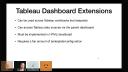
So Tableau dashboard extensions let you carve out rectangles, like the blank rectangle at the bottom right here. And what will happen is you will create a Tableau dashboard extension on some web server somewhere, and it will be loaded into Tableau as an iframe. And from that page, you can load whatever JavaScript resources you want. Let's say you're going to load up D3. And then the interesting part is that Tableau will actually, through the browser, stuff data from Tableau into that iframe.
So your extension does not need to bring its own connection to the data. You can get at it through the Tableau dashboard. And once you've got your JavaScript loaded, you've got your data, now you can do things like this is a D3 network graph. And, you know, that's not something that's built into Tableau, and yet here it is sitting in a Tableau dashboard.
So these Tableau dashboard extensions, one interesting thing about them is they're not designed for you to write bespoke visualizations for an individual workbook. It's designed for you to create a visualization type that can be used across multiple Tableau workbooks, which is really nice. It means that if you are a very, very handy JavaScript developer, you can create a visualization, and then any number of Tableau users who know nothing about JavaScript can use them.
Second, it's really nice that you can access Tableau data sources through the JavaScript side. You don't have to bring your own data connection. And third, because this is all happening in HTML and JavaScript, it must be implemented in HTML JavaScript. And fourth, it requires a fair amount of boilerplate and configuration to make all this happen. And these two last points, whenever I see things like this, it kind of triggers some kind of instinct in me to want to do better than this using R.
Introducing shinytableau
And that's where shinytableau comes in. What you're looking at is a screenshot that has what's quite obviously a ggplot on the right showing a violent plot, which is not something that is included with Tableau. Just to give you a sense of what the user experience is like for doing this kind of thing, I made this little screen recording. So the first thing you'll do is download what's called a Trex file for your extension. And then going to your Tableau dashboard, you'll drag this extension feature onto whatever pane you want to place your visualization on. And then select that file that you just downloaded. This will cause the code to load.
And just like with ggplot, you need to specify aesthetics. With these kinds of visualizations, you often need to provide some configuration information. And in this case, you need to say what kind of data source you're trying to access. And then what are the X and Y variables from this particular data set? In this case, category versus profit ratio. And this entire user interface is written in Shiny and will be used to influence the visualization behind.
So it takes a few seconds to save. And when it's done, now you have this visualization that is shown in your Tableau dashboard.
Okay. The important thing here is that when you're writing these shinytableau extensions, they look a whole lot like regular Shiny apps. So this UI and server is pretty typical for a Shiny app. And then you have these extra little bits of boilerplate from shinytableau. I don't have time to really explain this, but it's all explained in detail on the documentation.
I just want to point out the difference that the user the developer experiences in doing this the traditional way with HTML and JavaScript and with Shiny. So on the bottom left and right of this dashboard, on the left, you see an example that comes from Tableau. This is one of their tutorial examples for how to write dashboard extensions. It is 66 lines of HTML, 270 lines of JavaScript. Last night at midnight, I decided to try to do this in shinytableau, and it is 34 lines of R. And just to show you what that looks like, I hope you can see this. It just if you've done Shiny before, this looks like a very, very normal Shiny app. So 34 lines right there.
Last night at midnight, I decided to try to do this in shinytableau, and it is 34 lines of R.
Limitations
Okay. A couple of limitations. These are primarily due to limitations in the Tableau API that we have access to. First of all, inexplicably, dashboard extensions may not retrieve more than 10,000 rows of data from Tableau. It will just give you the first 10,000 rows. We do some work to detect this and to show warnings both to the developer and to the end user of the Tableau workbook.
Secondly, I don't really have time to explain what exactly this means, but just be aware if you're going to be serious about this, that dashboard extensions, they're not truly peers to native Tableau visualizations, especially when it comes to link brushing and filtering. It works, but there is a little bit of an uncanny valley feel that we will probably not be able to improve without some help from Tableau. So I just want you to be aware that there are these limitations, and they're worth investigating before you get too deep into this stuff.
So that is my time. There's a link to the documentation here. Also, just as a public service announcement, I want to let you all know, if you haven't heard, that Mastering Shiny from O'Reilly just came out. It is incredibly written by Hadley Wickham. I'm as surprised as all of you. And it is a really excellent book. It is available free and in print. So I would encourage you to check that out.
Thanks, Joe. Sounds like you've sparked quite a discussion here in the chat. So I hope you'll have some time to read through it.



