

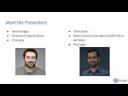

Kevin Bolger & Oisin Bates | Architecting RStudio Products in the Cloud | RStudio (2020)
Part of RStudio's Data Science in the Cloud Webinar Series. About Kevin: After finishing his education in the University of Limerick, Ireland – Kevin’s passion for data science was cemented. Focusing primarily on data analytics and modelling, he went on to spend the first years of his career working at a biopharmaceutical company, where he led the data team on multiple products. Since moving to Seattle with his Washington native wife, Kevin has spent his spare time enjoying the beautiful PNW and playing ‘hurling’, an ancient gaelic field sport with the Seattle Gaels. He now leads the Data Science team at ProCogia as the Director of Data Solutions – where he works with clients from Biotech to Telecom. About Oisin: Oisin is a data science and AWS Cloud Architect for ProCogia
image: thumbnail.jpg
Transcript#
This transcript was generated automatically and may contain errors.
Welcome, I'm Lou Bajic from RStudio. Thanks for joining this on-demand webinar on architecting RStudio products in the cloud. Today we'll have a couple of people from our great partner Procogia, Oisin Bates and Kevin Bolger who will be presenting on this topic.
This recording is a companion to our recorded webinar on what does it mean to do data science in the cloud. If you'd like a bigger introduction to the subject before diving into the details here, I encourage you to listen to that first.
If you have any questions after the webinar, any technical questions, please go to community.rstudio.com. We'll have a thread there to answer questions. If you have any questions about RStudio products or Procogia services, please contact sales at rstudio.com or outreach at procogia.com. And with that, I'll hand it off to Kevin and Oisin.
Thank you, Lou, and welcome to this webinar on architecting RStudio products in the cloud. And just a quick introduction to our two presenters, there is myself, Kevin Bolger, I'm the director of data science at Procogia, and we also have Oisin Bates who's going to be talking us through some of the technicalities of architecting for RStudio products in the cloud.
Just to give a quick overview of how the presentation is structured, first I want to give a quick introduction and overview of Procogia, what we do and how we work with RStudio. Then I'll give a brief overview of how we tackle working with companies that want to get RStudio Teams integrated on their cloud platforms, some of the business considerations that go on there, and also some of the requirements that we look to gather when we're trying to architect the ideal solution for our customers.
And then I will pass it over to Oisin, and Oisin will talk about the more technical intricacies of architecting that solution for RStudio Teams environments and the different solutions that customers can deploy in the cloud. And after that, we will just close up the presentation and give out some useful links for people to investigate in their own time.
About Procogia
So to start with Procogia, who are we and what do we do? Taking this from our company's mission statement, we empower organizations to achieve sustainable advantage through their data. And we do this by enabling our clients to make more strategic and intelligent decisions on their data to implement their solutions. And we do this with the help of a diverse team of motivated team players who love what they do in data science.
We follow a pretty standard framework for how we implement our solutions and we provide services end-to-end in the data journey, from advising clients who are just getting started with their data journey to helping them set up their ETL workflows and data warehouses, to reporting on that data and helping to understand the value that they can drive from that. And finally, helping them with some prescriptive and predictive analytics once they become a little bit more sophisticated and understand the kind of outcomes they want to get from their data.
And of course, then, we are full service partners with RStudio. What this means is we are licensed to resell RStudio professional products. And we also have a team of RStudio administrators and instructors who help work with our clients and work with different customers of RStudio to design and implement and deploy the RStudio team suite.
Who this webinar is for
Who is this webinar for? Well, if you're watching this webinar, you're most likely already familiar with the RStudio team environment. Maybe some of your employees or maybe you yourself use the software at work. But you want to understand how you can learn about deploying this in the cloud and what kind of benefits that might bring to your organization. And so that's what we're going to explore within this webinar.
Business considerations for RStudio in the cloud
And so that brings us to our first segment of the presentation on RStudio for the cloud. And the first thing we always like to think about is, what are some of the business considerations? So what does your team look like and what kind of tools will they need? Because RStudio team is quite a diverse set of tools. Do they need them all, some of them, and what capacity and what control levels do they need it?
So we'd like to use this analogy to hit home how we look at different teams and the role that RStudio team can play in that. And this is a very good analogy that a former Procogia employee and current staff member of RStudio, Gagandeep Singh, developed for us for a presentation a little over a year ago. And it's looking at the Star Trek USS Enterprise team and how they can be considered an aspiring data-driven organization.
So within the USS Enterprise, we've got the blue shirts. And these could be considered analogous to our data scientists. These are our logical thinkers. They seek to understand business problems, translate them into analytic questions, and perform data wrangling and analysis to try and build some sort of advanced use cases on the data, whether it be machine learning or building dashboards and reports for business users. So our blue shirts, or our data scientists, are very motivated by getting the most out of our data and using the most cutting-edge technologies and techniques to derive value for them.
Then we have our red shirts. And these are our MAD engineers, our DevOps engineers. And these play a very crucial role in a data-driven organization. They plan and develop and test and maintain all of our enterprise infrastructure. And they build our CICD pipelines. And essentially, these are the engineers, these DevOps engineers, who make sure that everything works the way it's supposed to work and that data-driven teams have the tools and technologies that they need to do their jobs most effectively.
Finally, we've got the gold shirts. And these are our managers, our analytic managers, our business managers. And these are the powers that be who run the organizations. And their role is to work with the different stakeholders and understand what are some of the business use cases that the data team can utilize their data for. How can they get timelines and allocate their data scientists effectively towards these and work with the different senior stakeholders to make sure that the data team is providing adequate value to the company.
So again, all of these three different members play very important roles. But they also have very different considerations and very different prerogatives.
Then we talk about the blue shirts. These are people who want a lot of time to test models on their own computer. But how can I make it run faster? They want more compute power. They also hear over here, the DevOps engineers talking about stuff like Jenkins servers, but they don't know what that means to them. So they want some more context there. Why do I care about Jenkins?
They'll hear about technologies and the grapevine. So they might hear about Kubernetes and how they can make and process their data faster. But, you know, they're not trained on how to utilize that. And finally, they may be interested in a centralized data platform. They might want to work with and collaborate with people across their company and maybe even across many sites across the globe. And how can they share their data?
As for our DevOps engineers, our red shirts, well, they want to make sure that they can provide as much assistance to the team as possible, but they don't really know what the data scientist needs. They're not trained data scientists. They don't know what are the best tools, the most effective tools and technologies for them. And they just want more time to be able to work on this and provide the most suitable tools to their data teams and making sure that nobody's complaining about lack of compute power.
As for our gold shirts, they're obviously interested in how the team is perceived around the organization. So are my team able to deliver and work together effectively? Are they able to run and test their models effectively in a time sensitive manner? Are they able to use all the cutting edge technologies that our competitors are most likely using? And probably a very common case is I don't really have the budget to add an engineer to my team. Can I make my teams work more independently without the need for adding a new data engineer to the team?
So these are all very valid concerns, and these three players work together very well and very effectively, and they can do that with the current setup, but they're missing a command center. And this is really what's important, and this is what ties everything back together, this command center. And that is what RStudio Team Suite does.
So we've got the RStudio Server Pro where data scientists can work together and collaborate. We've got the package manager, which allows the DevOps team to control and make sure that all of the business use cases or business restrictions are met. And we've got the RStudio Connect where the data scientists can publish their results and share them out with all the different stakeholders in a really effective manner. So it's a fully integrated environment that allows everybody to work together in a seamless way.
Why use the cloud?
So you might ask yourself then, why would I want to use the cloud? Why not just deploy this on a local environment in an on-premise server? So for those who are uninitiated with the cloud, I'll take it slow. There are some major benefits to using the cloud. One of the most cited use cases is that you get to pay as you go, or rather you only pay for what you need. You also lower your total cost of ownership, so you're not paying for massive overheads. You take a lot of the guesstimating out of your work, so you can plan scalable infrastructure. You can focus more on innovation as opposed to managing and maintaining expensive infrastructure. And you can utilize the global networks and the ever-expanding global networks of different cloud providers to make sure your teams across the globe can interact with each other.
Diving a small bit deeper into the pay-as-you-go model, what does it mean? Well, you trade in that expensive and rigid on-premise hardware for more highly available cloud infrastructure, only paying for what you use, no more or less. And so many providers provide this model, and this means there's a very low or sometimes even no upfront cost. So with some service providers, you'll even get a free tier where you can experiment with the different services and see if they meet your needs.
And you can follow this graph here, it kind of trays a very basic model of how cloud costs can compare to very strictly managed on-premise costs. So as demand rises for on-premise servers, the engineers will have new servers spin up over time, and then once demand drops, they'll have to drop down that demand and so on and so forth over time. So this obviously leaves a massive amount of delta. If you overestimate, you're obviously paying for more compute than you need. And if you underestimate, sometimes you won't have enough compute power to meet the demand. With the cloud, you don't have to worry about that. Everything is scalable, everything's automated, and it can always meet the demand as it's needed.
You lower your total cost of ownership, so diving a small bit deeper into this one, you can think of cloud providers as, like I said, being able to benefit from the massive scale of having millions of customers. And so you don't need to dedicate specialists to maintain on-premise infrastructure and replace broken parts and faulty parts. Cloud providers take care of this completely. So all you have to worry about is configuring your infrastructure. So cloud runs high volume, low margin business model. That means they're passing those savings on to you as well. So again, because of that scale, they can just achieve a cost efficiency that is pretty much impossible at a local environment level.
So this drastically reduces the cost of ownership. And if you go to the link I have attached here, you'll see a diagram that just compares the costs between on-premise and in cloud. And you can think of it like an iceberg where you have the tip of the iceberg that many people see and compare and contrast the two, but with on-premise, there's a lot of stuff hidden beneath that iceberg.
Going back to our previous chart where we can see the different costs and how you can be a bit more accurate with cloud, this is because we can take that guesstimating out of things. We can scale up and down our servers if we need larger machines or smaller machines. We can use clusters to scale out and in our resources as needed. So if we're using Elastic MapReduce, for example, if you have very large data. And you're not going to be ever left with underutilized idling infrastructure. Your infrastructure is going to be used 100% as you need it, so long as you configure it that way.
And of course, not having to manage all that infrastructure and not having to pay massive overheads for large compute machines and clusters, it means we can focus more on innovation. And I've taken some inspiration here from a previous cloud presentation I saw. And what we see here is if we look at our on-premise, we have the ability to experiment a lot less frequently. And this is because the kind of clusters that we need to do really advanced experimentation are very expensive, not just to provision, but also to maintain. And we've got to have dedicated engineers monitoring the health status of these. So that means failure is quite expensive if we experiment and result in nothing. That's a lot of cost incurred for that experimentation.
So as a direct result of this, many companies see less innovation occurring on their on-premise servers. However, contrast that with cloud and we can experiment very often again because of that low cost, because you can get started for virtually nothing and scale up and scale up your costs as needed. So because of that, because of the lower cost of failure, it means that more innovation can occur. You can try out more models. You can try out new and different services. If they don't work for you, you can move on.
So as a direct result of this, many companies see less innovation occurring on their on-premise servers. However, contrast that with cloud and we can experiment very often again because of that low cost, because you can get started for virtually nothing and scale up and scale up your costs as needed. So because of that, because of the lower cost of failure, it means that more innovation can occur.
And finally, the last component that I think is really important for cloud infrastructure is it really makes maintaining global teams a lot easier. With the cloud, there's no need to limit yourself to one location. You don't need to set up multiple data centers across the globe. You simply take advantage of the cloud providers already existing infrastructure. This means we can combat latency by having duplicated versions of our infrastructure in many different regions. And setup time can be completely automated to ensure consistency. So if there's very strict requirements on how the infrastructure is to be set up, we can automate that using different scripts.
Gathering requirements
So that's a little bit about some of the business considerations as to why you would use RStudio and why you might want to consider using it in the cloud. Next, I want to talk about how we gather some requirements, and this is just a brief overview of that.
And so we like to consider each component of the RStudio team family as separate components that require separate considerations. So when we talk about Pro, we're talking about the data scientists. We're talking about their use cases, and we're trying to understand what is the makeup of this team. How many users do they have? Do they have data scientists, analysts, machine learning specialists? What kind of computation are they doing? Is it very high computation model? Are they doing lots of simulations? Is the data that they're working with, is it quite large? Is it small? Is it highly dimensional?
And that gives us an idea, and we can start to process just how large a compute needs do they need. You can even compare to some of their on-premise use cases. What do they use on-premise? What do they see in their local environments? How does their current setup meet their needs? Is it too much? Is it not enough? And we can use this information to architect a solution for them that's suitable.
We do a similar thing for Connect, but of course, this is a business-facing application. So the kind of things we're interested in here, we're interested in, you know, how many people are going to be consuming the reports? How broadly within the organization are we going to disseminate these reports? Who's going to have access to it? What kind of reports do we envisage we're going to be utilizing on Connect? Are we going to be building just dashboards? Are we going to be using markdown reports? Are we going to use plumber APIs that different data scientists are going to hook into?
So these are important considerations, and of course, we want to know, is this traffic going to be predictable? Are people based all over the globe, and for that reason, we're going to see lots of traffic at different times during the day? Or are they all based in one location? So we can anticipate that at nighttime, we're going to see a dip in traffic, and during the daytime or around certain times of the day, we're going to see high peaks in traffic.
And finally, we look at RStudio Package Manager, and we try to understand at what level, and this is more for the DevOps people, at what level do they need to understand our control packages that are being utilized by the data scientists? So are they working in a control environment? Is it a GXP-compliant environment? Do we need to restrict access to the internet, or are they allowed to access publicly available repos? Do they need to use non-standard libraries like the Bioconductor library? Of course, they'll probably need to use CRAN. Well, we can double-check that. Do they need to hook into packages from GitHub, others? How much do we want to control and restrict what our users do and do not do inside of our environment? And we can control all of that through our RStudio Package Manager in collaboration with the RStudio server.
Technical architecture deep dive
Thanks, Kevin. So I'm going to run through the architecture side, a bunch of the questions that we run through ourselves as we're moving on to the architecture and deployment of an RStudio solution for a typical client. So we're going to approach this through the lens of Amazon Web Services, but all of the content that we cover here is transferable mostly and applicable conceptually to other cloud service providers.
So if someone says to me, you know, they're interested in architecting in the AWS ecosystem and they're unsure where to start, I typically advise the Well-Architected Framework. It outlines five pillars, operational excellence, security, reliability, performance efficiency and cost optimization. As we build out an architecture, we usually periodically check and we say, OK, how does this compare to the five pillars that we're striving for?
If you are interested, if you're new to the Well-Architected Framework, I would highly recommend Amazon's Kindle app or Kindle Reader. Some of the big benefits of that is that you have the community contributed highlighting of the very popular sections of the framework.
Server sizing
So in terms of moving on, the next question you're probably going to have is server size. So as a general rule of thumb for Connect and Server Pro, you're going to estimate your size both on the number of concurrent user sessions you expect and the estimated size of these sessions. With Package Manager, you're going to scale more so probably in terms of disk size. You're going to be looking more at, OK, adding additional packages over time.
In terms of Connect and Server Pro, then, as Kevin touched on, we're looking more so at, OK, how many end users do we have? What sort of applications will they be running? And then based on those criteria, we would recommend, you know, you'd scale the cores from maybe 8 to 16 to above gigabytes of RAM. You know, you might start somewhere closer to 32. You might scale up into three figures.
High availability, typically we go for high availability as a best practice, regardless of the number of users. But certainly as your workloads get larger and your number of users get larger, it makes sense to split across multiple machines.
So here is a table which just gives an overview. This is taken from a very useful RStudio article. So yeah, just covering more of the same. And obviously, these are recommendations as you really dig into the granular aspects of your own organization's use case, you may find the need to tune and tweak as needs be.
So one of the jokes we have is that you dress for the team that you want, not the team that you have. So you know, that essentially means plan for scaling and invest in a scalable architecture during the planning stages, because it makes a lot more sense to plan in advance than to worry later that you didn't take the necessary steps in the planning and deployment stages to facilitate a team that could have grown over time. So it certainly pays to measure twice, cut once to plan in advance and to plan for something that can scale as your team scales.
Monitoring and data-driven operations
One of the things that we recommend is that you are a truly data driven organization. So it's not just analyzing and working with the data that justifies having RStudio, but also the data that is created by RStudio itself. So you have a few options here. There is built in monitoring in all RStudio professional products. RStudio will write to a round robin database file on each machine. That gives options for creating custom reports or custom analysis.
There are options in addition to that in terms of integration with external tools such as Prometheus and Graphite. And then aside from that, you have multiple layers that you can tap into. So you have the RStudio layer of data. You also have services in your cloud infrastructure provider. If it was Amazon, it would be Amazon CloudWatch. And with this data then, ideally, what we try to aim for is some level of automation to keep your stakeholders informed. That could be scheduled, that could be daily, weekly, monthly, depending on your specific use case. I guess, yeah, the takeaway is just you have this data, try to make the most of it. And then, yeah, informed decisions are the best decisions.
Provisioning options
In terms of the options that you have for provisioning RStudio environments, these are some of the main ones that we find ourselves discussing with clients. So you can use an Amazon machine image that's sort of a bundled, packaged RStudio image that is sold via the marketplace, in the case of Amazon, yeah, Amazon Web Services Marketplace. You can easily deploy a RStudio machine with a few clicks. It's very rapid. It has some pros and cons, which we'll jump into in a future slide.
In terms then of other options, you can do a manual install, shell commands in your EC2 terminal. You could choose to automate those same commands via a build automation tool like, or language like Ansible, CloudFormation Scripts, Terraform, et cetera. And then I suppose Docker similarly takes that to containerization. So there are a number of container orchestration services and frameworks. We're going to look primarily at Kubernetes. There are additional options outside the scope of this presentation.
So in terms of, yeah, common types environments we look at, you have traditional EC2s, maybe with or without a load balancer, depending on your requirements. The benefit then of Kubernetes is that your same EC2 servers are managed by a container orchestration service. In the case of Amazon Web Services, there are multiple options, but the safest option, if you're unsure, is Elastic Kubernetes Service. And what that is going to do is that it will manage your EC2s. And if there are issues with the health of a specific node or server, it will manage that for you. It will spin up an equivalent, and you'll have higher availability as a consequence.
So recently, relatively recently, RStudio have launched additional features, pun intended, I guess, Server Pro Launcher. So with Launcher, now you can hook into a container orchestration service like Kubernetes or Slurm. And for each user session, that's going to be launched with a pod like a Kubernetes pod. And you can choose then with Launcher, you know, you can have your regular RStudio sessions. Also, you can utilize Jupyter.
Finally, I just wanted to cover a specific use case that we have worked on with some clients. This is more something that you would use if you had a need to, I guess, more so than seeking it out. But it is a really elegant solution that for the right organization that needs it can provide a really valuable, efficient, streamlined solution. And that is when you have the necessity for sort of a clean room scenario, ephemeral storage, you know, you don't want your sessions persisting. You need to know that when your employee sort of figuratively closes the door on that clean room and terminates the instance that everything is gone, that everything is compliant.
And typically, you know, we'd approach that with a script like a scripting approach like Amazon CloudFormation in conjunction with a container image like a Docker image. And then Amazon Web Services Service Catalog is like an interface for people to add a click of a button, spin up a clean room environment to a very specific criteria. And a deep dive of Service Catalog is outside of the scope of this. But if this sounds like something you're interested in, I'd highly recommend doing a deep dive on it. It has a lot of powerful permissions to, you know, to limit what your users can and can't do, what they can and can't spin up. Just a just a really useful service that we're quite keen on.
AMI vs. traditional EC2 vs. containers
So in terms of considerations, when you're launching an Amazon machine image. There are a few sort of use cases that we see people typically going with an AMI for. You've got your proof of concept environments. You've got rapid prototyping. And yeah, typically, like POCs, anything sort of short term, it makes sense in AMI. But over time, you want to be conscious of the breakpoint at which it's less practical. And it makes more sense to buy a yearly license. So this varies depending on the image you're going with. But if you run the numbers, it can it can typically become apparent when it makes sense to to make the jump from quick AMI to investing in something more long term.
So there are many considerations when you're sort of weighing up whether it makes sense to go with the traditional EC2 install or managing file containers. This list and comparison is certainly not exhaustive. These are some of the considerations we find ourselves discussing. And I'd certainly would recommend to dig into this a bit more if you find that you're not really leaning towards one or the other.
So in terms of containerization. If there's like someone really on the fence, we typically like to go with the containerization. Because over time, it, you know, it does pay it does pay dividends. So some of the sort of considerations for containerization, you know, you can once you've done the initial groundwork, you can spin off Jupyter Notebooks instances, RStudio instances in just just a few seconds or minutes. You can decrease the time needed for deployment and testing because your environments are going to be very consistent wherever you spin it up. Everything is specified in the in the code, in the Docker file and the related files that build your Docker image or your container image.
They give more granular permission to infrastructure as code, allocate resources and spin it up across various computers, environments, systems, testing and debugging, typically. It's a bit more straightforward. You know, same reason you can ideally you can write once run anywhere, obviously, same as with Java that runs everywhere, anywhere doesn't always work, but rule of thumb, yeah. Big value there. Over time containers, you know, as I said, it's going to be more cost effective. And it will decrease the development cost beyond that, obviously.
There are still scenarios where it makes more sense to go with traditional EC2 install. In the short term. It can be quicker for someone who isn't familiar with containers, maybe a more traditional system administrator who hasn't made the jump to containers. It's easier. They can SSH in. They can play in the shell. They can they can quickly prototype, hack and troubleshoot.
In terms of simple configurations, then, you know, you have if we're doing high availability, we just have our load balancer, we have the main node and then we have. We can add on additional nodes via the RStudio configuration files. And we don't have to worry about the load balancer because the point of entry is just the main node. So scaling as well. Yes, yeah, the side effect of that is that it's limited by the load balancer in terms of scaling options.
As I said, these are these are some of the considerations we have. Your mileage may vary. Your scenarios may vary. Hopefully this is. A foundation that will start, you know, getting the thoughts, processing and help you to sort of formulate your own questions about what makes sense for your organization, what trade offs should you be thinking of and what makes the most sense for you.
Docker resources and package management
So in terms of docker resources and a lot of scenarios, you know, you will find that that you may need to roll your own. But in terms of starting points. There are some great initiatives ongoing. RStudio currently. Primarily Ubuntu. So RStudio has a bunch of. Their own docker, docker projects ongoing. There are docker files specific to the server pro launcher use case. There are docker files of the entire. RStudio, you know, an entire RStudio product to spin up a standalone environment as opposed to integrating with with launcher for a session.
And then, yeah, there are opinionated sets of R binaries. And they are more like the building blocks, like I was alluding to, from which you would you would build out your own specific environment. In terms of community, then the rocker project has. A lot of popularity. You might find specific use cases for, you know, community versions or. Yeah, things outside of RStudio professional and then our hub. Initiative of our consortium. These are images which are aiming to replicate the environments that are used for testing CRAN packages.
So similarly, this isn't an exhaustive list. These are some of the main projects ongoing. You may find something completely fit for purpose or you may need to adapt it. But certainly a good place to start if you are unsure.
In terms of package management. There are a few options. So package manager that RStudio.com. This is a relatively new initiative. This is RStudio public package manager. I believe there is a single GitHub repo currently there, get source. And beyond that, it is CRAN.
So it's not my place to speak of future development efforts, I cannot say, but it's an awesome resource for now, depending on your use case, it may or may not suit. For many of our enterprise scenarios to date, at least, we found the need for. An internally hosted package manager server. And some of the use cases that we encounter with that are, you know. They might have internal packages they don't want to share publicly. One of the really useful things we can do. With package manager for that is that. We can configure the. Get repo endpoints and then we can set a polling interval. It defaults to 5 minutes and then the RStudio package manager server is going to poll. Each get endpoint at the interval, and if it. Picks up on any changes. In terms of triggers of commits or tags, you can set commit or tag. It's going to rebuild. So in terms of an integrated development environment, that's hugely beneficial.
So, by the time you're watching this webinar, hopefully. RStudio package manager version 1.2 will be released and a big. A value out of that is improved support for bioconductor packages and Python. So, the caveat with Python is that for this release, it will be a beta. But, yeah. In terms of right now. Beta, I guess some of the caveats are that you. You cannot create a curated subset for this release. Um, so that can that can be a bit of an overhead in terms of a disk space.
Again, uh, just want to flag these and these new features, not to speak on behalf of the RStudio team themselves. These are considerations that we have and the value that we have found. And for the most up to date. News on, uh, cutting edge features on new releases, obviously, um. Follow your, uh, your preferred or assess feed or email list, et cetera, uh. To get the updates from from the horse's mouth, per se, from from the RStudio team.
User authentication and data storage
So, in terms of user authentication. You've got a bunch of options, I guess. One thing to flag that's not covered in this in this overview is that, uh. What we notice working with some of our, um, some of our clients is that they don't, um. I suppose one of the recurring things is just that they don't realize. Or their, uh, system and team don't realize the necessity to have user folders on server pro. So, um, the way that. The server pro, um. That your server pro setup will look, it's necessary to have. An authentication, um, protocol. Architected that will allow for the creation of user folders in the home directory. In your, uh, in your machines home directory. And if you don't plan for that, um. It can be a frustrating, uh. Use case to backtrack, um.
In terms of proxy authentication. That's something that we would recommend that you only look at, um, typically, if you really have an compelling use case to require it. And if you are happy to take on the administration, um, that comes with. Maintaining an external proxy server for authentication or proxy service.
Cool, so in terms of. Data storage considerations, we have a few options. Typically, if you're doing high availability. You're going to require Postgres. Um, that's that's a recommendation. Sqlite is an option, but it's going to store on the. Uh, on your server itself, so if you are doing sqlite, um. In high availability, you're going to look at the share drive. Uh, typically, you know, you'll have an NFS mount and you're going to want to make sure that you're. Each machine within your setup is writing to the same point so that you don't have, uh. Separate files for each server.
In terms of then. Where the different data variables are going to be set. I, I alluded already to NFS. Um, so if you have high availability, you're going to need a. Shared, uh, source data source, um. At which all of the individual servers are going to write. So, for connect package manager server pro. The traditional option is an NFS file mount. With package manager now recently, there is the added option of using an Amazon S3 bucket. So. Uh, there is not currently an equivalent, uh, but if you are using AWS S3 is an option.
There are a few different considerations in terms of benchmarking. You can jump into them a bit more. Uh, as they're sort of separate from the studio here itself, but. Typically for us, some of the things we're looking at are okay. The S3, um, option is going to use the S3, the AWS SDK, whereas NFS will mount directly on your file system. Whereas S3 has, uh. The potential for cost savings, um, in comparison to. To NFS, obviously, similarly. I'd advise, uh, doing some research. Beyond the scope of this webinar to truly decide which use case suits your organization better.
ODBC connections and Python integration
So there are a number of options for. Uh, ODBC connections. Our studio has a really useful tool in the. Sense of their professional drivers. Um, you've got a lot of the main use cases covered here. 1 question that we have heard more so since snowflakes IPO is a snowflake integration. Uh, for now, the snowflake ODBC documentation. It's perfect. It works, uh, we have mentioned to our studio, you know, um. That the addition of snowflake to the ODBC to the professional drivers. Uh, would be what would save us a few minutes of work. Um, again, I can't speak for our studio. It may come in the future. Uh, but for now, you know, if you're looking at snowflake, it's not a big deal to, uh. To spend a few minutes more. Their ODBC documentation is perfect fit for purpose.
There are additional tools that you can look at. 1 of our favorites is sparkly or, and this provides. The sort of. The prior vocabulary that a lot of our. Clients and peers are used to coming from the tidy verse. And that provides that as an R interface to Apache spark. So there are some really good, um. Our studio webinars on the sparkly or project, um. That I would highly recommend if you have an Apache spark use case.
So, yeah, it's always, it's always a funny 1 anyway, so. In terms of. In terms of Python and R, you have a few. You have a few options and a whole lot of, um. You have a few choices and a whole lot of options, so.
Firstly, if you're architecting and our studio environment, you're going to ask yourself, okay. Does it make sense to, or do we have the requirement? And the desire to have. A set up with our studio launcher where we. Can launch Jupyter lab and Jupyter notebook sessions. Or. Are we, um. Are we content with, uh, the very capable. Uh, approach of using a package like articulate. Uh, I should add actually to the slide, you know, you have external. Cluster resource managers. That's typically how we would approach it, but you also have. Local launcher as well.
So, in terms of, uh, Python development. Outside of Jupyter. We have the reticulate package, which is. Usually beneficial. Then we have. A host of different. Our interfaces like, uh. The Apache. Uh, interface that we mentioned in the previous slide. So, you know, you have a tensor flow. Keras. And. I can only imagine as the community continues at the cadence that it is. That there will be more exciting releases in future.
RStudio Connect deployment options
So, in terms of connect, you have a host of deployment options. We've worked with, with clients who have been deploying. Uh, react JS apps. And there's a. There's a whole world of opportunity out there in terms of deploying to connect. Obviously. There are some scenarios that, uh. You know, you may find that it doesn't make sense to publish your content to connect. There may be a use case, uh, in terms of stuff outside of our. That's what I should say. So. You know, connect is. Fantastic for our Python. We see people using JavaScript.
I guess what I'm trying to say is I'm not. I am wary of selling, uh, our studio connect as a 1 for all. Uh. Deployment option for every single possible web application. I just, uh. Yeah, we've been excited by some of the things that we see the community doing with our studio connect. So I wanted to, uh. To mention. The opportunities, rather than to sell it as a 1 for all solution for any possible web app, you could dream up.
Edge cases aside, um. For our content and Python content, you have a lot of great options. In terms of Python, some of the main sort of. Publication. Options and approaches that we see currently, uh, you have support for flask. You have support for Plotly dash. And then you can really hack your and. Your, our work. Uh, with the reticulate package. The, uh. Our markdown reports. And shiny applications.
Building for the future
So, yeah, there's a, there's a quote from it that if you build it, they will come to you. Yeah, so we're, we're not, we're not, uh. We're not suggesting it will play out exactly like the, the movie, the field of dreams. For a bunch of baseball players will turn up and start using your environment, but, uh. It's a, it's a, it's a great mantra that we try to, uh. That we try to live by when we're architecting.
Depending on the organization. All of your colleagues may not be fully sold on there yet. They may not be our users. But in architecting your environment. There's a huge opportunity to. Get new users on board, be they. You know, a new user on your team, or a new user in your team, or a new user on your team. You know, if you can be an hour evangelist and think of all the ways that your architecture can hook into new or pre existing infrastructure within your organization. Or a partner's organization. You know, if you can be an hour evangelist. And think of all the ways that your architecture can hook into. New or pre existing infrastructure within your organization. Or a partner's organization. There this huge powerful to build. Really. You know, scalable. Adaptable pluggable. Architectures, and that's a huge value of the cloud. You know, you can. Architect rapidly, you can fail often and you can. Yeah, you can really build out some exciting. Exciting distributed systems.
Architectures, and that's a huge value of the cloud. You know, you can. Architect rapidly, you can fail often and you can. Yeah, you can really build out some exciting. Exciting distributed systems.
Cool. So finally. Yeah, being an end to end architect. That's that's sort of. What we're getting out with the previous slide also. As you're building the architecture, it's easy to focus on. Solely, you know. The R studio side of things or what your R users are going to do. But there's a huge wealth of opportunity for. Integrating and collaborating with with your entire organization. And there are. Countless. Possibilities, both native to R studio products and community offerings. That you can harness to to really build a really powerful. And capable R studio environment. That can provide huge value to your organization.
