


ZJ | Easy larger-than-RAM data manipulation with {disk.frame} | RStudio
Learn how to handle 100GBs of data with ease using {disk.frame} - the larger-than-RAM-data manipulation package. R loads data in its entirety into RAM. However, RAM is a precious resource and often do run out. That's why most R user would have run into the "cannot allocate vector of size xxB." error at some point. However, the need to handle larger-than-RAM data doesn't go away just because RAM isn't large enough. So many useRs turn to big data tools like Spark for the task. In this talk, I will make the case that {disk.frame} is sufficient and often preferable for manipulating larger-than-RAM data that fit on disk. I will show how you can apply familiar {dplyr}-verbs to manipulate larger-than-RAM data with {disk.frame}. About ZJ: ZJ is a machine learning developer based in Melbourne, Australia. He regularly contributes to open source projects. He has more than 10 years of experience in banking before joining the tech sector. In his free time, he enjoys playing Go/Baduk/Weiqi
image: thumbnail.jpg
Transcript#
This transcript was generated automatically and may contain errors.
Hi, I am ZJ. I'm a data scientist based in Melbourne. I want to talk about this package called disk.frame. Have you ever encountered this message? Can I allocate vectors of size whatever? So what is the issue here? Well, the issue is that R tries to load the whole data into RAM, so it doesn't really fit sometimes. If your data is quite large, how do you deal with that? In this talk, I'll talk about disk.frame, but Apache Spark, Vi, for example, Spark VR is also possible.
How disk.frame works
So how does disk.frame work? Well, disk.frame is very simple. It's just a folder with many FST files. If you're not familiar with FST files, see this website. Each file is called a chunk. And basically, if your data set is too large, I don't have to load everything to memory. I just break that whole data set into smaller chunks and load it chunk by chunk. Now, once I can load the data chunk by chunk, I can do many things. For example, I can operate on the chunks in parallel.
For example, I can operate on the chunks in parallel.
Loading data into disk.frame
So how do you make use of disk.frame? The first thing you want to do is load some data into the disk.frame format. So the disk.frame package has this convenience function called CSV to disk.frame. You simply provide a path to the CSV file, and it will convert that to a disk.frame. If you have multiple CSVs, you can just pass it a list of CSVs or a vector of CSV paths.
Demo with 1.8 billion rows
Well, I'm going to show you a demo using 1.8 billion rows. So I've downloaded the Fannie Mae data set. So the first thing you should do when you start a disk.frame is run this function called setup disk.frame. This will set up parallel processing for you. As I mentioned before, I've created a folder with many FST files in this directory. So I can show you the content of this directory. As you can see, it's just a bunch of FST files. So to make use of these FST files, I just call this function called disk.frame. And I'm going to put the head and tail, just like a normal data frame. I can see things like the end row. So you can see there's 1.8 billion rows in this data set. And the CSV unzipped would be about 200 gig in size.
So there's some more functions, number of columns, and the names of the columns. So you can operate a disk.frame almost like as if you have a data frame. One of the key features of disk.frame is that I've implemented the dplyr verbs. So you can make use of dplyr verbs directly to manipulate the data. So I start with the disk.frame I created. I run this function called source keep. And this is very important. This is actually what makes disk.frame fast. So a source keep basically tells the program which columns to load into memory. Because there's 31 columns. For this particular analysis, I only needed these four columns. So I only need to load these four columns into RAM. So I just filter like you would normally do with dplyr, do a mutate, and then group by year, which is created here, and do a summarize, and finally collect.
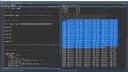
So let's run that. While that's running, I will show you what's happening with the task manager. Most of the CPUs are being utilized. And that's because it's processing all the chunks in that data set in parallel. Well, as you can see, I've done a group by and created new columns. In the meantime, in about one minute, this was done on the Fannie Mae data set with 1.8 billion rows.
Wrapping up
To learn more about disk.frame simply goes to disk.frame.com. I'd like to finish off by pointing out a couple of things. If you do have Spark, it's perfectly fine to use it. But not everyone's lucky enough to have a Spark cluster set up. So disk.frame, you can use R functions directly, even those defined by the user. Thank you.

