


Colin Rundel | parsermd - parsing R Markdown for fun and profit | RStudio
parsermd is a new R package for parsing and programmatically interacting with R Markdown (Rmd) documents. This package implements a formal grammar for Rmd documents in C++ using Boost's Spirit X3 library and provides additional user facing functions for the resulting abstract syntax tree. In this talk we will provide background on the structure and grammar of Rmd documents as well as discuss the ways in which the parsing of these documents enables a variety of automatable tasks. Specifically, we will focus on demonstrating how these tools can be used to provide automated feedback on student submissions in a statisical programming course. About Colin: Colin is a lecturer in Statistics and Data Science at the University of Edinburgh. He has been teaching statistics and data science courses, with a focus on computing and spatial modeling, for the last 8 years
image: thumbnail.jpg
Transcript#
This transcript was generated automatically and may contain errors.
Hello, my name is Colin Rundel, and today I'm going to tell you a little bit about a package I've been working on recently called parsermd. This package implements a parser for R Markdown documents using the Boost Spirit library in C++ and exposes a series of functions and data structures that allow for the manipulation and evaluation of R Markdown documents from within R.
So to give you a little bit of context, I teach large statistical computing courses and I deliver assignments to students in the form of R Markdown documents. These R Markdown documents have very typical structures, so they have things like YAML at the beginning, section headings to keep bits and pieces organized, instructions in the form of Markdown text, and then various code chunks that include either example code or areas where we want students to enter their own code to implement a solution or something like that.
And this works really, really well, except one of the difficulties we have is that the documents contain lots of boilerplate in the form of these instructions or demo code that we don't actually care about when it comes time to mark it and actually distracts from the content that we are really concerned with. And so part of the motivating reason for developing the parsermd package was a desire to be able to take these kind of documents once the students have turned them in and then strip out all of that boilerplate to get down to just the stuff that we actually care about. And so today I'll show you some examples of what that looks like in practice.
Parsing R Markdown documents
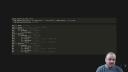
So at its core is this parse underscore rmd function, which reads in our Markdown document and then turns it into a simple abstract syntax tree. And so for our purposes right now, we don't really need to understand what that is. But the key thing to see is all of those elements we just saw in that homework01.rmd are here. So we see that there's the YAML is represented. We have the various section headings. We have the Markdown text and the code chunks. And this is presented in a hierarchical way, but it's really just flat. We're just inferring the hierarchy based on the various heading levels that we see within the document.
If this hierarchical view doesn't work for you, we can also turn this into a tidy rectangle of data using the as-tbl function. And so what we now have is the same representation of that data where that AST has been wrapped up into a tbl. We can manipulate things by looking at the various other columns that are there. But that AST we were just seeing is still here. It's now just in its flat form represented in that AST column on the right-hand side.
So AST, what is that? How do I work with it? What do I care about? It's a custom data structure, but it's really just a list of lists. And it's all managed by S3, and it's not something that you actually need to worry about in practice because the package implements a bunch of helper functions.
Subsetting and manipulating documents
So if we want to subset for various elements, so in the example I have, I care about the exercises and the solutions. So here I can use the subset function to pull out anything that matches exercises with a wildcard and then solution. So this gets me all of the nodes that belong to an exercise 1, 2, or 3, and then the various answers the students may have put into those particular bits of the document. I can pull those out.
Once I've done that, I can then also manipulate the document further. So a common issue students have is they may write code that has an error, and if we were to try to knit that document, we would not be able to because of the error. So what we can do is we can then manipulate the code chunks to add new options. So this is going to go through and set error equal to true for all of the code chunks so that when we knit the document, it'll keep knitting even if there is an error at any point in the document.
Once we've done that, we can then, say, turn the document back in text, or we can even just render it directly. So in this case, I could turn it back into an HTML document and examine it. And so again, this makes it very easy to then take the student's code, pull out the pieces I want, and then render just the solution so that I can then mark it much more easily without all of that other sort of cruft around.
Automated feedback with templates
This works really well. In practice, it's a little bit more difficult because we depend on the structure of the document matching exactly what we expect when we're extracting things. And so one of the things that I've also done in practice with this that's been able to be built on top of these tools is the idea of a template, an automatic feedback for the students.
So an RMD template is just a simple representation of the nodes that we expect to find and the various sort of labels and location references that we care about to indicate where they are. And it's just a simple tibble that we can generate using the RMD template function once we've subset it for the elements we want. And once we have that, we can then feed it into another helper function called RMDCheckTemplate, which we can then use that to compare against the student's work. So here I'm comparing against homework01-student. And we get a user-friendly error message out telling you exactly what's missing or what's problematic about the document. So in this case, the student is missing something in exercise one and exercise two. And they're told explicitly what that is, either a code chunk or markdown text or what it's particularly looking for in that context.
So an RMD template is just a simple representation of the nodes that we expect to find and the various sort of labels and location references that we care about to indicate where they are.
And so this is something we're actually able to deploy to students this semester via GitHub Actions. And if it's something that you're interested in, all of the example code, including the GitHub Action workflows, are included in the repo that I've linked at the bottom there. Thank you very much for watching. Additional details about the package are available on GitHub. And please let us know if you have any feedback on the package breaks or you have an interesting use case. Thanks.
