
Carson Sievert | Custom theming in Shiny & R Markdown with bslib & thematic | RStudio
Custom theming in Shiny and R Markdown often requires writing styling rules in both CSS and R. In particular, styles for HTML content (e.g., actionButton(), tabsetPanel(), titlePanel(), etc) derive from Bootstrap CSS, so customization is traditionally done by overwriting that CSS, which is difficult to do 100% correctly. The {bslib} package helps solve this problem by making it easy to customize (any version of) Bootstrap CSS defaults from R. However, this only solves part of the problem since CSS doesn't necessarily effect output(s) rendered by R, such as plotOutput(). The {thematic} package helps solve this problem by providing auto theming of plotOutput()s (based on CSS) as well as a simple interface for styling any R graphic for any output format. About Carson: Carson is a software engineer at RStudio working on R packages such as shiny, shinymeta, and plotly. His book "Interactive data visualization with R, plotly, and shiny", published by CRC Press, is also freely available online at plotly-r.com

image: thumbnail.jpg
Transcript#
This transcript was generated automatically and may contain errors.
Hi, I'm Carson, and I'm an engineer at RStudio, and I'd like to show you some work we've been doing to make custom theming easier inside of Shiny and RMarkdown. I'd like to show you two different packages.
The first is bslib, which allows you to essentially style any of the components that are rendered by your web browser inside of an app or a document. The second, thematic, allows you to essentially translate the CSS styles that you include in your browser and allow them to set new defaults for your static R plots.
Getting started with bslib
So to start using bslib with Shiny, the first thing that you're going to want to do is to call this bstheme function to create a theming object, which you can then give to the theme argument of essentially any page layout inside of Shiny that wants to utilize Bootstrap. Now at least currently, by default, what this is going to do is actually upgrade your application from using Bootstrap 3 to using Bootstrap 4.
So if you happen to put this inside of an existing application and you encounter any issues, just know that you can also downgrade to Bootstrap 3 when using the bslib package. In the future, we plan on supporting Bootstrap 5 and higher. And regardless of what Bootstrap version you're using, you can easily customize the main colors and fonts of your application.
So here I've set the background and foreground colors to a dark mode for my application. And then next, I could choose to set some important accent colors, like the primary or secondary color. And finally, I will set a different base font from the Bootstrap defaults. So here I'm going to use the font Google function, which does a lot of work for me in terms of making sure that the font files are available for the end user, even if they don't have an internet connection.
And also keep in mind with this bstheme function, you have access to hundreds of different more specific styling settings if you want to get more targeted with your styles. And to quickly preview a given theme object, try out this bstheme preview function, which essentially runs a demo app where you can see all the various components that your theme might impact.
Introducing thematic
Now if you were to include a bstheme object inside of your own application, you might notice that the styling of your application doesn't propagate to the static R plots that are generated by your Shiny app. And this is one of the reasons why we created the thematic package. If you call this thematic Shiny function just prior to running the Shiny application, then all of the static R plots that are generated by the Shiny app will use the CSS styles on their container to set new theming defaults on the R side.
If you call this thematic Shiny function just prior to running the Shiny application, then all of the static R plots that are generated by the Shiny app will use the CSS styles on their container to set new theming defaults on the R side.
Interactive theming tool
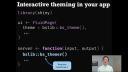
BSLib also provides an interactive theming tool, which allows you to quickly try out different theme settings and seeing how that theme renders in real time. This theming tool can be used with any Shiny application by calling the bsthemer function. The only requirements is that you call the bsthemer function inside of the server function and that you're using this interactive themer with Bootstrap 4. Also keep in mind that if you're running this themer locally, any of the interactive changes that you make are captured with R code and emitted to your R console so that you can copy-paste those changes into your theme creation.
Using theming tools with R Markdown
Now if you'd like to use these theming tools with R Markdown, the first thing to know is that you can pass these theme settings into the theme parameter of an HTML document. In addition, if you'd like to theme your document with the interactive theming tool, you'll have to first add a Shiny runtime to your document's YAML matter and then call the bsthemer function inside of the server side code. Now if you'd like these real-time changes in the CSS on the page to influence the R plots rendered by the document, you'll first have to enable thematic and then also make sure that you're rendering your plots through Shiny's render plot.
It's also worth noting that thematic can be used anywhere to create any sort of file format that you want. We've seen it used with Shiny in our Markdown's HTML document to create PNG images where the styles are automatically informed by CSS styles. However, you can also enable thematic and give it the actual color codes for a background, foreground, and accent color similar to how we provided those things to a bstheme object.
And finally, I would like to thank you for listening as well as provide these links to the slides as well as documentation where you can learn more. Thank you.