


Ian Fellows | Don’t let long running tasks hang users: introducing IPC for Shiny | RStudio (2019)
Long running tasks in Shiny are not cancelable and typically lock the user interface while running. This talk introduces the ipc package, which helps you build dynamic applications when non-trivial computations are involved. ipc allows your Shiny Async workers to be cancelable and communicate intermediate results/progress back to the user interface. About the Author Ian Fellows Dr. Ian Fellows is a professional statistician with research interests ranging over many sub-disciplines of statistics. His work in statistical visualization won the prestigious John Chambers Award in 2011, and in 2007-2008 his Texas Hold'em AI programs were ranked second in the world. Applied data analysis is his passion. He is accustomed to providing insightful analysis and operationalizing these analyses in enterprise systems using a variety of programming languages and tools including R, Python, Java, MapReduce and Spark
image: thumbnail.jpg
Transcript#
This transcript was generated automatically and may contain errors.
Thanks very much, and thank you to you all for not scheduling your flights out too early. My name is Ian Fellows. I'm the CEO of Fellow Statistics. We're a small boutique data science and statistics consultancy in San Diego.
Today I'm going to be talking to you about a package that I developed called IPC that was really born out of some problems and frustrations we were having dealing with Shiny apps when there are long running processes involved or computationally intensive.
Now this is R, right? This is a statistical computing language, so we shouldn't be too surprised when things take a significant amount of time doing bootstraps, Markov chain Monte Carlo, or various complicated analytic techniques. And there are some design considerations that you need to think about when you're dealing with long running computationally intensive tasks, and you want to make those available to a wider audience through a Shiny application.
Design considerations for long-running tasks
The first and arguably most important thing is don't block everything, right? So if one user is doing something computationally complex, it shouldn't block the entire server from being able to do any computation, so another user's user interface all of a sudden locks up and they have no idea why.
The second is that a single user, so if you've got multiple things going on in your application and one of them is a computationally complex task, well, all of the other interface elements and outputs should not be blocked and hang while the code is executing. That leads to a poor user experience.
And third, the user needs to have insight into that computation. You know, if a user doesn't know whether a computation is going to take ten seconds or ten hours, it's, you know, it's incredibly frustrating, and because all of the speakers are contractually obligated to put a meme up, you know, this is kind of how I feel. It's very uncomfortable. My favorite movie, Hocus Pocus. It's very uncomfortable, and, you know, it's not something that's great for your design.
The user needs to have insight into that computation. You know, if a user doesn't know whether a computation is going to take ten seconds or ten hours, it's, you know, it's incredibly frustrating.
The naive approach: blocking the server
Okay, so let's say that you've got a long-running task. This is sort of the hello world of long-running tasks. You've got your text input, which is who are we going to say hello to today, an action button that when we click it will run the thing, and then in the text output, we're going to put hello to whoever we want.
So we've got a reactive value, and that value is being rendered into the result, and then when we hit run, we've got a nice little progress bar here, which is going to close, and then we're doing our long-running task down here. We're updating our progress bar, and in the end, we put our salutation in there, right? So very simple, and it's sort of like how you would go about it at, you know, just going ahead and naively writing your code.
So I'm going to go ahead and run this. Hello world. You know, I don't care about the world. I only care about you guys, so we want to say hello to you guys. So we've got a nice little progress bar here. I understand how long it's going to take.
Of course, there are some major issues with doing it this sort of naive way, and the good thing is the user's shown progress. I get insight into the computation. The bad thing is the entire server's blocked. We can do anything else while we're figuring out how to say hello to whoever we want to say hello to, and no other output values in the user interface, if there were multiple output things, would be updated while this computation is running. Also not on here, the user can't cancel that operation. If they decide, oh, these parameters, I don't want to do 100,000 bootstraps because that's going to take 10 years. I want to lower it to 100. There's no way to cancel that operation.
Async computation with futures
The solution which Joe presented at the last RStudio conference is to utilize asynchronous computation, to kick that long-running task out to a separate process and then return the values back. So here's an implementation of hello world with async. Basically everything's the same except for now we're kicking out using the future package, our long-running computation is happening outside.
And then we get the result of that computation, and then it kicks back to our local and assigns that to our reactive value. Okay. So this is good. You'll notice that we assign to a temporary value here the value of our input, and we have to do that because the process that you kick off as a child can have no interaction, doesn't have access to the reactive context. It's an entirely separate process, and these two can't talk to each other. And so you need to assign that to a temporary value which is then shipped off to that process for utilization.
So with async, now we hit run. Oh, God, how long is this going to take? I don't know, because we don't have a progress bar anymore, and the reason why we don't have a progress bar is because we don't have access to our reactive context. There's no communication that can happen. And so we finally get our hello world back, but we've had to drop that progress bar.
So the good thing is the server's not blocked, and actually the way that we coded it up, output values can be updated while that computation is running. The bad is we've lost all visibility into the computation. It doesn't know about the server. The server doesn't know about it. The only time they can interact is after the computation is done.
Introducing the IPC package
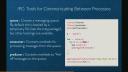
So that's where the IPC package comes along. IPC is a package that's devoted to providing mechanism to communicate back and forth between processes and to ship computations and expressions between these threads for execution.
Now here's just a simple code. Here we create a queue. Now these messaging queues can be backed by some sort of external database that both of the processes have access to. By default that is done via temporary files using the TXT queue package. But other backings are available. For instance, Redis is also an implemented option.
Now each queue has a consumer that contains methods for processing things from the queue and a producer to fire off messages to the queue. So here we have a future. We're going to create a future. It's going to just basically run forever, periodically having the consumer run consume. And then in our main thread we're going to sell the producer to fire off a message to evaluate the expression stop that child in the future. So when that consume is called and it reads the message, it will process it and execute the expression stop that child. And then the future will throw an error and the future will stop.
So important methods. On the consumer side you've got consume. This will process all of the messages on the queues and it will evaluate those messages in the environment which you provide it. By default that's the environment in which it was called. It's similar except it just runs consume periodically as long as R is idle.
Also we have the queue comes shipped with the ability to handle a couple of different types of messages, but you can also add your own custom handlers to handle particular signals and messages that you want to send. On the producer side you fire off signals using the fired method and there's a couple of special ones that are useful. You can fire eval will signal to evaluate an expression, fire call will signal to call a function with arguments dot, dot, dot, or fire do call will fire the function called name with parameters list param.
So basically you can have your own custom handlers, but because evaluation and calls are so flexible, you can basically do any sort of computational message that you want to send via fire call, fire eval or fire call.
So here's an example. Before we saw sending a message from the parent to the future. Here we're going to send from the future to the child. So we create a queue and then in the future we're going to fire an eval, which is going to print index. And then what we're going to do is over here, so when you fire eval, it will substitute the values in the second argument into the expression. So we're going to substitute I in for index here and so I is going from 1 to 100. So this will basically count from 1 to 100 and it will say, hey, go print this out and here in the parent thread.
And so that's pretty easy. So you can just run that. And so basically while R is idle in the thread, it will just keep on printing out these numbers until it gets to 100 and that's all coming from the other process.
IPC in Shiny: progress and cancellation
So finally we're getting back to Shiny. We've got some special stuff in this package specifically for Shiny because that's really the major use case that we're trying to target. Shiny queue creates a queue with a few extras specifically for Shiny applications. It also does cleanup of the queue and temporary files and everything on session end so you don't have to worry about any of that stuff.
It's also got a couple of methods, fire notify and fire assign reactive for creating notifications or assigning values to reactive values specifically. And also we've got two really important classes. Async progress is a drop-in replacement for Shiny's progress class that will allow you to do progress bars in your long-running task.
Async interrupter is another one that's important. It's a class for sending interrupt signals. So you just call the interrupt method in, let's say, your Shiny application and then periodically within the future you call exec interrupts and it will check for any interrupts that have been signaled and will throw an error.
So here's a very similar application. So we've just got a run and a cancel button and some output. So here we're creating a new interrupter and then when we hit the run button we're going to create a new progress bar and now we've kicked off into our future and the progress, we're going to increment the progress within our future and we're going to check for any interrupts and we'll throw an error if we hit one. And then over here, if the cancel buttons hit, then we signal an interrupt.
And so, yeah, we can see this working, so we're doing a complex analysis, hey, this is great, I understand how long this is going to take, I get out a very insightful result, which is fantastic. And this is cancelable, so I can use or interrupt it and basically this gives you the ability to have a bunch of different parameters, the user can try it, they can say, oh, no, I should have done 1,000 bootstraps, not 10,000, I can customize it so it will take a reasonable amount of time according to my own definition.
Kaleidoscope demo: multiple concurrent interactions
So I can show you another one that's kind of fun. So we're all familiar with the old faithful geyser example that Shiny has. And it's just a simple application that allows you to create a histogram and change the number of bins. Now what I've added to this is a little bit of kaleidoscope action. So when we change it, we're going to kick off a future.
Well, first of all, we create a new Shiny queue and we start execution of the consumer. And we have a color variable that we're going to change in that future. And here we're going to cycle through the rainbow. So every second, we're going to change the color of our histogram to a different color. And this is going to happen regardless of us changing around the actual slider value.
So if you don't remember what it looks like, it looks like this. It's a nice little thing. So we're cycling through. But while we're cycling through, while we're doing something, we can change this slider here and it will keep cycling through. So I know this is a bit of a toy, but it shows you that you can start to make your Shiny apps do multiple things at the same time and have multiple different interactive components that are all dynamically occurring together.
And that's what the power of that sort of communication framework, the ability to ship executions between the different processes that you have running, allows you to do. So that is all I have. I'm interested in any questions.
And that's what the power of that sort of communication framework, the ability to ship executions between the different processes that you have running, allows you to do.
Q&A
And a question about the, like the producer and consumers. Is it like bidirectional, as they both are producers and consumers? Or does communication flow in one direction?
So anyone can call it, so you could, the object, the queue object is sort of like a wrapper. It contains both a consumer and a producer object. So you can call any of the consumers, you can call any of the producer, producer methods.
Have you seen how this scales by number of users, and what's the overhead on calling the, reading the queuing function?
So the overhead is writing and reading the message to file. So that's pretty quick. There was a little bit of an overhead, but we fixed that issue when there were very large messages. But especially if you're doing smaller messages, the overhead is very minimal. And you can also change the backing to a different, faster connection if you wanted to.
