


Eric Nantz | Effective use of Shiny modules in application development | RStudio (2019)
As a Shiny application grows in scale, organizing code into reusable and streamlined components becomes vital to manage future enhancements and avoid unnecessary duplication. Shiny modules are customized R functions that are easily reused multiple times within an application by avoiding namespace collisions and assist with organizing the code base. Like R functions, modules can be simple utilities or elaborate pieces with multiple inputs and outputs. While the process of creating a module is uncomplicated, application developers can quickly encounter challenges including communication among modules, defining logical compositions, and avoiding hidden state modifications. In this talk, we will introduce practical principles and techniques developers can leverage to address these issues head-on such as documenting modules, passing parameters and return values effectively between modules, and how nesting modules enables dynamic user interfaces with minimal overhead. VIEW MATERIALS https://rpodcast.github.io/rsconf-2019 About the Author Eric Nantz I have a broad background in statistics, computer science, and system administration which gives me a unique set of skills for using state-of-the-art technology and techniques to accomplish important and innovative data analyses. In my professional role as a statistician, I support the design and analyses of clinical trials evaluating treatments for auto-immune disorders. I also perform statistical analyses of specialized biomarkers utilizing cutting-edge statistical software such as R and high-performance computing infrastructures. I am also the creator, producer, and host of the R-Podcast. The R-Podcast is dedicated to helping those who are new to statistical computing develop their skills and confidence in using the free and open-source statistical computing package called R to get their data analyses done
image: thumbnail.jpg
Transcript#
This transcript was generated automatically and may contain errors.
Thank you for coming everybody and I'm super excited and delighted to be talking to you today and leading off the Shiny track about effective use of Shiny modules in your Shiny application development. You can follow along with the slides at bit.ly slash modules 2019, I have a few links in there if you'd like to click those as I go along.
I'll lead off with a little bit about my journey with Shiny. I was one of the early adopters when it was first released to CRAN and like Flynn here looking at the master control program, I was absolutely hooked. Like a lot of you in the room, I started making small prototypes to showcase not only to myself but to my collaborators or colleagues what Shiny was capable of and learning through examples along the way.
I had the good fortune of attending the Shiny DevCon a few years ago and I have begun my journey to slowly ascend Joe Ching's ladder of enlightenment and fast forwarding to today, I am now a developer of pretty large and complex applications that often integrate multiple systems.
First attempt at a complex application
So let me dive into my first attempt at one of these types of applications. What I wanted to do with this application is empower our statisticians at our company that didn't have any experience of our programming to be able to use a very sophisticated algorithm called subgroup identification with a package that we have open sourced on CRAN called TSDT. We don't have time to dive into the details of this package but the key point is that this application had very non-trivial requirements of having persistent session management, a dynamic UI based on the data that was loaded by the user, and being able to integrate with our HPC cluster.
So I encountered quite a few challenges along the way. I duplicated pretty similar UI widgets throughout the app, I did not organize the code well at all because I never built anything this large in R in my entire life before this point, and extending the features when statisticians would say, hey, can you do this, can you do this, ended up being very challenging as a result.
So I want to show you next kind of a schematic of what these components looked like and how they related to each other. You notice all this mess of arrows, right? I have all these relationships of inputs for one module going out, outputs of another module, not even module yet, these subcomponents, but it looks very messy. I've even duplicated these similar widgets like variable selections or visualization, and frankly it gives me flashbacks to a very good analogy put out by Ian Little of this is just a reactive spaghetti mess.
frankly it gives me flashbacks to a very good analogy put out by Ian Little of this is just a reactive spaghetti mess.
What modules are and why they help
And so how can we get out of this? What in the Shiny ecosystem can help us solve a lot of these issues of managing this complex application? Well, since you're here, you're probably not surprised, it's modules to the rescue. This is going to unlock a lot of possibilities, but it's not just unlocking that door, it's what do we do afterwards?
So to orient ourselves, let's talk about what exactly modules are. There's quite a few ways of defining this, but the simplest way is that it's a way for us to compose complex applications of smaller and more understandable pieces. Along the ride comes quite a few benefits. We are able to avoid namespace collisions when we duplicate these similar user interface widgets. It allows us to encapsulate or compartmentalize these distinct components of our application, which in turn helps us organize the code base much better into easier to understand pieces and that also is going to lead to facilitating effective team development and if you then check out Colin Faye's poster on advanced Shiny development, he also emphasized that same principle.
Now take a step back for a second. I think this sounds quite familiar if you're familiar with R because R functions themselves are a very important way to avoid collisions and save variable names with just general R code and they are essential when you go from simple, quick, dirty data analysis pipelines to a more sophisticated and extensive workflow like a lot of the packages that you see today.
So let's imagine that I'd had modules available when I was making that first complex application, which was admittedly well before modules came around. This is what it could look like if I could go back in time and bring present me back to then and architect this in a much more logical way. You see these four boxes here? These kind of mimic the workflow of the user to visit this application. They're creating a welcome interface, they import data, they run the analyses on HPC and then they interrogate the results. But this doesn't look like the spaghetti mess anymore because I'm able to define very clearly within these big boxes these sub-module relationships and also I'm not copying pasting little sub-modules in each of these areas, I'm able to encapsulate them in the namespace of these bigger modules.
The road to mastering modules
So I have to be honest with you, I did not arrive at this mindset right away, not even close. It has taken me a lot of practice and trial and error to get to this kind of mindset. So you can think of it as we're on this highway to, in essence, the mastery of modules. This is an ambitious goal, but I imagine if you're at least peripherally familiar of modules, you've probably been on this first stop along this highway of being able to create and use fairly simple modules occasionally throughout your app.
Now I would challenge that I don't think many people in the room are at these points yet. Do you have a good handle on how you structure the communications with modules and even more advanced than that, communications between modules that are perhaps siblings of others? We don't have time to cover all of this today, but I'm going to show you a few concepts to get you on your way that highway to those later points near that very pretty sunset.
But all of this traveling and this road to mastery modules leads to these very important principles. First of which is careful design. Think about these things as you're developing a module, such as what does it do? What is it trying to accomplish? And also, what should I call this thing? Now you may be wondering, why would I throw that in there? Well, if you can't name your module easily, that's a pretty big warning sign that it's probably trying to do too much. So you want to keep it fairly simple, yet accomplishing a very powerful goal.
The other key principle is thinking about your inputs and return values. What kind of inputs are you going to have? Are they going to be static type inputs or reactive inputs? How complex do you want to make these return values and which of these outputs are serving as inputs to the other modules, this kind of communication principle. If you take away nothing else from this talk, take away this. Modules that are built without these principles is quite simply not enough.
If you take away nothing else from this talk, take away this. Modules that are built without these principles is quite simply not enough.
Demo: Ames Housing Data Explorer
I'm going to illustrate how we can at least use these principles effectively in practice. So I'm going to transition to, admittedly, a little demo here of an application that we have deployed on the Shiny Gallery, and I call it the Ames Housing Data Explorer. It is using the Ames housing data set, which is available on CRAN, and it lets the user select these points with the plot brushing after they choose variables, and then it shows up these points metadata under word, and then they can click that checkbox and highlight those points with the sales price. So you can play with that on the Shiny Gallery.
But now let's look at how this is kind of organized in a sense, just looking at the picture of this. We have these sections for the user selects variables. We have the section where, of course, the variables are being plotted in a scatter plot, and then we have that data table below that's summarizing the metadata of these results. Well really, these are all modules here. We have a variable module, we have a visualization module, and we have that data table module below.
Documenting your modules
So let's talk about some techniques that help get you into this road to mastering modules more effectively. This first tangible item you can do is, of course, documenting your modules. Now here, if you see on the top here, I've highlighted, of course, the input parameters. They're not remarkable here because this is a very simple module, but notice I am taking the act of documenting. It doesn't have to be Roxygen2. It could be any system you like, but this is going to help you later on when you start to use these in practice.
So then look at the return object of this as well. I've actually been intentional about naming these components. So let's look at the return module or the return object here. We have a name list, in this case, X bar and Y bar, which are simply inputs that were taken from the UI. I'm actually being intentional here because this is an example of you're constructing this name list to articulate the intent of this module. You might think of it as like an accessor type module, but these end up being quite important as you think about making these modules simple, yet can be quite powerful.
Reactives and parentheses
I'm going to take a little detour here to talk about more of a development topic of modules, a section that really even trips me up to this day sometimes. In this example, we have this little plot one var reactive, and we're just simply assigning that from an input. And then this mod module, when we call that, we're supplying that plot one var as one of the arguments. And within that module server-side processing, we have a reactive not doing anything special here. It's just simply referencing that plot one var. So keep this in your mind a little bit as we talk about when do we put parentheses after these names and when don't we?
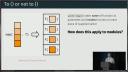
So I believe a lot of you are familiar with, of course, the tidyverse and things like the per package and base RL apply. For those uninitiated, the map function takes this vector of stuff and applies the function F to each of these pieces. Notice that in the map call, we're taking the name of that function as the input, but then we're invoking that function on these pieces individually. You may be asking yourself, how in the world does this apply to modules and Shiny in general?
Well, it's going back to this little pseudocode example. Notice that this call module directive, in essence, is similar to that map function where we're passing in the name of that reactive without the parentheses. But then when we go inside that module, we're doing what we do in typical Shiny when we deal with a reactive. We're referencing that with the parentheses inside. But then when we have that foo reactive, we want to take that back out. We're now using that name again. Now this is admittedly something that you almost have to practice a few times. And even to this day, there are some times I get a little mixed up here and there. But I'm just sharing some of the lessons I've learned that if you think about these simple examples, you can kind of apply them to more complicated workflows.
Static vs reactive inputs
Another step that we talked about back in the principles slide is, how do we know whether to use static or reactive inputs to these modules? So in this code here, I have this scatterplot server module. And in those in the documentation, I'm saying that data set parameter is a data frame that's non-reactive. And then within this plot one object reactive, I'm using that data set name without parentheses. Now why is that? It's because this data set, if you look at the code from that example app, is simply the grab of the AIMS housing data from that package. And it's not changing in the app. It's literally just serving itself as a source for where all my filtering from that plot brushing is going to occur. So in this case, we only need that present value because in essence, it's not changing.
But let's now look at some of those additional parameters. In this case, plot one var and plot two vars. And if you recall from the previous slides ago, I was forming that as a named list of two components of xvar and yvar. And notice here, I am using the parentheses this time. This is because we don't care just about what the user selected initially, but it's also what they will select in the future. And just like with Shiny itself, when we want to invoke these reactives, we want to be both present and future state in mind.
One little nugget that can trip people up too is when you have this named list that you're returning from a module, where do you put those parentheses? So in this case, you put it after that xvar or yvar reference, not after that list name itself. I've spent quite a few more hours than I care to admit of debugging modules, and if I just made that fix, it would have been all done. So hopefully I can save you some time as you develop modules.
Avoiding the kitchen sink approach
Next, it's not just about what you should do. I'm going to tell you about a technique that you definitely do not want to do. I somewhat affectionately call this the kitchen sink approach. So let's imagine you have this reactive values object called rdata, and this is a place where in essence in each of these modules I have in this application, instead of following that advice I just gave you, imagine I just want to have these reactives here and there, and when I need to, I just toss some stuff into that reactive values object. Who cares about returning anything out of it? Because the best part is when I do the module calls, I just have that one argument retaining to that name rdata, that reactive values slot. Boy, it seems all rosy unicorns, right?
Well guess what? This is a bad idea, because you've now ventured into the dangerous world of hidden state. This is where it's difficult to figure out what is happening to these individual objects in the rdata kitchen sink, I would call it, and only certain objects from this are needed as you pass from one module to another, and even more importantly, it's losing that contract that you've established with these modules. So this is a really bad idea, and even in typical R programming, you wouldn't see people passing around environments back and forth either, that just is ugly stuff, so don't do it.
Summary and calls to action
So we've talked about a few things, what does this actually mean to you as a Shiny developer? Well I think you may already know, because R as I mentioned is well suited for interactive workflows, especially in data science, but then as you go from trivial stuff to non-trivial workflows, functions are that essential building block to move from these different types of workflows, and defining clear function inputs is essential for effective structure. This is no different when you create Shiny apps, especially with modules in mind, because using modules with the principles we've discussed is an important piece to bring software engineering best practices to your development, such as determining the purpose of the module and much of those questions that we asked initially.
So what's in it for you? Again, recapping some of the benefits of modules, you're avoiding namespace collisions for those widgets, you're organizing the application into these distinct components, so you can facilitate collaboration and more productive development, tracking down bugs, and you're using best practices that you learned from your other R development skills and translates very well with modules.
So we have some calls to action, definitely read the new article that we have on the Shiny article site for module communication best practices, and keep your eye out for more articles in the future in this space. Definitely review the example application I've shared on the Shiny gallery for the AIMS housing dataset, but I want to mention that this is going to be difficult to get right the first time, but just persevere, keep nudging, keep reaching, eventually you will get there. But it's taken me a while, but hopefully if you think of these principles in mind it won't take you as long as me.
So that concludes my talk, this is where you can find me in the R community, you may hear my voice on a little thing called the R podcast, and I also try to be involved with things like R Weekly and Rbind and other efforts, so thank you.
Q&A
We have approximately four minutes, so if there are any questions, I forgot to throw the throwable mic, let me go get that, and then you can ask them.
Have you been able to integrate modules inside packages for easy distribution of those modules? So I personally have not done it yet, but I've certainly seen examples in the community where modules have been part of packages. So there would be some good examples to follow on there. For my use case, I've been preparing for that state, but because of our infrastructure I can't deploy an application as a package yet, so that's part of it, but we also have situations where these modules are kind of being used in my apps only, but I still use modules to help, like the ideas I mentioned, keep them better organized and make sure that I can debug them easier and have multiple teammates develop them concurrently, but it's certainly possible.
This is off topic completely, but I loved the R podcast, but it was quiet for a while, so I stopped listening. Will you be back online with episodes? There will be multiple coming from this conference, and I have ideas in mind to keep that sustainable, but I thank you for those kind words, thank you.
Meme game is strong today, much appreciated about that, but my question goes to along the lines of when you create these modules, is there a general rule of thumb for how often you're adding new functions into these things, or do they become like giant repositories of import functions or modifications for a particular package, or not package, you know what I mean? Yeah, yeah, I get your point. So I think it depends on how you're structuring them. One advanced topic that I didn't really get to is that in my applications I often have these larger modules that are actually composed of smaller modules inside. So the idea is, I think of it as like what is the workflow of the user in your application, and if you can organize your app into components, whether it's like tabs in a UI or things like that, those are great candidates to have kind of like a wrapper module, and you have these more utility modules inside that you can reuse in different parts of your app, but I do admit I do have some modules that have quite a bit of functions inside, but I separate those out into their own script, and then I can debug them effectively just as if it was like an R package in that case. It takes a lot of practice though, I do admit that.
