


Understand Modules with R & RStudio | RStudio Webinar - 2016
This is a recording of an RStudio webinar. You can subscribe to receive invitations to future webinars at https://www.rstudio.com/resources/web... . We try to host a couple each month with the goal of furthering the R community's understanding of R and RStudio's capabilities. We are always interested in receiving feedback, so please don't hesitate to comment or reach out with a personal message
image: thumbnail.jpg
Transcript#
This transcript was generated automatically and may contain errors.
Welcome everybody, and thanks for attending today. We're going to talk about some tools that you could use to write larger Shiny apps that are easy to think about, or to reuse Shiny code across apps. And these tools are called modules.
So let's start with the question, you know, what is a Shiny module?
And conceptually, it's pretty easy to answer. A Shiny module is a self-contained composable component of a Shiny app. Self-contained means it's sort of like an R function. It does something, and it does it all by itself. It might take some input, it might return some output, but in the middle of the process, the app, the module, doesn't need help from anything else to do its job. And because of this, Shiny modules are composable. You could take multiple modules and put them together to make a Shiny app.
And probably the easiest way to understand really what a Shiny app does, and what it looks like, is to look at an actual Shiny app that uses modules. So let's go to RStudio.
The Gapminder example app
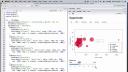
What I have here is a single file Shiny app. It makes this app over here, which is basically a recreation of Hans Rosling's Gapminder animations. So what I have is, you know, some different metrics about different countries on the planet, and particularly the life expectancy of those countries versus their GDP. And I have a slider down here that I could play, and it will show how things have changed over time for these different countries, which creates a compelling story in its own way.
But mostly I want to look at the app as it is. This app has a graph and a slider, and the two are connected in a way that you could play the graph across time using the slider. And the app also has several different tabs. If we look at any of the tabs, they're just sub-views of this data. So we get to look at countries on a continent by continent basis.
Except for Europe, I don't know what's going on there. We could, for any of these continents, we could play the animation and just see, you know, how things change for African countries, for example, or American countries. And if you think about the way the app is designed, there's a lot of repetition here. Each tab, each view, does the same thing. It shows a graph, and the graph is connected to a slider. The only thing that's different between the different views is the actual dataset that appears in the graph.
You know, if we come over here and look at the code for the app, we see that, you know, perhaps because of this, there's a lot of repetition in the code. We do the same thing for each of the different tabs. On the server side, we have to recreate similar processes to make the graph and connect it to the slider. There's reactive values in there. And it ends up being a fairly long app, and it's a little hard to find any particular piece of code because there's so much code to wade through. And not only that, the code looks really similar to other parts of the code, and it's kind of hard to be certain about where you're at in the app.
Rewriting with modules
Now, I've taken the time to rewrite this app using Shiny modules. And when you use modules, the app looks like this. It's much more concise. It's much smaller. And what I've done is I've what I've done is I've written an R script that takes the common pieces of code for each of the tabs in our app and saves them to functions. So here I'm creating a function called gap module UI, another function called gap module. Gap module does all the server side stuff to make that graph connect to the slider. And then in my modularized app, I load that R script. And instead of calling, you know, there's where I want a slider. Here's where I want a graph. Here's how I want them to connect. I just call the functions that do that for me. So I'm calling gap module six times once for each view of the data. And then I'm calling, you know, the server side of gap module six times once for each view of the data. This app is much easier to understand. It's much easier to look at. And if I want to get into any of these individual pieces, then I could look at the definition of gap module UI or gap module over here.
So this is the difference between a modularized app and an app that's not modularized. Once we took the time to write our modules, we can recall them as many times as we want. So I've called gap module six times here, but I can also call it in a different app. So this is a great way to write some code that you can reuse later on. You find, for example, you're always creating some sort of upload API in your apps. You can create that API once and then call that module across all your apps and reuse it.
Why use modules
So that's what modules are like conceptually. Here's our module in that last app. Why would you use these modules? Well, you could see that it's very easy to reuse this code. Modules are sort of like functions. Once you take the time to write them, you could call them whenever you like to redo whatever that function does. In this case, what it does is create components of a Shiny app. The next thing about modules are that they really isolate the functionality in your apps. Once you write your module function, all you have to think about is what that function does when you see it in your app. You don't have to think about how it does what it does.

