


Sparklyr: Using Spark with RMarkdown | RStudio Webinar - 2016
This is a recording of an RStudio webinar. You can subscribe to receive invitations to future webinars at https://www.rstudio.com/resources/web... . We try to host a couple each month with the goal of furthering the R community's understanding of R and RStudio's capabilities. We are always interested in receiving feedback, so please don't hesitate to comment or reach out with a personal message
image: thumbnail.jpg
Transcript#
This transcript was generated automatically and may contain errors.
I want to go through Spark and do some examples of how to analyze Spark on data that would not fit into R and R memory. So I'll show you how you can use R and Spark together to analyze some data that wouldn't fit in there. And I'm confident that, not just confident, I'm excited and optimistic about the direction some of these technologies are going.
Again just from a personal standpoint, to be able to see like some of the tools that are now being delivered to analysts on large-scale data is extremely exciting and so I hope we can, you know, some of that, you know, that you can see some of that here in today's discussion.
Alright so if you've been analyzing data with R, chances are you're probably familiar with doing some analytics on laptop. Maybe you've used it on the server as well. You might be connecting to, you've got to be connecting to some sort of data store whether that be a data warehouse or a database or a feed or flat files or file share or something and you're probably, you know, I shouldn't say you probably, we all have extracted data into R for analysis in R and that works great for things that might be a few gigabytes or even tens of gigabytes but there's also, and that's fine because a lot of problems don't require any more firepower than that and for that set of problems, R will take care of the solution by and large through, you know, the large number of packages that are available to us.
However, some problems are, you know, very large, have hundreds of gigabytes or terabytes or even petabytes, truly large data. They're involved with, you know, production workflows, they might involve like some streaming technologies, they might have like a variety of, you know, different, you know, complex data sources and pipelines that need to be addressed at different stages and for those problems the question becomes, you know, what is the role with R there, right? Like if I have data that has, that are truly large and I want to do analytics on that data then, you know, how can I go about doing that?
Now there are a number of ways to address that problem, Spark is not the only one but I want to show you why, you know, Spark is, you know, is one way that you can solve that problem.
What is Apache Spark?
So what is Apache Spark? It's a fast and general engine for large-scale data processing, right? So this is, and I want to emphasize the engine part of that, right? So this is used to manipulate data at scale. This can integrate with the Hadoop ecosystem which is important because, you know, often the data that you want to access is already in Hadoop so then the fact that Spark can integrate with that ecosystem is extremely important.
It also supports Spark SQL which is basically HiveQL or HQL. It has nice built-in machine learning algorithms that we're going to talk about that increase the toolkit for analyzing data at scale and it's designed for performance, this was designed to work interactively with the analyst as opposed to batch processing. And finally it's extensible, so you can extend this platform, the Spark platform to include other modules or custom code or other things that you want to contribute to that ecosystem.
Introducing sparklyr
So sparklyr, sparklyr is an R package that RStudio built. So we, you know, we built it and released it on to CRAN a few weeks ago. It's open source, it's free to use, anyone can use it and also mentioned, you know, Spark and Hadoop are also open source so you have a complete open source stack here if you choose to use that.
We integrated sparklyr with RStudio IDE. We created a new Spark pane that allows you to browse the data and the metadata inside of your Spark instance and we've created a dplyr backend with sparklyr as well so that you can access, you can use dplyr to do all of your SQL translation on your Spark data frames. Finally we made it extensible so you can plug other things into it like we previously discussed.
So if you're investing in Spark, if your organization is investing in Spark, there's really nothing stopping you from using it with the full power of R and that's my main message to you today that if your organization is interested in Spark or using Spark, then the R analysts can access it as well and that's important because Spark appeals to a wide audience so other people that use Spark might have skills in Scala or Java or Python and we want you to know that if your tool of choices are, you can also use Spark to do your work.
So if you're investing in Spark, if your organization is investing in Spark, there's really nothing stopping you from using it with the full power of R and that's my main message to you today that if your organization is interested in Spark or using Spark, then the R analysts can access it as well.
Now sparklyr communicates with Apache Spark through APIs and I want to talk about three of these today. The first one is Spark SQL which we use dplyr for and then the next one is machine learning and then this third one is the extensions. So let's jump into the first one which is dplyr.
dplyr and R notebooks
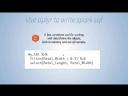
If you haven't seen dplyr, dplyr is basically a fast and consistent tool for working with data frame like objects both in memory and out of memory. Here's an example of dplyr code. You can see that you have an object here called my table and you're going to filter it and you're going to select some columns and this example uses the pipe notation so that all of these commands get chained together into one execution at runtime.
So I want to just put a quick plug in for dplyr because I've used R for a long time and for most of my history I wasn't using dplyr because it didn't exist and I would try to make my R code look really pretty and I would always fail miserably with that attempt and when I started using dplyr then my code started looking a lot more regulated and a lot cleaner and that meant that when I went back to my code six months or nine months later I could actually read my code again which was a huge benefit because if you're familiar with nesting commands and these other data manipulation techniques in R you know that you can write very powerful efficient things that are completely not understandable six months down the road. So that's my plug for dplyr. It will clean up your code and regulate your code.
The other thing I want to show you is R notebooks. So R notebooks is an rmarkdown document and if you've seen rmarkdown documents you know that's our web authoring tool for doing documents in R. The notebooks give you interactive code chunks and inline inputs and we're going to be using those today. So I just wanted to give you a heads up that that's in there because notebooks hasn't been officially released. It will be released in the next few weeks.
Live demo: connecting to Spark
So now that we've done the intros and the background on Spark I want to get to the real meat of the presentation which is actually using sparklyr and Spark and dplyr. So here what we're going to do is we're going to manipulate some data with dplyr and Spark using that Spark SQL API and we're going to do that on a local instance of Spark.
So this is the RStudio server version of our product. You can see that because I'm in a web browser and this is the professional version of the product and you know that it's professional because I have multiple versions of R here and I also have multiple sessions that I can support here as well.
Alright so what I want to show to you today is this new Spark tab that's been added to the IDE. If I do a new connection I can say I'm going to connect to local so this is just going to be local to my machine. I'm not connecting to a Hadoop cluster here, I'm just keeping it right on my local machine. I'm going to go ahead and use dplyr. I'm going to choose Spark 162 which is the default and Hadoop 2.6. So these are dependencies that are required to run Spark.
It writes this code for me which is nice and I'm going to go ahead and copy it into a new R notebook. I'll hit that and I'll hit connect. So this is the notebook, it's got this green bar, it means that these commands are running and you can see that it's going to go ahead and connect here to the Spark context on my machine.
If you haven't created a Spark context connection before, you have to install Spark and there's a simple command for doing that as well. Spark understore install and we'll actually install the Spark dependencies that are required for you to run on your local machine.
Okay so it looks like it connected here which is great and I can choose the Spark UI and I can see that the jobs ran. So this is not done by RStudio but done by Spark. You can see things like storage, there's nothing in storage and you can see the executor, it's just the driver node which is me.
Now if I want to put data into it, I can just go ahead and do, I have a variety of ways to do data but here what I'm going to do is I'm going to do spark read parquet and I'm going to do the connection and I'm going to say, I'm going to create a new dataset called Titanic and that's going to load in from a data source called Titanic. Now parquet data is a data format that is columnar based and it's compressed so it works very well with Spark. It's a very efficient way to like load data into and out of Spark so parquet is often associated with Spark.
So I'll go ahead and run that and this just takes a second and you can see that these data now ran into Spark and it's also in the Spark UI. I can hit the down arrow, I can see the data that's in Spark and I can click this tab and again I can see all of the data in Spark. So this is great because this is not data that are in R, I'm looking at data that are in Spark and that's very powerful because that means that when you connect to your Spark context that are sitting on top of Hadoop, you will be able to browse all of those tables in Hive Metastore with your Spark tab and I'll show you that here in a minute when we go to the cluster mode.
Manipulating data with Spark SQL and dplyr
So that's how to connect, now I want to show you manipulating the data with Spark SQL. So I'm going to open up a new file here and this one is going to be the flights data so what I want to do is I want to take the data from New York City flights and I want to put that into my Spark instance as well.
So you can see I'm going to put in the flights data and the airlines data and they're going to show up right here and again I can take a look at this. This is what the flights data look like, you get a record for every flight, tells you what the carrier is like United Airlines, where the origin of the airport is and the destination of the airport and how long that flight took. Sometimes it tells you if it was running on time or if it was delayed.
So now that we're all set up let's go ahead and run some activities here. So the first one I want to show you is dplyr or dplyr verbs which are going to be things like select, filter, arrange, mutate and summarize. Here you can see I've written that into a single query where I've done the select, filter, arrange, mutate. If I just run this it's going to go ahead and do all those operations on Spark and return it for me in the console because I'm using the notebooks. So here I've run Spark SQL on top of a Spark dataset that's in the Spark context and return the results very, very quickly.
This is for a small dataset but this would scale up to very large datasets as well and we'll do a large dataset here at the end of our demo. If you want to do grouping you can group by things and then summarize here so in this case I can find out the mean and standard deviation of the delays for every month.
Window functions, if you use window functions in SQL you'll know that this is here because this is going to support anything that's in HiveQL and dplyr supports window functions so I've ranked the top three departure delays from worst to least worst by carrier so you can see this is a 225 minute delay, those poor, poor people.
So the joins that are supported of course are inner joins, outer joins, right joins, left joins, the typical joins and in my example I do a single join but you can do nested joins as well. So let's come back here and run this. So this basically joined airlines and now I can actually see a label for American Airlines actually has a label, Virgin America has a label as well.
SQL translation, all of these things here are available to you in SQL translation so all of these functions, here what I'm going to show you is I'm going to show you a case statement, I'm going to show you another Windows function and then I'll do the join and this time instead of actually running the query, I'm going to render the query for you so you can see what is being passed back into Spark. So here's the query, dplyr translates things into your window function, your case statement and also your join, so it's joining using carrier. So this is the SQL statement that is being passed back and this is also very powerful because that means that dplyr can be used with other databases and if you haven't tried that I would encourage you to look at the dplyr syntax or the dplyr help pages to learn more about how dplyr can communicate with your SQL databases.
Alright, laziness and piping, so here what I've done is I've created two queries and the second query is based on the first one, so this one I do some basic processing and on the second one I say oh yeah I forgot I want to convert air time into hours so I'm going to divide it by 60 and I'm going to take a look at that operation. So the first one, when I run the first one nothing runs, when I run the second one nothing runs but when I run this one then it executes.
And then finally we start saying like once all of this data has been manipulated, so hopefully you've seen now that you can manipulate all of your data very easily with dplyr, once you're ready to move that somewhere or make that reusable you can register the table and cache the table and assign a reference and what that will do is that will populate that reference up here, so now I have access to this table and since I cached it it's in memory and since I've created this reference I can refer to it at any future time.
And typically what you'll probably want to do is you want to collect that data into R, so the collect statement is what brings the data from Spark and into R and then you can look at it in R, so this collect statement becomes extremely important because what you're going to, what you probably want to do is do your heavy lifting in Spark and then when you're ready to do some visualization or additional analytics or publishing you'll probably want to bring over a very small representation that data into R and collect is what lets you do that.
All right, so once that data is in R it doesn't stop you from doing anything else like you can up you know visualize it here or you can look at you know pairwise comparisons which is not a function that's in Spark but is in R and you can tab between these two by hitting these thumbnails, there are two commands here and then there's the two thumbnails that go with each command, all right and finally there are some other niceties like you can sample the data which is great because you might want to sample some of your data from Spark into R and it's as easy as specifying the number of the size of the sample that you want and then you might want to write out the data into Parquet format for future use.
So that's basically it in a nutshell, the last thing I want to show you about this notebook is that once this has all been done and you've commented your code like this you can hit preview and you can see all your code with all the comments and it's all formatted in HTML. So this document now describes exactly what we did, we can see the queries that we ran, we can see the images that were, we can see the HTML table here is embedded in the code, we can see the images also embedded in the code and this is a single file object that I can email out or I can publish on RPUBs or I can push to our new product called RStudio Connect. So this is meant to be shared and built upon for reproducibility purposes.
Machine learning and extensions
Okay that in a nutshell is sparklyr and dplyr, let's move on to some of the other topics here, like I mentioned before dplyr is one of the interfaces with Spark, another one is ML and extensions. So Spark ML lib is Apache's Spark scalable machine learning library, it's very easy to use and it's easy to deploy and it's a hundred times faster than MapReduce. Extensions make sparklyr really easy to invoke Spark applications.
We have a website here called spark.rstudio.com that has all sorts of great information and one of the things that it shows here is ML and the extensions, the ML algorithms that would be available to you are these algorithms and you'll recognize, I mean I think you'll recognize most of these right, because there's analogs to these in R, but these algorithms are going to run inside of Spark.
You also have transformers, utilities and extensions and then when you're ready to do something like this, let me show you a quick example here again using Spark 1.6.1 and using the MT cars. I'm going to partition the data into training test and seed, then I'm going to run a linear regression using the standard R formula, but I'm not going to run it in R, I'm going to run it in Spark and then I'm going to summarize that fit from the Spark model and you'll see that it's formatted very similarly to what the linear model command looks like in R.
Then I can take a prediction function, I can predict the test data on it, collect it back into memory and then into R memory and then do a plot. So here finally is the analysis of that data, the plot again is in R, but the analysis was done entirely in Spark.
So if you're interested in using other functions, you can have access to them through the extensions and this page will explain to you how to do them. Basically it's going to, it's often going to boil it down to this invoke command which opens up the Spark shell, which gives you a lot of flexibility on how to do that.
One of the main extensions I want to talk to you about today is H2O's extension for sparkling water. They created an H2O extension which you can access here under the ML tab that allows users to quickly go between the Spark data frames and the sparkling water data frames and that's important because you get access to a whole new set of algorithms. So here now you have access to all of these GLM algorithms and I'm sorry that I can't actually run through all these today, we just don't have enough time to do all of this, I would love to do that and maybe we can do that in a future session where we do a deep dive into algorithms and in H2O, but just know that you have all of these in your toolkit now as well.
I'm going to highlight just a few of these here, one is PCA, you notice that there's some really nice formatted output here which makes an analyst's life a lot nicer. They also have some plots that are being done for you in your work which can be very handy and then they have some really powerful things here like grid search, so I'm going to go ahead and set up all these parameters here and then I'm going to run all of the models and compare the models automatically using this grid search. So you can see that I ran 36 models here, none of them failed and I ordered the models from best to worst and the best model had an MSC of 88 and it was model 35 and these were the parameters. So I've used H2O to find out exactly which parameters are going to give me the best performance.
Spark deployment and cluster mode
So moving on, Spark deployment, like I said before, you're probably not going to get much use out of Spark on your local machine. It's nice to play around with and learn from but if you can do it on your local machine, you probably can do it in R anyway for the most part. So Spark, the reason that you really want to use Spark is when you've got distributed data in a cluster mode and there's a variety of ways to configure your environment and your infrastructure to use Spark.
I'm just going to call out these two here that are around like a standalone mode and then also if you're using Hadoop with Yarn, there's a Yarn client connection as well that will allow you to use that mode. We do recommend at this point that you use RStudio server and that you put it on the driver node or what's sometimes called a gateway node that is basically part of the Spark cluster and the reason why is because the driver is going to be doing a lot of connections. These two arrows here become really important. These drivers are going to be communicating with the worker nodes and so there's a lot of interactivity that's going on within the cluster itself.
Demo: 1 billion records with NYC taxi data
So at this point we recommend putting RStudio server with the connection UI and R on that Spark master and using a connection string something like this to connect to your Spark cluster and that's the exact configuration I'm going to show you right now. I'm going to show you a sparklyr with 1 billion records, it's 200 gigabytes of data, uncompressed, it is the infamous New York City taxi trips data, but it's all going to be loaded in Spark. There's no way you could load that data and operate it efficiently in open source R.
I will say that there are other ways to analyze this data, it doesn't have to be Spark, so just be real clear that it doesn't have to be Spark, but if you've chosen to use Spark and that's the technology that you want to use, then this demonstration will hopefully help you get started on your larger projects.
Alright so this is, these data now live on an EC2 instance, I've got a, I'll just pull up the Spark UI here, you can see my executors here, I've got five of them and I'm going to analyze the taxi trips data and I'm going to load up all of these packages that are going to help me do that and I want to point out that I'm going to tune the cluster nodes somewhat, I'm going to decide how many cores I'm using and you know on the driver and on the executors and then how much memory for each and then I'm going to use a yarn client version 2.0.1 of Spark.
I already ran this because it takes a few minutes to cache all of the data, but the ultimate output here of this setup is going to be the trips in parquet format which are joined and I can see all of my data here. So this is what I was saying before, all of these data live in your Hive metastore and these are all, these are very large tables, so this table is a billion records and I'm only showing the top 1,000 but I can browse that easily from inside the IDE right now and I can see the geolocation as well as the borough and the NTA which is nice because a lot of my analyses are going to be picking up, doing trips between geographic locations.
So the first thing I want to do is I just want to get a sense of like how big these data are, so I'm going to do a count and then I'm going to see what the counts look like by year, so I'm going to group by year and run this and keep in mind again this is, you know, a billion records and it's designed to be fast so we'll see how fast it is. Go ahead and run it, it pulled off the size of the data very quickly and then it pulled off, it did the counts by year very quickly and I can see again here and here my outputs.
So I just ran a very simple aggregated query on 200 gigabytes of data and it took, you know, I don't know what that was, a second or so, then I collected the data and ran the plot command. So I don't know if you've run any like MapReduce jobs but you'll notice that was much faster than MapReduce.
So I just ran a very simple aggregated query on 200 gigabytes of data and it took, you know, I don't know what that was, a second or so, then I collected the data and ran the plot command.
Alright this section of the data is going to show you some nice, you know, window functions again, it's doing percentiles which is pretty cool, it's doing some Unix timestamp conversions on the date so it's translating the dates and it's going to map the difference between two locations and then it's going to plot them and so you can see again running this statement and collecting here is what we've paused on and then we're good to go.
So again this, you know, function very quickly, now granted you do have a where statement here, right, that's going to limit the data but it's still going through all that data to, I haven't indexed it on these locations, not like a traditional database, so I'd argue it's still running fairly quickly.
Now that I did that, and this is just briefly, this is your pickup time and this is your trip duration and time, so you can see that at 15, which is 3 in the afternoon, taxi trips end up taking a lot longer between these two locations than they do in the middle of the night and then also in the morning, basically the commute times, right.
Okay so this one is going to actually run a model, I'll go ahead and kick it off here, there we go, you're going to, we're going to partition the data into training and testing, I'm going to cache that data so that I can run this model, here's the formula, again you can use your standard R formulas and then I'm going to run ML regression on the training data and I'm going to summarize it. And then I get, I can see the most important, what's the largest t-value, fair amount, right, fair amount has the most significance in this case, which makes sense because we're predicting trip amount.
If you want to do some visualizations with HTML widgets, you can do the same thing, similar type of code here, I'm going to do some aggregations and the HTML widget is basically a JavaScript library that is included in R that make, you know, these plots interactive. Here I can see the pickup is the airport, that's the green circle and then the drop-offs are the most popular drop-offs, so there's another, LaGuardia airport here, JFK and LaGuardia and then, you know, Midtown appears to be the most popular drop-offs, I do not live in New York City but that makes sense to me.
Alright, so that's some HTML widgets and then finally I'm going to show Shiny Gadget here and Shiny Gadgets are, you know, shiny apps that you run inside of the IDE and I can choose a pickup location and a drop-off location, I can do a plot. The first one of this takes slightly longer than subsequent versions of this. So here's the pickup and drop-off between those two locations, here's the map, so that's the pickup and the drop-off and here's the data.
Now if I want to change this, I just go back to the inputs, right, and I just can choose anything else, I can do West Village and then go here and this will update in a second or two. There you go. So you can do any sort of interactive analyses that you want here, do the map again and get a sense for, you know, how performant this is on a large-scale data set that's residing in a Hadoop cluster.
And then finally, when you're done with this, again, you can hit the preview and you've got the entire document here that is reproducible, ready to share, great documentation for any future use that you might do, again this is going to be embedded in here as well, as well as all of the other images and the code and the pros that you use to describe your data.
Resources and Q&A
Okay, so that's analysis on, you know, a billion records, you know, I want to put one more plug in for the spark.rstudio.com website that documents a lot of these things, there's some great examples in here that you can use to get started, including that taxi data, as well as some of these other nice notebooks and an end-to-end analysis here. You can run, you know, dashboards and Shiny applications on this as well and you can see how we've gone about that in this example and you can get a lot more information around, you know, deployment and the various function calls as well, this is a complete documentation of the package.
Alright so it looks like, what type of EC2 instance was used when running the New York City taxi data? That was, I used the C3 instance and I think I was using extra larges, that helps, C3 is the compute optimized.
Are there plans to support TidyR using Spark? So I'm not sure exactly what functionality you're looking for with TidyR, I mean the tidyverse is obviously extremely important to us, you know, the dplyr package is generating the SQL code that is being passed back to Spark, so I think that's as much as I can provide to you at this point.
For deep learning functions, that's obviously going to be an H2O related question, so you'll want to dig into H2O, there is an H2O package and I kind of glossed over that fact in R, that might be a good place to start, if that can't answer your question then go back to Sparkling Water.
Hi when exporting data into Spark, do the attributes, are the attributes kept? Yeah I mean that's, so when you're talking about exporting, you're talking about collecting the data, so I think the question is like if I've got, yeah, data in Spark and I collect it back into R, you know, do the formats stay the same? For the most part, yes, they'll be the same, like numerics get copied over to numeric and whatnot.
I find this webinar very interesting, my question is about simulations, using this package assures me that I can get simulation results faster, I mean I think that's one thing that that H2O example is supposed to show you on the grid search, so if there are technologies that allow you to do that, then yes, but let's keep in mind that some of the things that are happening here are in R and then other things are happening in Spark, so you really need that simulation, those simulation techniques to exist in Spark in order to leverage them with sparklyr, sparklyr itself doesn't do any of those things, if you want to create your own of course, you can create your own and then make an extension and that would work as well.
Okay main difference between sparklyr and SparkR, yeah, so sparklyr is, you know, our, you know, has that dplyr backend, it communicates with those APIs, it's downloadable from CRAN and has those extensions with it, SparkR is a completely separate architecture and was done by a completely separate group, so those are two independent and distinct technologies here.
Is the beta version of RStudio needed to use sparklyr or will the current version work without the Spark tab and the new features, yeah, you don't have to use the IDE to run sparklyr, you can run it, you know, you can productionize it in a Spark, in a R shell or whatever, just run it from the terminal, it'll work fine.
Looks like the beta and sparklyr has trouble with year, month, day, HMS, when do you think the functionality will be available, so that sounds like you've already used it and you already have some experience, I encourage you to commit those or to send those issues to the GitHub repo, sparklyr is open source, so we would love to hear from you on that, so that's a great way to, great place to end, if you have feedback for us, please send it to the GitHub repo on sparklyr and we look forward to hearing back from you.


