


RcppParallel Overview | RStudio Webinar - 2016
This is a recording of an RStudio webinar. You can subscribe to receive invitations to future webinars at https://www.rstudio.com/resources/web... . We try to host a couple each month with the goal of furthering the R community's understanding of R and RStudio's capabilities. We are always interested in receiving feedback, so please don't hesitate to comment or reach out with a personal message
image: thumbnail.jpg
Transcript#
This transcript was generated automatically and may contain errors.
Alright, thanks everyone for joining us today for the RcppParallel webinar. RcppParallel being quite the tongue twister to say, so please forgive me if I mess that up a couple times during this presentation.
Alright, so a brief introduction about why would you be interested or why would you care in RcppParallel. Parallel and concurrent programming is a reality of modern software development and is necessary when developing high performance scientific software.
So I've got here a quote from Herb Sutter who is kind of a C++ slash high performance computing guru over at Microsoft. And he wrote in this article, Free Lunch is Over, that the performance lunch isn't free anymore. If you want your application to benefit from continued exponential throughput advances in new processors, it will need to be a well-written, concurrent, usually multi-threaded application.
And now this is a quote that comes from an essay written in 2004. That's like 12 years ago now. And while processors and compilers continue to improve, processor clock speed has hit a brick wall. Processors basically haven't gotten much faster at all in the past 10 years. So we've had to look to other avenues for improving the performance of computer processors.
And while processors and compilers continue to improve, processor clock speed has hit a brick wall. Processors basically haven't gotten much faster at all in the past 10 years.
Parallel computing in R
So you might be familiar with some of the packages for parallel computation with R. For example, the parallel package which I believe became part of R with 2.15 around that era of R. So R provides a number of packages that make it possible to run R code in parallel. So you might know about mcapply, clusterapply, parapply, those family of functions. And what these functions do is they allow you to take R code and run it in separate R processes. These R processes running in parallel and then later collect the results from those processes back into a parent R process.
So if you have a cluster with a number of nodes, you might imagine sending a number of jobs to these separate nodes. And each node here would be running this R code computer result and then send that back to the parent node or parent process. And there is a CRAN task view that enumerates the number of R packages that help support different forms of parallel computing with R.
Now what RcppParallel does is a bit different from the R family of parallel packages. The goal in RcppParallel is not to execute R code in parallel, but to allow R to call lower level C or C++ code that is executed in parallel. So whether you're on, you know, say you've got a laptop with two or four cores or a desktop with four cores, or you have some supercomputer that has, say, 32, 64 cores and a ton of memory, the goal of RcppParallel is to put those cores to their best use for whatever algorithms you're trying to implement.
The challenge of concurrent programming
Now, for those of you who haven't done much of this kind of lower level parallel or concurrent programming, unfortunately it's quite hard and this is a silly quote from a fellow named Ned Batchelor. Some people when confronted with a problem think, I know, I'll use threads. Now they have two problems.
And the idea being here you have, if you ever have two threads or multiple threads, multiple processes trying to write to standard output, you can get this weird interleaving of output where the stuff you get back is just garbage, totally garbled. And that's kind of a common theme in parallel computing or concurrent programming. The hardest part is managing shared resources. In this case, the shared resource being the output stream that people are trying to write to, or threads are trying to write to. And when you have multiple threads trying to write to standard output without appropriate locking or threads taking ownership to say, okay, it's my turn to write and then releasing and let other people write, then you get these kinds of problems.
So the goal of RcppParallel is to make it easier to write safe, correct, and perform in multi-threaded code using C++ and Rcpp and use that within an R session. And more than that, it's to make sure that you, the user, don't have to worry about this issues with contention over shared resources. For example, if you have an R object that you want to read or use for multiple processes, we want to give you some tools that make it easy to safely and performantly use that on all of your cores on your machine.
Under the hood: Intel TBB and TinyThread
Alright, so the way that RcppParallel does what it does is that it bundles two C++ libraries that do most of the grunt work for parallel computation. So, the first one, Intel TBB, is a C++ library for task parallelism with a wide variety of parallel algorithms and data structures. And we've got this working on all of the major platforms, Windows, OSX, Linux, and even Solaris. And so, in the most common case, you're going to be using Intel TBB threading building blocks and this is the library that behind the scenes of RcppParallel is going to make sure that when you designate a job that you want to run in parallel, it's going to do all the work of spawning different threads and just making sure that your work runs in parallel and it runs fast.
Now, we also bundle TinyThread which is a very small C++ library for the portable use of operating system threads. But nowadays, because Intel TBB is supported on all the platforms that are commonly used by R users, in general, you're going to be using Intel TBB. Of course, as a user of RcppParallel, you don't need to dive into the internals of TBB because we present a nice interface that I'll be showing soon. But it's good to know, you know, who's doing the heavy lifting behind the scenes.
parallelFor and parallelReduce
Alright, so RcppParallel tries to solve, I guess it tries to provide interfaces for two main functions, for two common types of work that you might want to do in parallel. The first function we provide is a function called parallelFor. The idea is that this will convert the work of a standard serial for loop into a parallel one. And the second one is parallelReduce which provides a way to compute and aggregate multiple values in parallel. So, these are functions provided by RcppParallel. And behind the scenes, they're going to delegate their work to the TBB Intel threading building blocks library.
So, the way that these functions work is effectively that they accept this thing that I'm going to call a worker object. And this worker is going to know how to do work on a particular slice of data. And I'll get into examples very soon.
Alright, so as a brief outline of how these functions work just to set the stage. Each of these functions accept a range of data to operate on. And a worker that understands how to do work on slices of that data. For example, the parallelFor function. And I should just reiterate that this is a C++ function, not an R function. So, hopefully you have a bit of familiarity with C or C++. But this is just the signature of a function called parallelFor.
It's accepting a begin and an end index. Here the size T parameter being like an index parameter. And worker being the worker object I briefly discussed before. So, you're going to give this parallelFor algorithm a range to operate on. And a worker designation that knows how to do work within that range.
So, as a user of RcppParallel, you can implement your own worker by subclassing this RcppParallel worker class. And implementing the routines that do work on a slice of data. And so after you write the code that does the work and you call parallelFor. Behind the scenes, TBB is going to go ahead and generate multiple workers. Divide them across your data and make sure that it's going to be responsible for making sure this worker runs in parallel. Or more accurately that multiple workers are generated to operate on slices of the data.
The log worker example
Alright, so let's start with a little example of how you might use a parallel worker. Just to see how you would call it before we think about how we would implement a worker.
Alright, so first we're just going to look at, this is a little stub of C++ code. Where we're trying to compute the log of a vector in parallel. So, if you've never seen C++ or Rcpp before. What we have here is just a stub for a worker class. And I promise you, you'll see an implementation for this soon. But it's just something we're calling the log worker. And it inherits from the RcppParallel worker class. So this is our way of saying, okay, this is the log worker. This is the thing that's going to do work for computing the log on some range of data.
And here, this rcpp export attribute, I'll be showing you more later. But it's basically a way of saying, please make this available to the R session later. And we've got a function that takes an Rcpp numeric vector. Think of it like a regular numeric vector in R. And it's a wrapper to the same object. And we've got our parallel log accepting some other numeric vector as input.
So what we're going to do to compute our log on this numeric vector. Now, if you're working in the R world, everything is nicely vectorized for you. But in the C or C++ worlds, you're going to have to... Normally, what you would have to do is write a for loop to iterate over that. So you might have expected something like for i equals 0, i equals n, i plus plus. Compute the log of this element and set it somewhere. But for the RcppParallel case, what we're going to do is pre-allocate our output vector. Have it be the same size as our input vector. And here, the no init is just a helper that says, just give me a chunk of memory. I'm going to fill it later. Don't worry about zero initializing it or anything like that.
We're going to construct our log worker here. It's going to take our input vector. And it's going to know how to fill the output vector. And then we call the parallelFor function on the range of that vector with that worker. So that worker is going to know how to fill that output vector.
So let's see how we might implement that log worker.
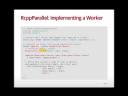
So, this is actually the whole implementation of how you might implement the log worker here. So first, we've got some, this is a little header that says, I'll show you in the IDE soon, that says, oh, this code snippet depends on RcppParallel. We bring in the headers we're using, RcppParallel and Rcpp. Here, I'm just defining a small functor. It looks kind of weird, but just, if you're not familiar with this notation, just imagine that log here is like a function. Log is a function, a thing that can compute the log. And our log worker is going to accept instances of that to compute the log.
So, now let's look at our log worker. Once, just to go back for a second, here we're going to fill in the blanks in here.
So, we've got some members, input and output. There's going to be references to the r vectors, the input vector and output vector. Our constructor takes those and fills those. And the reason why we use r vector here is just as a parallel safe version of the regular r numeric vector. RcppParallel tries to give you these safe wrappers to r objects that you know can be used safely in parallel. Because if you try to use arbitrary elements of the r API, you can run into trouble if you're using those in a parallel worker. In general, the code that you put in an RcppParallel worker should not touch the r API directly. You should stick with the C++ functions or other C++ libraries available in language.
Alright. So, we've got our constructor. This is how our log worker is made. It just stores references to the input and output. And here is where we define our work. This is the implementation for a worker to do work on some slice of data. So, if you haven't seen this thing before, it's basically a way of saying, okay, I want this class to behave kind of like a function. I want this objects of this class to be callable. So, when you call this worker, this is the function that would get called.
And so, this operator, it doesn't return anything. So, whatever it's doing, it's doing as a side effect. And the things that it takes in are indices being the begin and end, like the slice of data that the worker should work on. And here, I'm using a STL algorithms did transform that takes input iterators and an output iterator and a function to apply as it goes through.
So, each worker is going to do a bunch of work in serial. But behind the scenes, parallelFor is generating a whole bunch of these workers that will do this work across different slices of data. And they'll do those work in parallel.
So, as a quick micro benchmark that I did beforehand, if you want to compare this to just computing the log in R and using our parallel log function in RcppParallel, if we took a little micro benchmark, you'd see that our parallel solution, and this is on a MacBook Pro having four processors. We might expect, in the best case, we'd get four times performance. Of course, in practice, you won't see a... You'll see a bit of drop-off as you scale parallel algorithms to the number of cores you have. But it should still be a significant benefit. But what we see here is that our parallel log is roughly three times faster than R's log.
Just to dive into the details, I don't want to go too deep here yet because we've got documentation online. I just want to focus on the high-level stuff. But RcppParallel uses TBB in almost all scenarios. And that comes with highly optimized execution scheduler. And it does intelligent optimization around the grain size, which affects locality of reference, and therefore cache hit rates. If you're familiar with modern architectures of processors, you know that memory is now hierarchical. You've got L1 caches, L2 caches, L3 caches. And the goal is to make sure that you fill the L1 cache and use all the data in there. If not, you fill the L2 cache and use all the data in there. If you're missing those caches, if you have to go back to main memory to get data and fill back the cache, you're going to have cache misses, which are bad for performance. So, TBB, roughly speaking, does its best to make sure that you don't have cache misses. And finally, it also helps with work stealing. It tries to detect if there's idle threads and say, hey, wake up, I've got some work for you to do. And this can all be tuned in RcppParallel, although I might not get to it in this webinar.
Live demo in RStudio
So, with that, we've seen a bunch of nice static stuff, but now let's see this interactive in the IDE.
So, here I am in the RStudio IDE. Before I get started on the RcppParallel functions I was showing, I just want to iterate that the slides that you're seeing today, those were built with R Markdown. So, you've got this very nice offering format for slides. And, you know, if you need to do a presentation yourself, like for a little internal company meeting or even something bigger, this can be a very, very nice way to put something like that together.
So, let's jump into our log implementation. So, here I've combined the bits of the log implementation that we discussed in the slides. I just want to show you that I've got them all together in one file here. We've got our log functor that returns the log. We've got our log worker, as we discussed. And we've got our exported function that R will see, the parallel log function.
So, now, when you're working on C++ files in the IDE, one thing that's very nice and powered by the Rcpp package, is you can actually take this file, you can source it when you save, and what that'll do is it'll go, it'll compile the C++ file that you're working on, it'll link it, it'll load it into your R session, and if you've got a little block of R code, like I do here at the bottom, it'll just go ahead and run that for you. So, let's do that.
Command-S to save. You'll see this source.cpp at the bottom, saying that it's about to source the file. Wait a little bit as the compiler runs. Alright, it's sourced. Now, notice that it goes through and runs all this code. Here, I'm just sharing a 10 million numeric vector. I've convinced myself that we're computing the same thing with R's log and RcppParallel log. Then, we'll use MicroBenchmark to compute a benchmark and we get roughly the same results as we saw before.
So, if you are, whether you're a newcomer to C++ and Rcpp or you're kind of a veteran, there's usually this kind of painful build iteration in C++ in that you have to compile your C++ files, you have to link it, and then you maybe have a test harness or something you run. But, it's really nice in the IDE that you can just take your C++ file and source it and run it directly in the IDE. It couldn't be simpler.
parallelReduce: the inner product example
Alright, so I showed a brief example of the parallelFor. Let's jump over to the parallelReduce. For this example, I'll compute the inner product. So, if you recall, the inner product of two vectors is effectively what you get if you multiply each element in those two vectors element-wise and then sum those products up.
So, here I've got my little R implementation of how you might do that. It's nice and small and succinct, but that's not going to be running in parallel. So, let's see how we might do that in parallel with RcppParallel.
Alright, so first we're going to define a little function product just so we have something that we can pass to our inner product worker. So, product is a function that takes two doubles and returns a product. Nice and simple. And here we're going to have our inner product worker and that's going to once again inherit from RcppParallel worker.
Up here, I've got our private numbers LHS I say for left-hand side, RHS for right-hand side. So, these are going to be our R vector inputs. And then output, because we're computing a scalar value, I'm going to compute a double output value.
So, the first thing that we have is our regular constructor. It takes a numeric vector on the left-hand side, numeric vector on the right-hand side, and it fills these values. We'll come back to this constructor in a bit, but it'll be important when we understand how the reduce stage of this operation happens.
But let's look at the call operator for this class. And so, each worker given a range, it's going to try and fill this output value. And the C++ standard library, it actually comes with an algorithm for computing the inner product. So, we can call that directly over the range that we've been provided. So, because these are std size T, they're numeric indexes, we want to pass iterators to inner product. What we're going to do here is call LHS.begin, which is the very start of the left-hand side vector, and then nudge that iterator forward to the actual beginning of the range we want to work on. And then similar here, we want to give it the end of the range to work on. And here is the right-hand side range for when it computes the product of elements. And 0.0 here is just a starting value.
Alright, so now each worker is going to be filling its own output value. So, this value, remember when we call parallelReduce, multiple workers are going to be generated, and they're all going to be filling their own output value. So, depending on how many workers get generated, there might be 4 or 8. There's going to be 4 or 8 of these values. So, what we need to know is how can we join these values together at the end. So, we've got these kind of mini inner products on different ranges of the data, different slices of the data, and we want to join those together. And we do that by implementing this join function down here.
And it's kind of, it's relatively simple. What you have here is a function called join that accepts some other worker. And the idea is that this worker is going to provide the result of its work to the active worker. And to do that, all we have to do is add the output that's been computed by the other worker right to this own output here.
All right. And now, knowing that we have this join here, this constructor that we have here, it's kind of just, you can almost think of it as boilerplate. It's just the magic constructor that's used so that RcppParallel knows how to split up workers in the parallelReduce scenario. And what we have in here is, it's kind of like a copy constructor. Here, we initialize the left-hand side with the contents of the other inner product worker's left-hand side. Same with the right-hand side and the output.
All right. So, like we did before, I'm going to take this. I'm going to set source on save. I'm going to hit Command-S. Well, first, I'll clear the console with Control-L, and I'll Command-S to source it. We've got some R code at the bottom that's going to run in a similar way to compute the inner product in parallel.
All right. So, once again, we can convince ourselves that, yes, we are computing with correct value. And if we run a little microbenchmark, we'll actually see, oh my gosh, we're almost 10 times faster than what R is doing here. And so, I'm on a laptop with only four cores, so there must be something else going on here. Actually, what's happening in R, you can imagine that when you compute LHS times RHS, what you have is another numeric vector of the same length of the LHS and RHS vectors. So, you're computing a whole new vector, and then you're finally reducing or collapsing that by calling sum. But in our parallel worker case, because we're just filling one single output on each worker directly, we're not generating a whole new vector of the same sizes or inputs. We get a bit of memory savings in addition to the parallel processing improvements.
And if we run a little microbenchmark, we'll actually see, oh my gosh, we're almost 10 times faster than what R is doing here. And so, I'm on a laptop with only four cores, so there must be something else going on here.
So, there are some very nice gains to be realized with RcppParallel, even on your own commodity hardware, but you can imagine that it will scale, and it does scale, in fact, on larger machines or supercomputers, computers with many processors.
Building an R package with RcppParallel
Alright, so I've shown you how to use these functions stand-alone, but what you might want to know is, okay, I'm excited about RcppParallel. I want to start, you know, maybe I'm a novice or I'm experienced at C++, but I want to put something together, I want to share it with other people. How can I do that?
So, in general, when it comes to sharing R code or things that should be used in R session, you should think R package. So, if you have some experience with R packages, that will be helpful here. If not, we'll go through a little demo of how you might build an R package that uses RcppParallel behind the scenes. So, I've got this folder here, RcppParallel example, and it's going to be a little R package that I've pre-populated, and we'll just open that up and run through some of the things that we did to make an R package an R package.
So, I'll switch to that project here. RcppParallel example. Don't need to save our workspace.
All right, so now we are in this little RcppParallel example package. So, you might be familiar with some of these elements on the right-hand side of your vanilla R package. You've got your description file. You've got an R folder that's full of some R files. In this case, you have this thing called Rcpp exports. And, we have our source folder.
Okay, so this is kind of the general layout of an R package. I don't have time to go through all of the details, but I assure you that there will be other webinars and other materials online that you can use to become more familiar if I gloss over a few things here.
So, first, I just want to... I've got a pre-working package here. I'm just going to build it. What we have here is the compiler runs to compile the package and build it. We've built it. We restart the R session. We load it. And, we've got our RcppParallel example package.
All right, just to show that it's working, we've got that package loaded. I just want to show that we've got this RcppParallel example. And, we've got these two functions here that are in the package ready to do some work for us.
Okay, so now how did we make that happen? So, in an R package, when you have compiled code or C or C++ code, you always put it in the source folder. And, in our source folder, I have pretty much the same log and inner product files that we've seen before. So, let's take a quick look at the log file. All this stuff up here, it's exactly as we saw before. Here, this is something a little different. This, if you're familiar with ROxygen, which is a way of documenting functions and classes in R files, you can actually do the same thing in C++ files. And, if you're using dev tools to document, it'll parse those ROxygen comments, these C++ ROxygen comments, and promote them to the exported R wrappers.
So, what we have here is effectively just the documentation for this parallel log. It's a simple function. It computes just the natural log of a numeric vector. It takes a numeric vector as input. And, this export declaration here says the R wrapper that we generate, we should export it. Now, this is a little bit confusing in that we have two export statements. But, here, this one is saying for the generated R function, make that exported. I.e., when someone loads this package, I want the R wrapper function to be visible to them. And, this one is saying, well, this function that we've got here, we want to make the C++ interface available to the R package. So, this is a little bit lower level and this is a way of saying the parallel log function should be generated. The R wrapper function should be generated. But, this is saying that the generated R wrapper function should be exported.
And, let me just jump to show you that's true. So, this RcppExports.r file, which is auto-generated for us based on the contents of this file. What we see here is, in our parallel log, is the exact same ROxygen documentation that we discussed before. And, this little wrapper function using .call is a way of saying, I want to call some compiled code with a function of this name in this package. So, all you need to know is that this stuff is done behind the scenes for you. And, all you need to worry about is writing your own C++ files with these annotations that tell the Rcpp package in RStudio how to build the wrapper functions.
So, given that, what we have in here is exactly the same as what we had before. For our inner product, same thing. Exact same thing that we looked at before. The only difference is we've added a little bit of documentation so that the R wrapper functions that are generated have documentation. And, actually, why don't we just convince ourselves that these things do have documentation. Let's look at the docs and there they are. Parallel log displayed nicely in the RStudio help pane.
Package prerequisites and common stumbling blocks
Alright, so, there's a number of kind of fiddly prerequisites to R packages using RcppParallel and you have to make sure to follow each of them. Otherwise, unfortunately, you can bump into strange errors. And, one of them is how you construct your namespace file. So, this namespace file, it tells our, well, how to construct the namespace of your package and that includes what functions should be exported or what functions or objects should be imported from other packages.
So, the first thing we'll do here is, I know I talked about the ROxygen comments before, everything super simple in our namespace. What we're actually doing is using this export pattern to say everything that doesn't start with a dot, I want that made available to users of our package. So, this is the declaration that says the parallel inner product and parallel log R wrapper function should be made available to users of the package.
Now, this one is a little scary and I actually bumped into this while preparing the webinar for the RcppParallel talk. So, if anything, it's pretty important to follow directions. Otherwise, unfortunately, you will see some strange things. And, if you try to build your package, let me see if I can actually just remove these and convince you that strange things go wrong. You clean and rebuild this, see all this compiler output. Build it and, ooh, something bizarre went wrong. And so, you see this here, this symbol not found task. It's like a mangled name. It's a mangled name of the function that it's trying to call and saying, oh, that thing doesn't exist.
And, that's basically because when the package is being built and loaded, the RcppParallel package isn't loaded alongside it so that the routines in the RcppParallel package, which our example package is using, are not available. So, RcppParallel loads our package and says, hey, where's this symbol that I'm looking for? I expect it in RcppParallel. Well, the way to make sure that RcppParallel is there and is providing the symbol for you is just to import any object from that package. And, here, I'm importing the RcppParallel libs. We do a similar thing from Rcpp for the same reasons. Let me just rebuild that, convince you that it does fix things.
And, there we go. We've got our package built and ready to go.
All right. And, the final little one in your namespace is it's somewhat bizarre that you have to add this since you would think that, oh, my package has C++ code. It has compiled code. It's the shared object, the file that houses these compiled routines is being made, generated for the package. But, yet, I still have to tell R explicitly, oh, I'm building a library of compiled functions and I want to use it. So, unfortunately, R doesn't do this automatically for you in your namespace file. You need to make sure that you say, use dynlib, which just says, okay, I know I'm generating. I've got my package has compiled code. I want to actually use it. I'm not just compiling it for fun.
So, if you're building a package that has compiled code, which in this case is using RcppParallel, you'll need to make sure that you have this use dynlib declaration.
So, the reason why I'm spending time on this is just because these are the most common stumbling blocks when getting started with RcppParallel. Once you have the template and once you have, like I hope some of you who are interested in using RcppParallel, you can just copy this package, start tweaking some of the files, maybe add some of your own and see how it works as you play around.
The last thing I'll look at in here is these makevars files. So, here, the makevars files are kind of our way of setting certain variables that affect how your package is compiled. makevars for non-Windows platforms and makevars.win for Windows platforms. So, nowadays, you actually don't really need this, but I'm going to include this just because it's nice to have it for backwards compatibility with RcppParallel. But, when you build your package, you basically want to tell R that the package lives environment variable. You want to tell it that, oh yeah, RcppParallel is providing some libraries and make sure that during compilation those are used. So, in practice, on non-Windows machines, you don't need this nowadays. But, on Windows machines, you do need a makevars.win and that's for backwards compatibility reasons.
So, back in the early days of RcppParallel, Windows was not supported as a platform just because development on Windows is often a little more difficult than other platforms. So, nowadays, TBB is supported on Windows. But, just to ensure that your package works with newer versions of R and RcppParallel, you need to explicitly say this "-d means define a variable and RcppParallel use TBB. Please use TBB in my package," and you attach that to your CXX flags. And then, similarly, this is the same thing as we saw before, except a little bit more boilerplate and constructing paths to the R script executable. And this is saying, make sure that we use the RcppParallel libs libraries when you compile my package.
So, with those caveats, which there are a few of them, but once you know them, then you know not to bump into them. It's really quite easy to use RcppParallel in your own code and in your own packages. And now that you have an R package, you're ready to run R command check. Once you're certain that things are ready to go, you can start sharing it with collaborators, you can put it on CRAN, and you're good to go.
Resources and Q&A
Alright, so let me jump back to my slides. We're coming up to the end, so I just want to share some materials for everyone. So, RcppParallel is available on CRAN. If you want to install it, it's as simple as install.packages.RcppParallel. If you want to use the package, you can reference this webinar. And if you want to learn more about using RcppParallel, you've got a lot of resources online. The RcppParallel website outlines both the high-level usages and also some of the deeper details of using TBB itself.
The Rcpp gallery outlines a number of example usages of the Rcpp package and the RcppParallel package. If you're curious about what's new in RcppParallel, all of our development is online on our GitHub repository. And on the CRAN page for RcppParallel, you can see how other packages are using RcppParallel. And one kind of interesting one that came out recently, if you're working with time series data, is the roll package. And that's basically for windowed functions. And behind the scenes, it's using RcppParallel to do things very fast. So, if you know zoo roll apply and you ever wish that could be a little faster, you might want to check that out. And so RcppParallel is an excellent tool for solving lots of these kinds of problems.
All right, thank you for joining and we'll start taking some questions. So, there's a question from, sorry if I mispronounce your name, Jerry Palak. Does it work as CPU or GPU parallel computing? This is a CPU specific solution. It's not GPU aware. So, the goal here is to make the best use of your CPU. There are packages for computation on the GPU, but RcppParallel is specifically targeting the processor.
If you're writing code to run on other computers, is there a way to determine the number of cores available on that machine from within R? And I believe that's true. I might not get it right on the first try, but let's see if it's in the dot machine or dot platform. Now, I can't remember off the top of my head, but I know that there's routines for that. So, what I would encourage you to do for these kinds of questions is visit the RcppParallel website. So, here at the github.io RcppParallel, this is where all the information about some of the nitty-gritty stuff in RcppParallel can be answered.
Can I define my own ranges for splitting up data across the workers? So, you can tweak the parameters that TBB uses to divide the data into separate ranges, but I don't think you can take the actual level of granularity to say, oh, I want this worker to specifically have... Well, you can tweak the grain size. So, you can say, oh, I want, say, 256 or 512 bytes per worker or maybe probably more than that, but I believe tweaking the grain size allows you to effectively define the size of ranges, although I don't think you could say you could customize different sizes for different workers.
Sorry, the package with the roll function, it's simply called roll, R-O-L-L. So, that's worth checking out if you want to see a nice example of RcppParallel used for fast parallel computation.
Where can we find a good introduction to workers and functors for us to try to see if we can invert our Rcpp code to RcppParallel? That's a great question, and I think the best place to start is the Rcpp gallery. So, if you saw in my log and inner product examples, what we have on the Rcpp gallery is basically a lot of similar things to that. So, we've got inner product here, parallel distant matrix computation. Let's take a quick look at that. So, what you have here in the Rcpp gallery is these nice articles that stand alone. They present some R and C++ code using Rcpp or RcppParallel, and this can give you very good ideas about, you know, how are other people using RcppParallel and how can I use it myself for some of the things I want to do.
So, from one user, he asks, can we parallelize a task across several computers? And the answer for this is no. So, the goal of RcppParallel is to use all of the processors on one machine. Now, you can combine this with, for example, the parallel computation packages provided by R. So, you can imagine taking a compiled routine that knows how to use the cores, all of the cores on one machine and compute that in parallel across multiple machines. So, RcppParallel takes care of the parallelism per machine and the R parallel libraries take care of parallelism across machines. And that's the way I would prefer to think about it.
So, one question. RcppParallel essentially interfaces R with TBB with only two specialized RcppParallel functions, parallelFor and parallelReduce. That's correct. These are kind of solving the, we call them the embarrassingly parallel problems in computation, but because it bundles the TBB package, everything that TBB has is available for you. So, if you're a power user and we outline a little bit of this on the GitHub repo, there's a whole bunch of tools available in TBB for concurrent programming. So, once you feel like saying, okay, I care enough to build my own locks, my own queues. I want to take more control of how this task is executed in parallel. Because the RcppParallel makes TBB available, you can just use that directly. So, we have some brief documentations for kind of diving a little bit deeper with that.
We have one question. How does this package relate to using Spark in R? And so, these are effectively, you know, unrelated. Spark is kind of a platform for big data and machine learning with large data sets. It provides nice, you know, interfaces, SQL interfaces, different programming interfaces to manipulating that data. But that lives outside of R. There's, you know, packages like sparklyr, which is a new package introduced by RStudio for interacting with Spark from RStudio. But the goal of RcppParallel is not interacting with the external database, but interacting with the data you have in memory on your machine.
There's one question about how can we implement MapReduce using RcppParallel. The idea, if you want to do that, that's basically what parallelReduce is doing. The work information, that operator, open paren, close paren, that's the map function. That's the transformation you're doing on some range of data. And then the join function, that's how you're reducing or combining the results from there. So, MapReduce is totally possible, although we don't give it the same MapReduce name.
One question, is it good practice to use all but say one core? And that's kind of a tough question. The general issue here is with parallel computation, you generally don't scale linearly as you increase the number of cores, unfortunately. So, the gain you get from going from one to four cores might not be as much as the gain from going from four to eight cores. Although, in this case, because we're working on so-called embarrassingly parallel problems where there's very little contention between the different workers, you should see relatively high gains close to linear as you increase the number of processors. But, in general, you have to tune that yourself and RcppParallel and TBB provide APIs for tuning that.
Alright, I will take one more question. The question here is, can RcppParallel be used on do or while loops or only for? And, so, RcppParallel kind of takes the work that might be done by a for loop and gives you a way of expressing

