


Admin SSP | RStudio Webinar - 2016
This is a recording of an RStudio webinar. You can subscribe to receive invitations to future webinars at https://www.rstudio.com/resources/web... . We try to host a couple each month with the goal of furthering the R community's understanding of R and RStudio's capabilities. We are always interested in receiving feedback, so please don't hesitate to comment or reach out with a personal message
image: thumbnail.jpg
Transcript#
This transcript was generated automatically and may contain errors.
So this is the second part in a two-part webinar. The first one was a few weeks ago with RStudio Server Pro and then this one is about ShinyServer Pro. These webinars are slightly different than some of the other webinars that we've done in that they're geared towards administration of our products and they are, you know, we'll be referring to the admin guides frequently. So this one's about ShinyServer Pro and I'm really excited to do it and I've got a lot to go through so we should just get started.
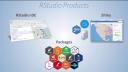
To give you a brief background of our product stack, for those of you that are maybe not that familiar with RStudio products, we have an IDE, we have this thing called Shiny which is what we're talking about today, and then we develop all these open source packages that are freely available to the community.
What is Shiny?
What is Shiny? Shiny is a web application framework for R. You can turn your analyses into interactive web applications and you don't need to know HTML, CSS, or JavaScript in order to build these. This is a Hello World script that's on our main page, shiny.rstudio.com and you can see that you have some interactive controls and you can add some nice features here and then you can interact with this app. This app is built with two pieces, one is the UI script that defines the user interface and then the other one is server.r which defines the actual functionality of the app itself. For example, histogram is in here and as well, which is right here, as well as like the rug plot and the density lines.
Shiny Server Pro overview
The other thing that's a little bit different about these webinars than the previous ones that we have done is that these really are focused on our professional products and we're doing that because if you're going to have an administrative team managing the products, you're probably going to be using our professional products. So a lot of the features that we'll be talking about today are specifically pro-related products and I'm not going to differentiate between pro and open source here, I'm going to, I will solely be referring to pro features without making that distinction.
So every Shiny application requires a Shiny Server on the back end. Shiny Server Pro is the product that we use to help us secure performance and monitor resource utilization, you know, and really make your applications available to everyone in your organization or your enterprise. We oftentimes get the question, what is the difference between Shiny and Shiny Server? It's a really good question, I can relate because I had the same question when it first was being developed. Shiny is an open source package that is used to develop applications and it's used to build these responsive and powerful applications. Shiny Server Pro is professional software that you use to host the applications and it's designed to scale, protect, and manage and secure your environment.
Shiny Server Pro is professional software that you use to host the applications and it's designed to scale, protect, and manage and secure your environment.

