


Quarto supports a variety of page layout options that enable you to author content that
- Fills the main content region
- Overflows the content region
- Spans the entire page
- Occupies the document margin
This post will demonstrate a few of the capabilities for positioning content in the margin of the page. You can read more about the complete capabilities in the Article Layout Guide .
Margin Figures#
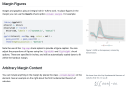
Figures that you create using code cells can be placed in the margin by using the column: margin code cell option. If the code produces more than one figure, each of the figures will be placed in the margin.
|
|

Margin Tables#
You an also place tables in the margin of your document by specifying column: margin.
|
|
| mpg | cyl | disp | |
|---|---|---|---|
| Mazda RX4 | 21.0 | 6 | 160 |
| Mazda RX4 Wag | 21.0 | 6 | 160 |
| Datsun 710 | 22.8 | 4 | 108 |
Other Content#
You can also place content in the margin by targeting the margin column using a div with the .column-margin class. For example:
|
|
We know from the first fundamental theorem of calculus that for $x$ in $[a, b]$:
$$\frac{d}{dx}\left( \int_{a}^{x} f(u),du\right)=f(x).$$
Margin References#
Footnotes and the bibliography typically appear at the end of the document, but you can choose to have them placed in the margin by setting the following option[^1] in the document front matter:
|
|
With these options set, footnotes and citations will (respectively) be automatically be placed in the margin of the document rather than the bottom of the page. As an example, when I cite Xie et al. (2018), the citation bibliography entry itself will now appear in the margin.
Asides#
Asides allow you to place content aside from the content it is placed in. Asides look like footnotes, but do not include the footnote mark (the superscript number). This is a span that has the class aside which places it in the margin without a footnote number.
|
|
Margin Captions#
For figures and tables, you may leave the content in the body of the document while placing the caption in the margin of the document. Using cap-location: margin in a code cell or document front matter to control this. For example:
|
|

References#
Xie, Yihui, J. J. Allaire, and Garrett Grolemund. 2018. R Markdown: The Definitive Guide. Chapman; Hall/CRC. https://bookdown.org/yihui/rmarkdown .


