


Quarto includes a number of features aimed at making it easy to author and customize markdown table output, including:
- Specifying column alignment and widths.
- Providing captions, subcaptions, and cross-references.
- Generating tables dynamically from executable code cells.
This post provides an overview of these capabilities in Quarto. For more detail about all the features Quarto for authoring tables, see Tables .
Markdown Tables#
The most commonly used markdown table is known as a pipe table. Pipe tables support specifying per column alignment as well as captions. For example:
|
|
Here is the table rendered to HTML:
| Default | Left | Right | Center |
|---|---|---|---|
| 12 | 12 | 12 | 12 |
| 123 | 123 | 123 | 123 |
| 1 | 1 | 1 | 1 |
Demonstration of pipe table syntax
Caption Location#
By default, table captions are positioned above tables. You can modify this behavior using the tbl-cap-location option. For example:
|
|
Explicit Column Widths#
Beyond standard pipe table syntax for expressing column width, you can also explicitly specify columns widths using the tbl-colwidths attribute or document-level option. For an individual markdown table, add the attribute after the caption. For example:
|
|
Note that this option is specified at the top level so that it can be shared by both PDF and HTML formats. If you are only targeting a single format you can place it alongside other format specific options.
Valid values for the caption location include:
| Value | Description |
|---|---|
top |
Position the caption above the table. |
bottom |
Position the caption below the table. |
margin |
Position the caption in the margin. |
Computations#
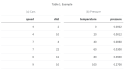
All of the options described above work for tables produced by executable code cells. For example, here we apply the tbl-cap, tbl-colwidths and tbl-caption-location options to a code cell:
|
|
In addition to the above, which focused on some of the features of Quarto when writing pipe tables in markdown, you can also author tables using grid syntax. You review the documentation . for more detail.


